Add SSRS as a named instance.

Published:
Browse All Articles > Add SSRS as a named instance.
A recent questions about how to add SSRS named instances, couldn't find any that talks about SQL server 2008, anyway I decided to help by creating some screen shots.
The installation is straightforward, you just pop the SQL server 2008 installation DVD , run the installer, select Reporting services from the "Feature Selections", then select "Named Instance", configure and you're done !
Let’s do it step by step:
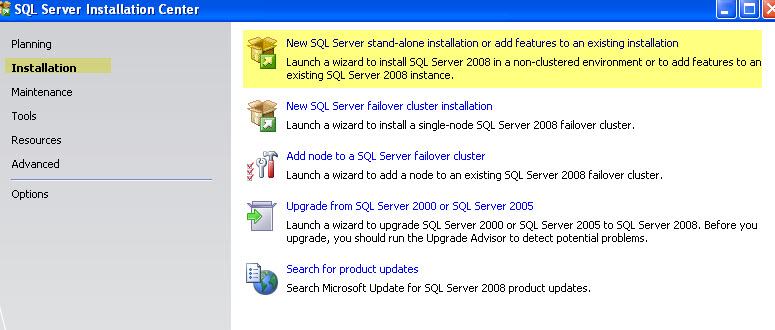
Select New or add a feature…..
![0]()
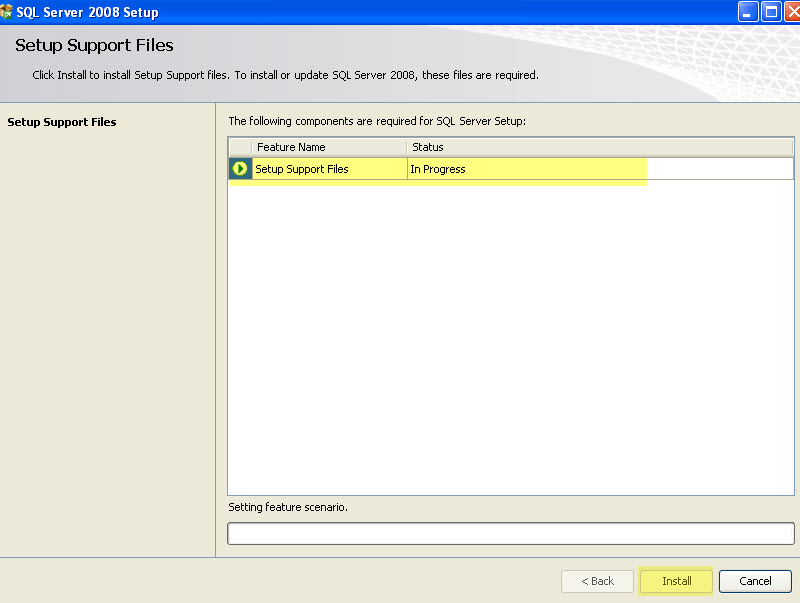
1-SQL server 2008 will do additional tests and install installation support files.
![1]()
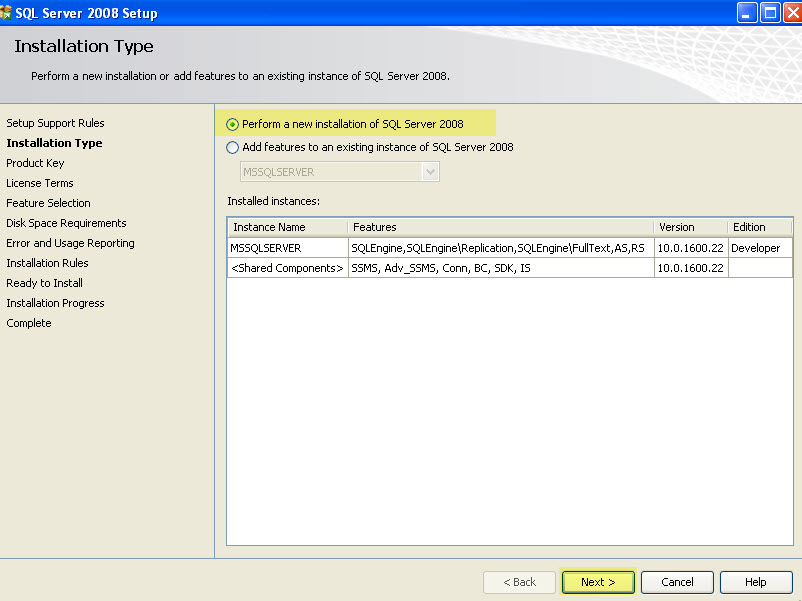
2-Select perform a new installation of SQL Server 2008.
![2]()
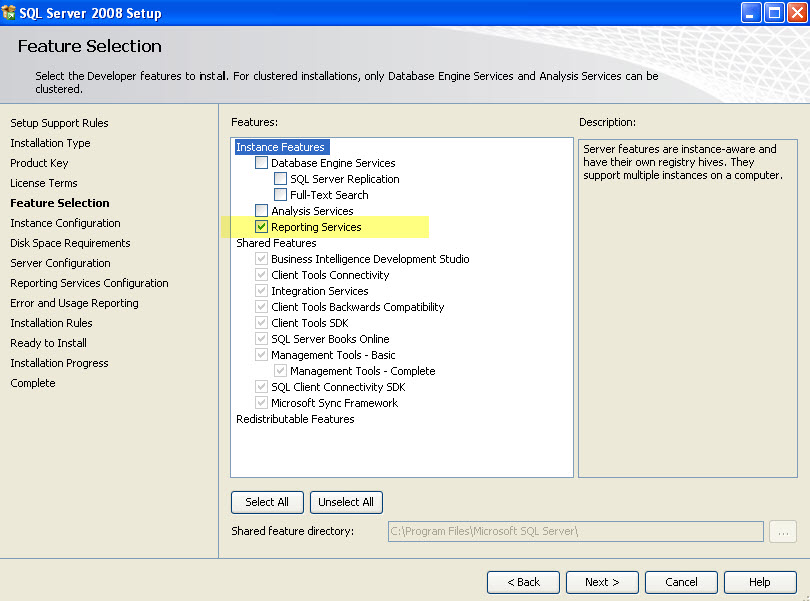
3-Only Select Reporting Services as that's what we need to install ... and press next.
![3]()
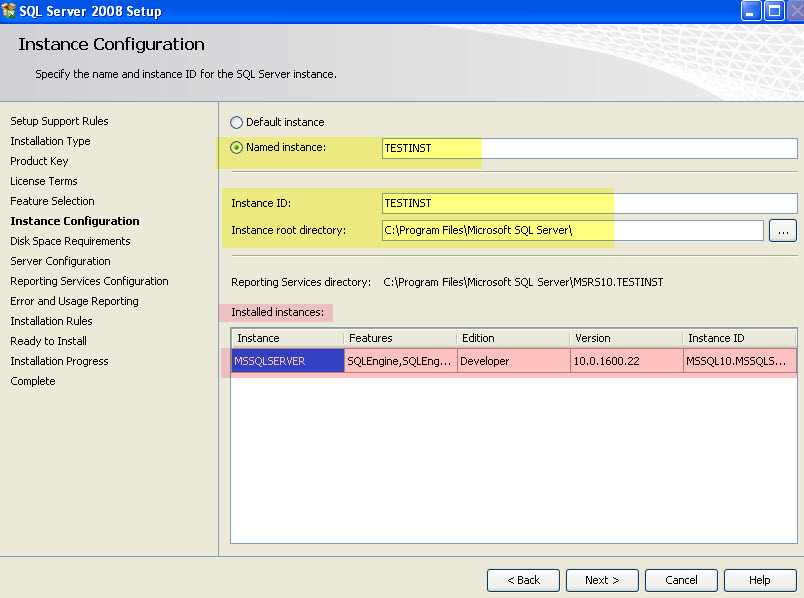
4-Select named instance or you'll get an error ! As SSRS has been installed already for the default instance.
![4]()
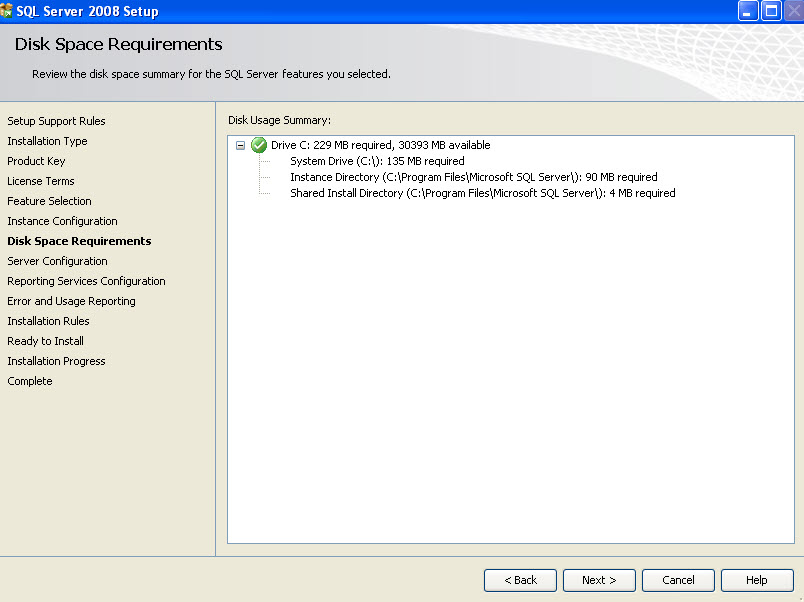
5-Confirmation...and required space vs available space.
![5]()
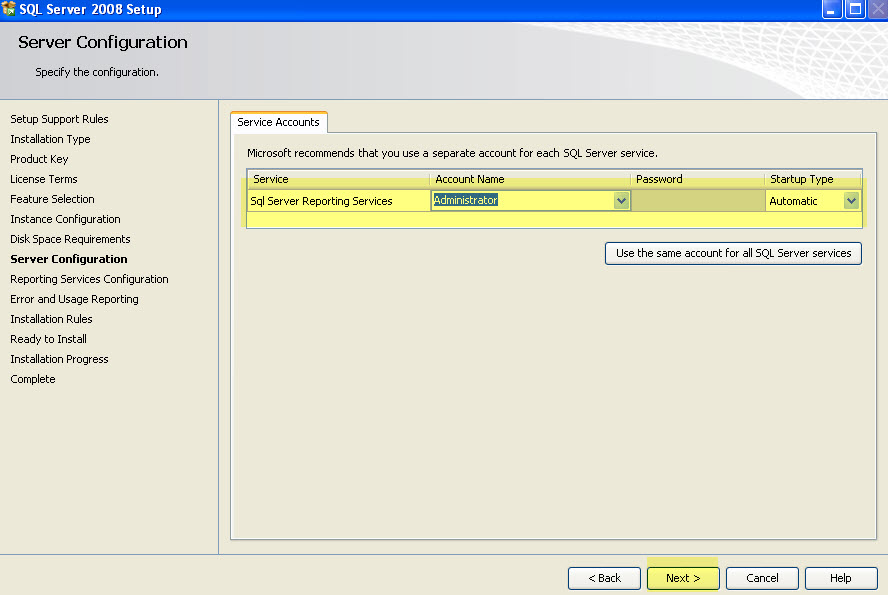
6-Select the service account for this instance's SSRS.
![6]()
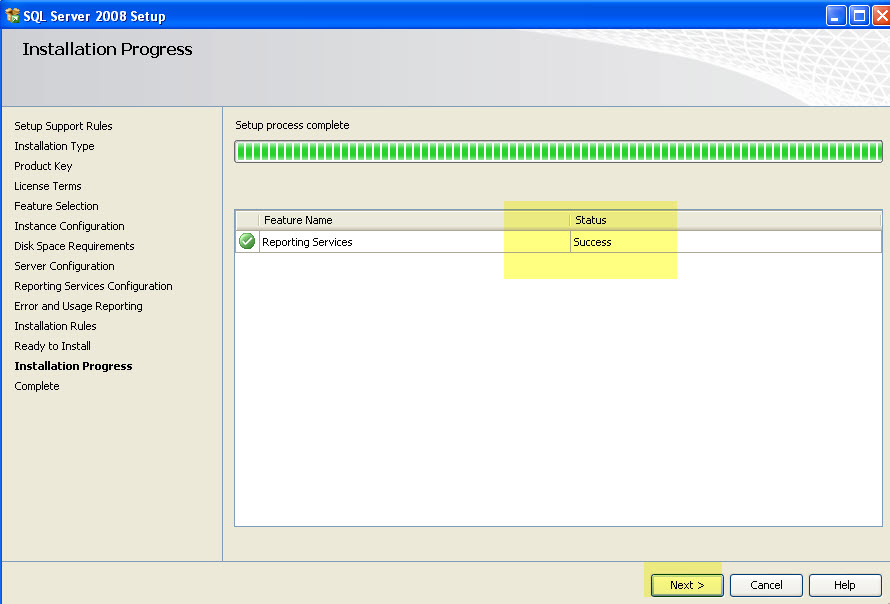
7-Installation. SQL server will take around 4 to 8 minutes depending on your machine..& will get you to the completion screen.
You're done...exit the wizard.
![7]()
8-Now since the installation is done, let's configure the instance.
Open Reporting services Configuration Manager by clicking
All Programs---> Microsoft SQL server 2008---> Configuration Tools
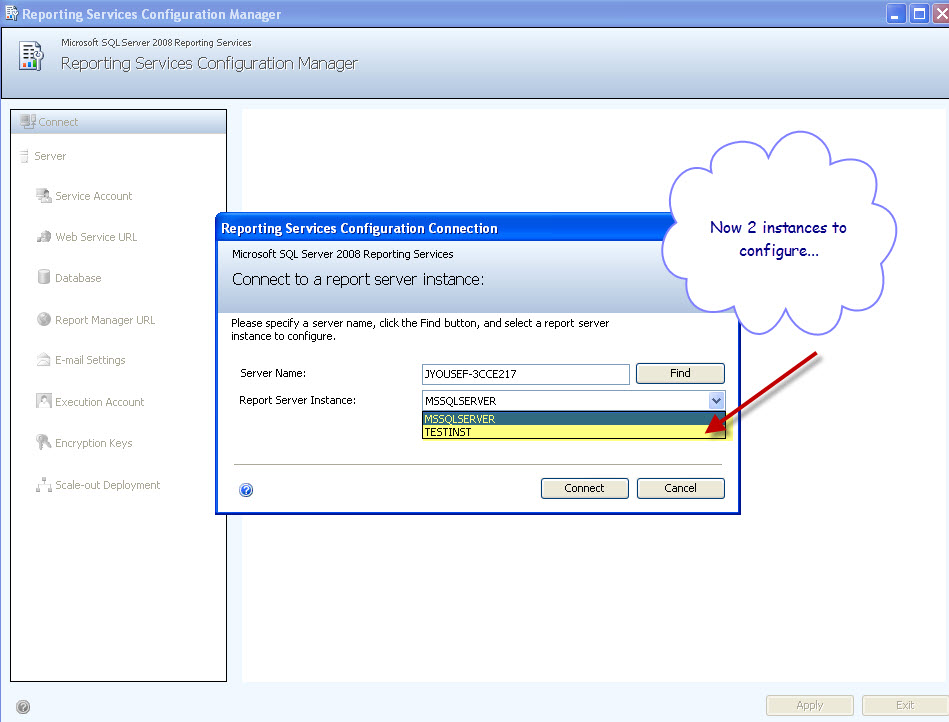
Selecting the new instance to configure...
![8]()
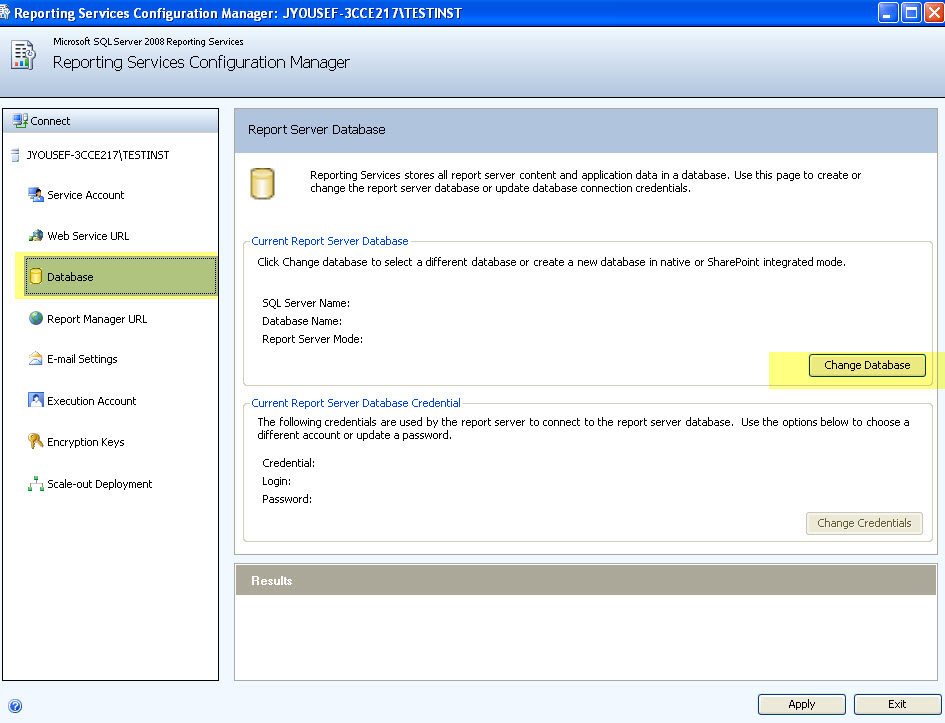
9-Hop to the database tab to install or point to an existing DB.
In my scenario I'll create a new DB.
![9]()
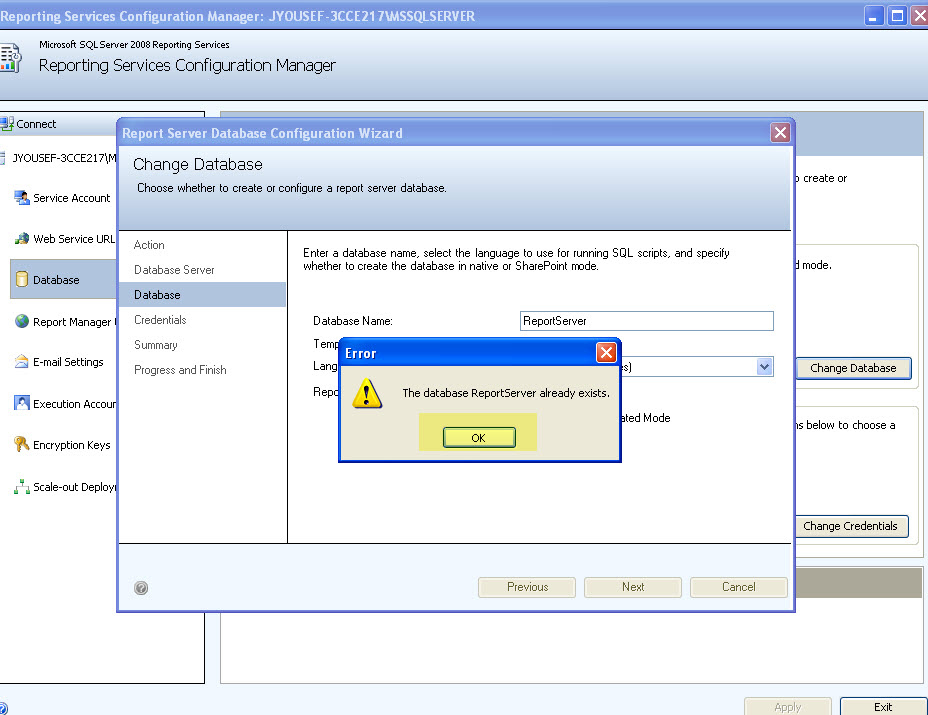
10-I'm already using ReportServer default DB for the default instance, so I'll need to come up with a new name for the new instance to use !
![9-1]()
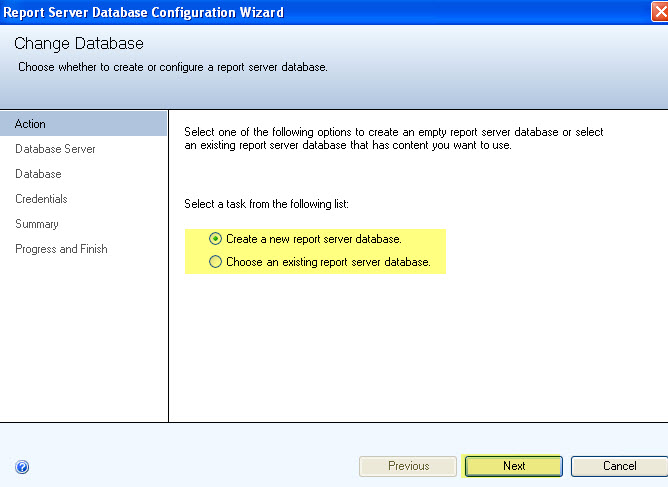
11-I'll create a new report server DB.
![10]()
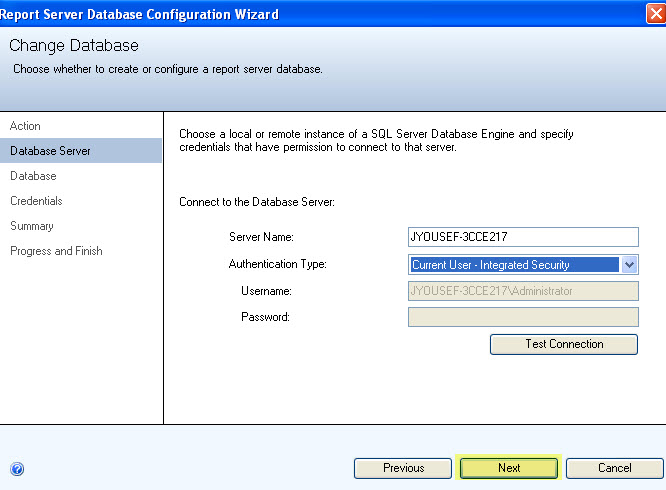
12-On which SQL server the DB will be created in ! and which account the wizard will use to connect to that SQL box.
![11]()
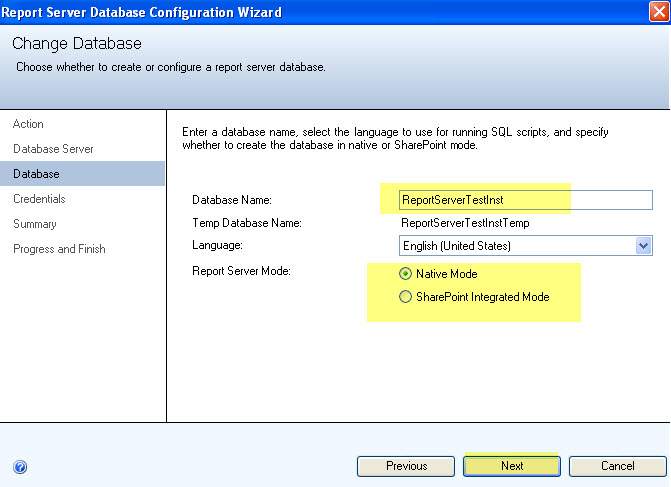
13-Name your new DB.
![12]()
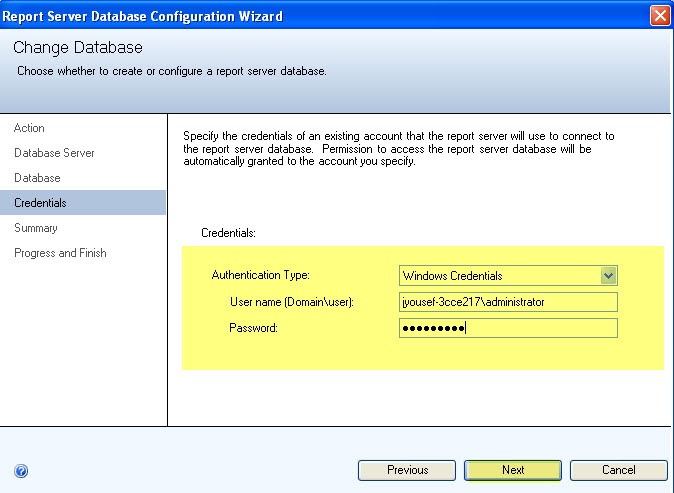
14-User Credentials for the new DB, in my scenario I'm using a domain account called administrator.
![13]()
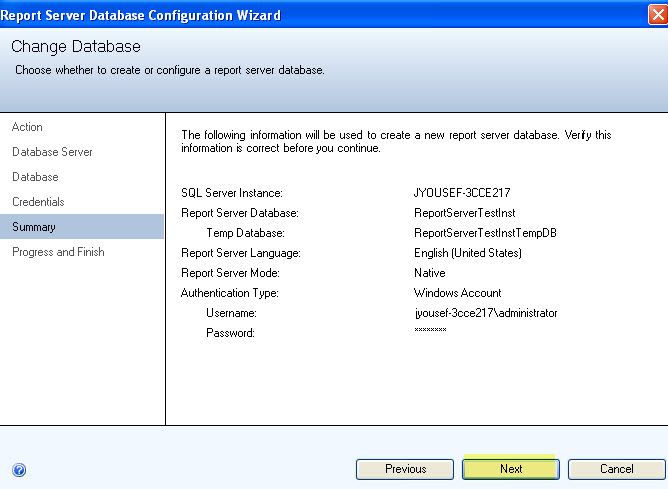
15-Summary...and confirmation
![14]()
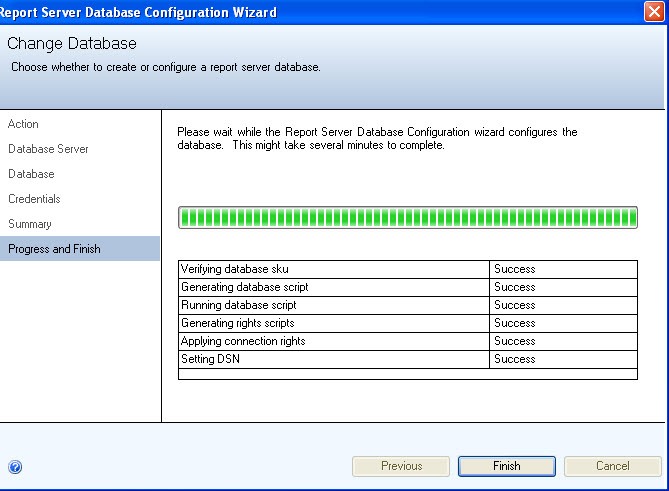
16-2 to 3 Minutes and you're done. click Finish to exit the wizard.
![15]()
17-You need to initialize the web service URL, which port and which virtual directory to use.
![16]()
18-Report server URL to view the reports..for user access.
I'm keeping everything simple here just for simplicity, you can go fancy and name it after your instance intended users, for example: sales or HR
![17]()
19-You may access the instances using…
http://jyousef-3cce217/Reports_TESTINST <---Newly added NAMED instance URL
http://jyousef-3cce217/Reports <---Default instance.
Of course you can be create and choose your own naming conventions. But for simplicity I choose these.
![18]()
That's it... the 2 instances side to side.
Hope that helps someone.
The installation is straightforward, you just pop the SQL server 2008 installation DVD , run the installer, select Reporting services from the "Feature Selections", then select "Named Instance", configure and you're done !
Let’s do it step by step:
Select New or add a feature…..
1-SQL server 2008 will do additional tests and install installation support files.
2-Select perform a new installation of SQL Server 2008.
3-Only Select Reporting Services as that's what we need to install ... and press next.
4-Select named instance or you'll get an error ! As SSRS has been installed already for the default instance.
5-Confirmation...and required space vs available space.
6-Select the service account for this instance's SSRS.
7-Installation. SQL server will take around 4 to 8 minutes depending on your machine..& will get you to the completion screen.
You're done...exit the wizard.
8-Now since the installation is done, let's configure the instance.
Open Reporting services Configuration Manager by clicking
All Programs---> Microsoft SQL server 2008---> Configuration Tools
Selecting the new instance to configure...
9-Hop to the database tab to install or point to an existing DB.
In my scenario I'll create a new DB.
10-I'm already using ReportServer default DB for the default instance, so I'll need to come up with a new name for the new instance to use !
11-I'll create a new report server DB.
12-On which SQL server the DB will be created in ! and which account the wizard will use to connect to that SQL box.
13-Name your new DB.
14-User Credentials for the new DB, in my scenario I'm using a domain account called administrator.
15-Summary...and confirmation
16-2 to 3 Minutes and you're done. click Finish to exit the wizard.
17-You need to initialize the web service URL, which port and which virtual directory to use.

18-Report server URL to view the reports..for user access.
I'm keeping everything simple here just for simplicity, you can go fancy and name it after your instance intended users, for example: sales or HR
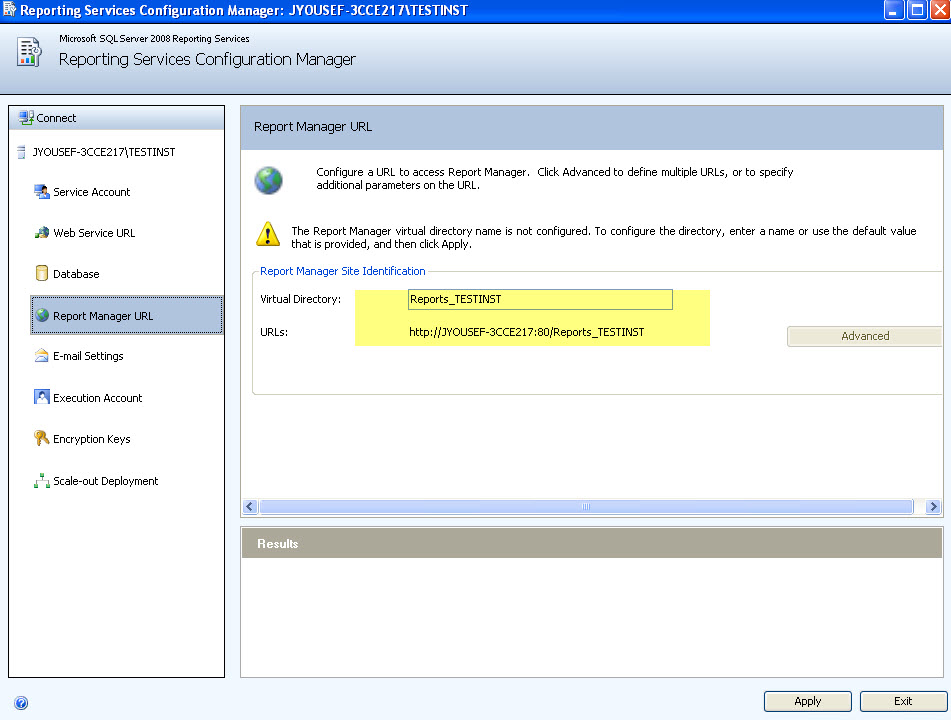
19-You may access the instances using…
http://jyousef-3cce217/Reports_TESTINST <---Newly added NAMED instance URL
http://jyousef-3cce217/Reports <---Default instance.
Of course you can be create and choose your own naming conventions. But for simplicity I choose these.

That's it... the 2 instances side to side.
Hope that helps someone.

There's the plan, then there's what actually happens.
Have a question about something in this article? You can receive help directly from the article author. Sign up for a free trial to get started.
Comments (0)