
Windows Server 2003
--
Questions
--
Followers
Top Experts

There are a number of problems I am facing
Basically, I am trying to apply a trial Platinum Server license which Citrix have supplied me with in an *.lic file format.
The name of the Xen Server I am trying to apply the license on is “vps1” and so is the license file says
Here are my settings for Citrix Virtual Appliance Server
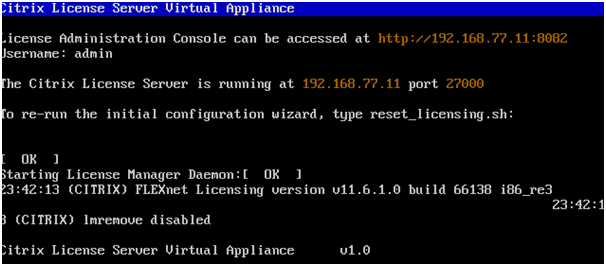
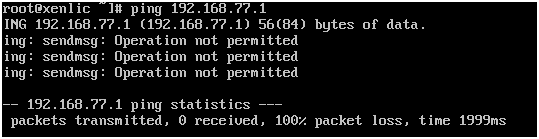
Problem is, I am unable to ping that IP address neither can I ping any other machine on the network
From Citrix License Server Virtual Appliance:
To Citrix License Server Appliance from another machine:
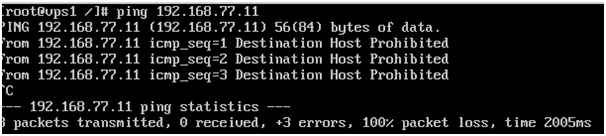
Apparently, there is an issue with the firewall on license server. So I turned it off and ping is working just fine:
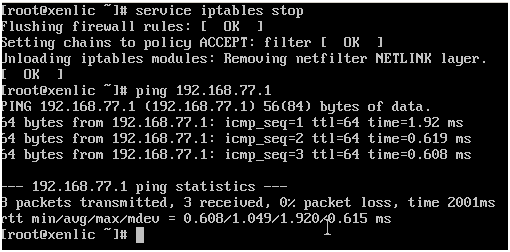
Fine, both the machines are talking to each other
Now it’s time to start the license daemon from the web interface:
Here are my settings:
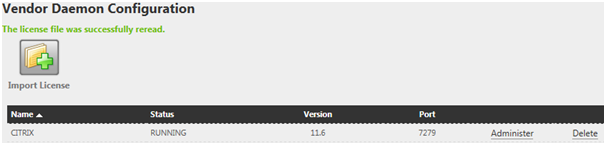
When I click on Administer, here is what I am getting:
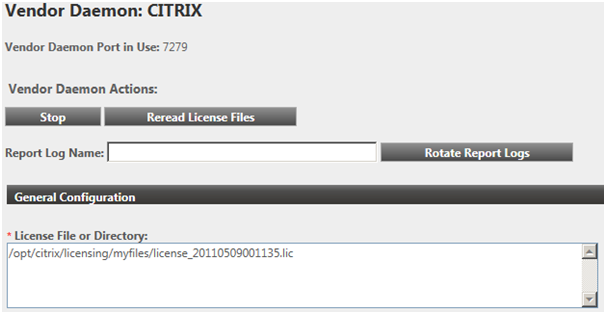
Everything seems to be going perfect so far
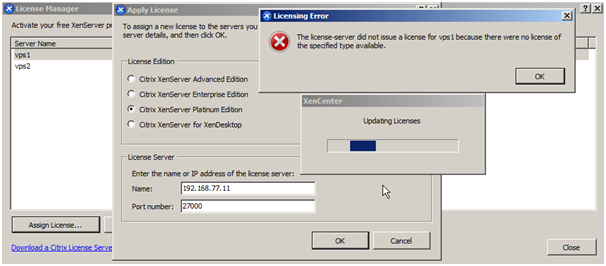
Could someone please explain me what the problem is. It’s my third day and I am still stuck in applying one single license.
Here is some information:
Xen Machine to apply license on: vps1
License Type: XenServer Platinum Edition
Ports settings is not changed, all defaults: 27000 for license, 8082 for web console
Your help will be really appreciated.
Thank you
Zero AI Policy
We believe in human intelligence. Our moderation policy strictly prohibits the use of LLM content in our Q&A threads.


What is the hostname in the license file? The hostname is case sensitive so vps1 and VPS1 are not the same.
I will attach the *.lic file for ease.
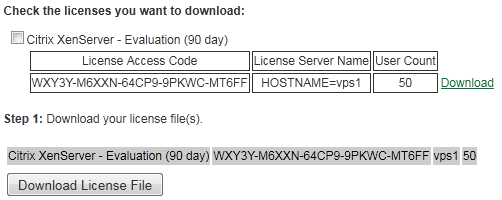
Please review . license-20110511064514.lic.txt


EARN REWARDS FOR ASKING, ANSWERING, AND MORE.
Earn free swag for participating on the platform.
I would call Citrix customer service. Free support for license issues.
http://www.citrix.com/English/SS/supportThird.asp?slID=11553&tlID=11610
BTW, NEVER make a change to a license file and a license file should only be opened in WordPad and not Notepad.
I use Notepad++ as my default text editor.
I will follow the link you provided.
Thank you
Get a FREE t-shirt when you ask your first question.
We believe in human intelligence. Our moderation policy strictly prohibits the use of LLM content in our Q&A threads.


Thanks to everyone.
Windows Server 2003
--
Questions
--
Followers
Top Experts
Windows Server 2003 was based on Windows XP and was released in four editions: Web, Standard, Enterprise and Datacenter. It also had derivative versions for clusters, storage and Microsoft’s Small Business Server. Important upgrades included integrating Internet Information Services (IIS), improvements to Active Directory (AD) and Group Policy (GP), and the migration to Automated System Recovery (ASR).