
Networking
--
Questions
--
Followers
Top Experts

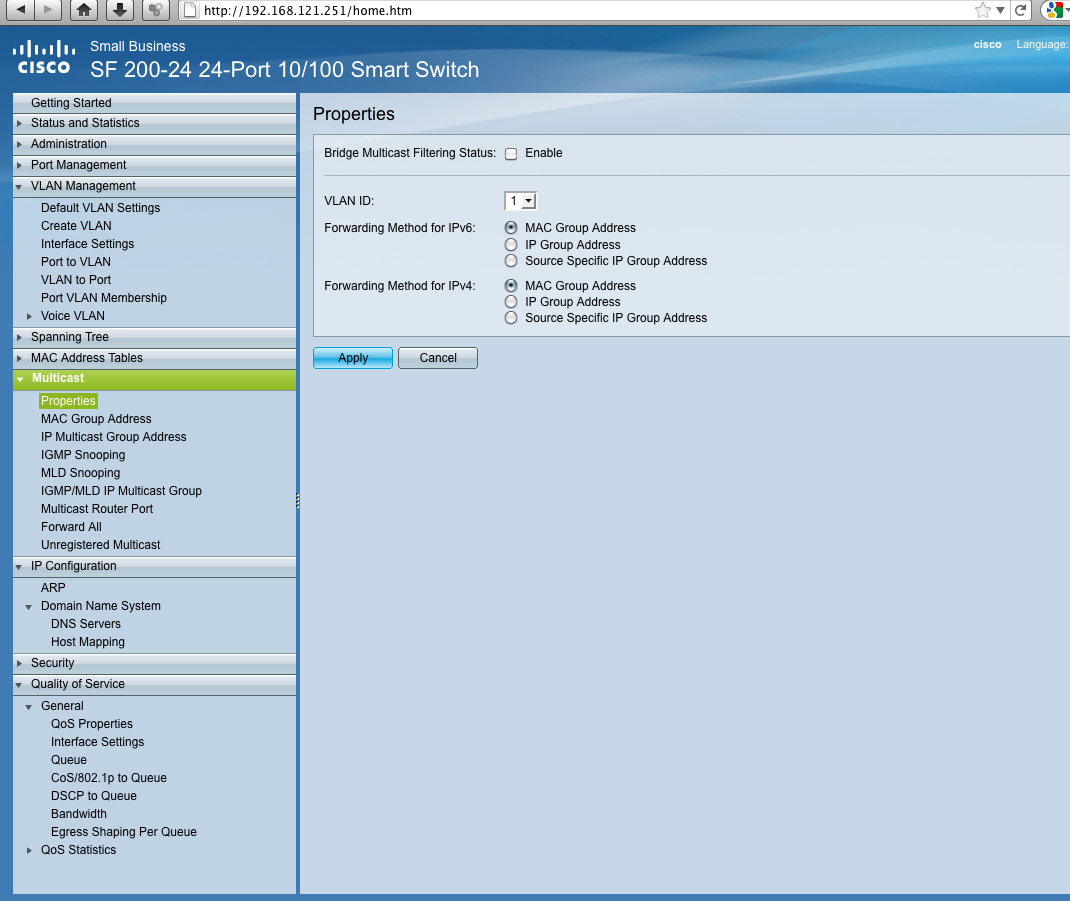
This is my first time using a entry level Cisco Switch. This is a SF 200-24 model. I have attached a screenshot of the WebGUI and the administrative guide. I would appreciate someone to help me in setting up a VLAN. I could even give someone VNC access if they need it... or TeamViewer, but would prefer working through here.
Here is how I want it setup (pretty simple).
All of the ports on the switch (minus one) will be on one VLAN, and then one single port will be on another VLAN.
I have a situation where I have another organization who wants to use our internet. I don't want them to be able to access our network shares, etc. I want them on their own subnet too (if possible).
Zero AI Policy
We believe in human intelligence. Our moderation policy strictly prohibits the use of LLM content in our Q&A threads.

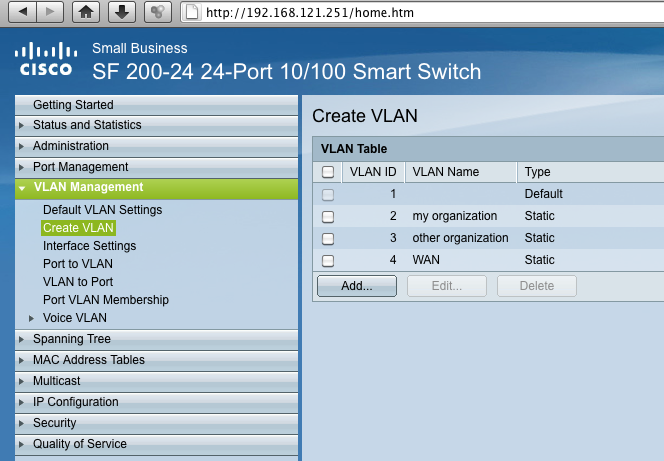
Create 3 VLAN's, one for WAN, one for local and one for the other company.
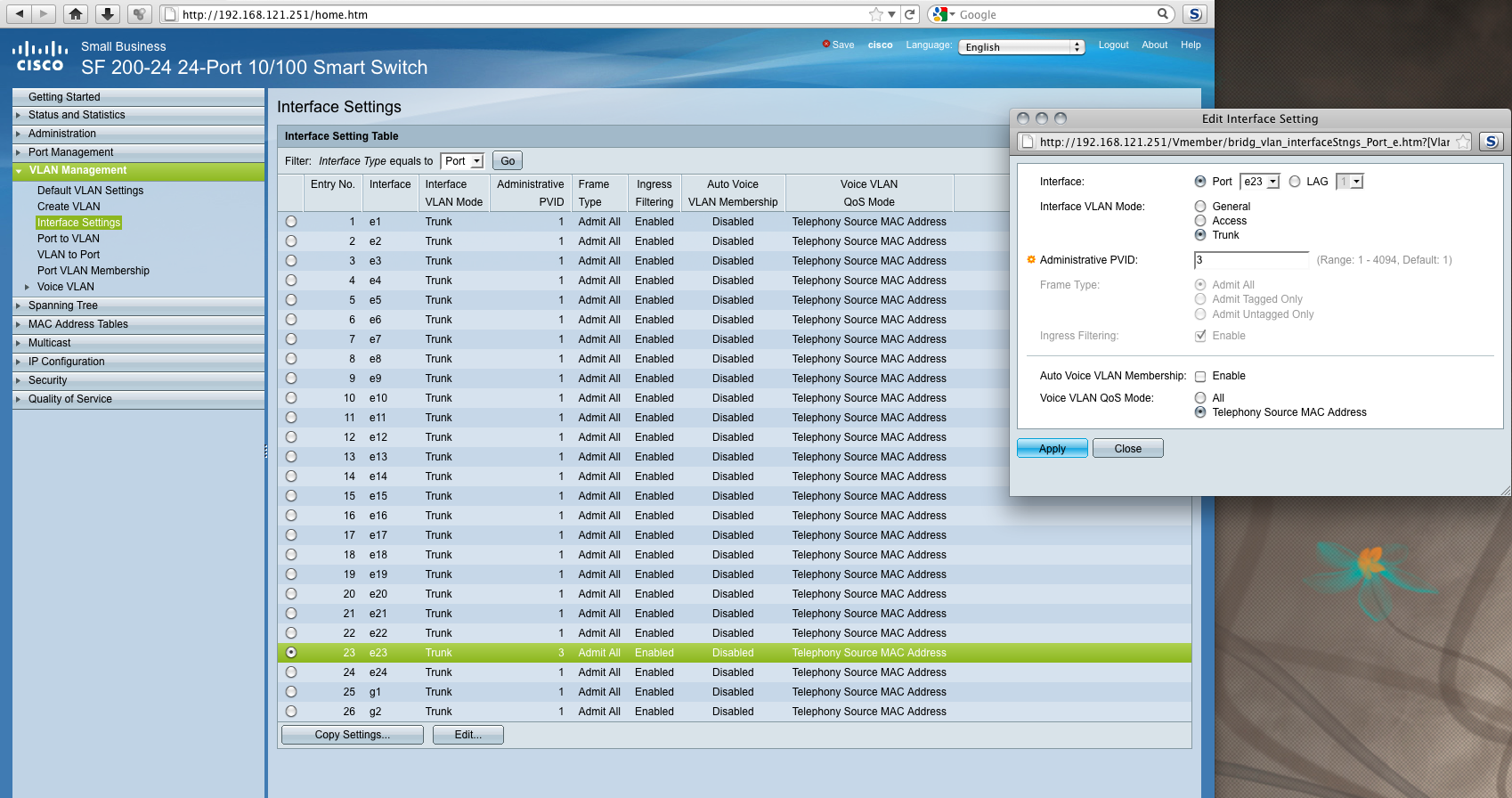
Assign the VLAN's to ports, set the ports as access ports.
Thanks for chiming in. I created the VLANs. I have attached screenshots. Not sure where to go from here.


EARN REWARDS FOR ASKING, ANSWERING, AND MORE.
Earn free swag for participating on the platform.
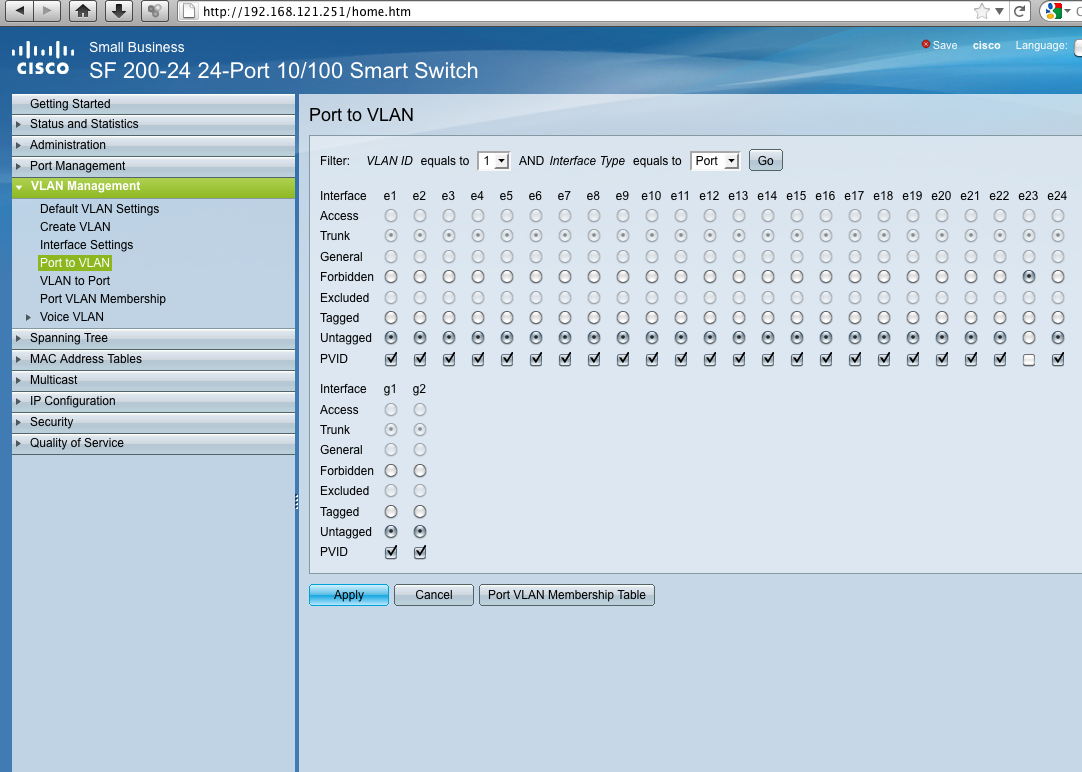
At the port to vlan page e23 is turned off with the current settings.
Screenshots Attached.
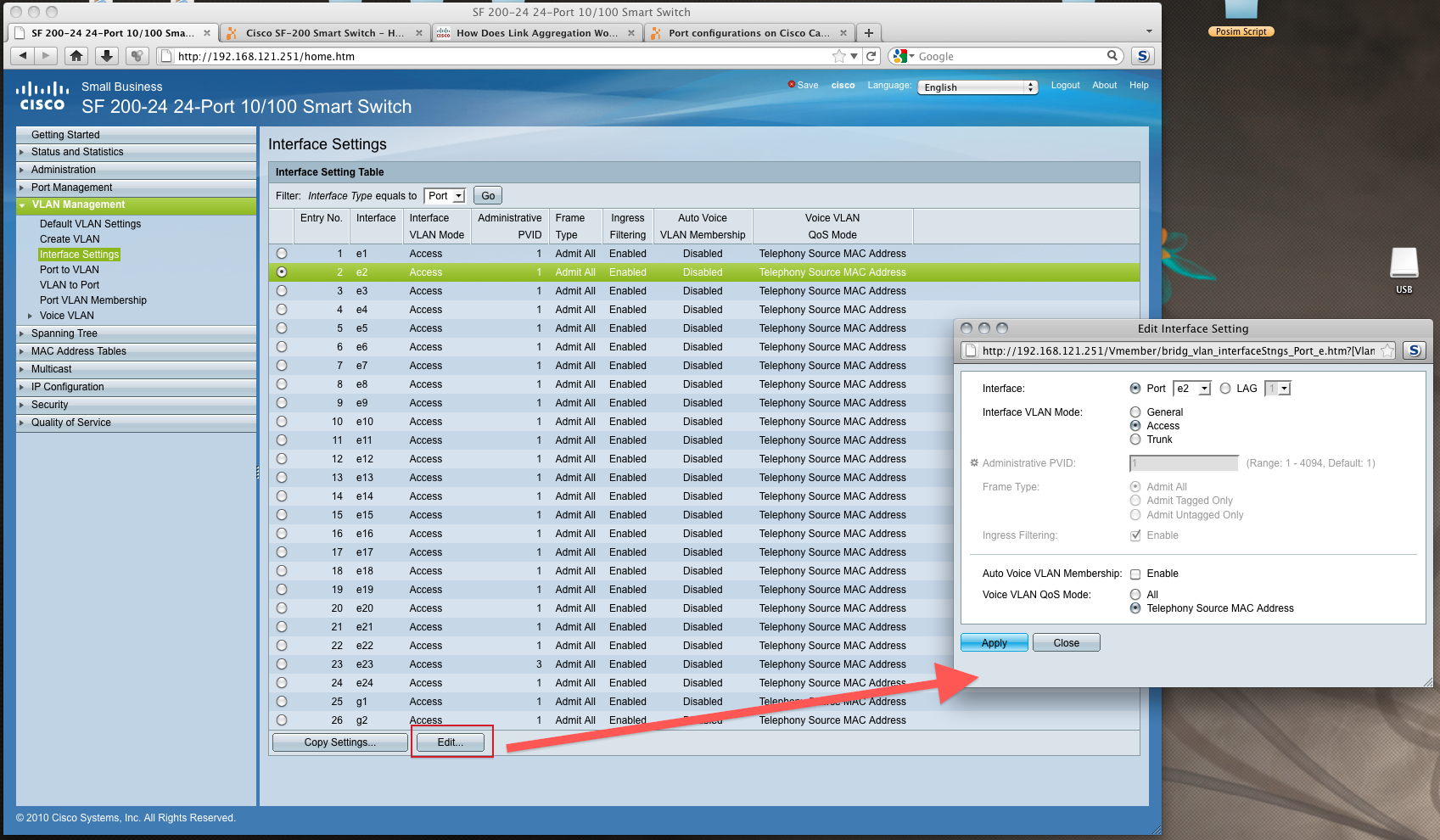
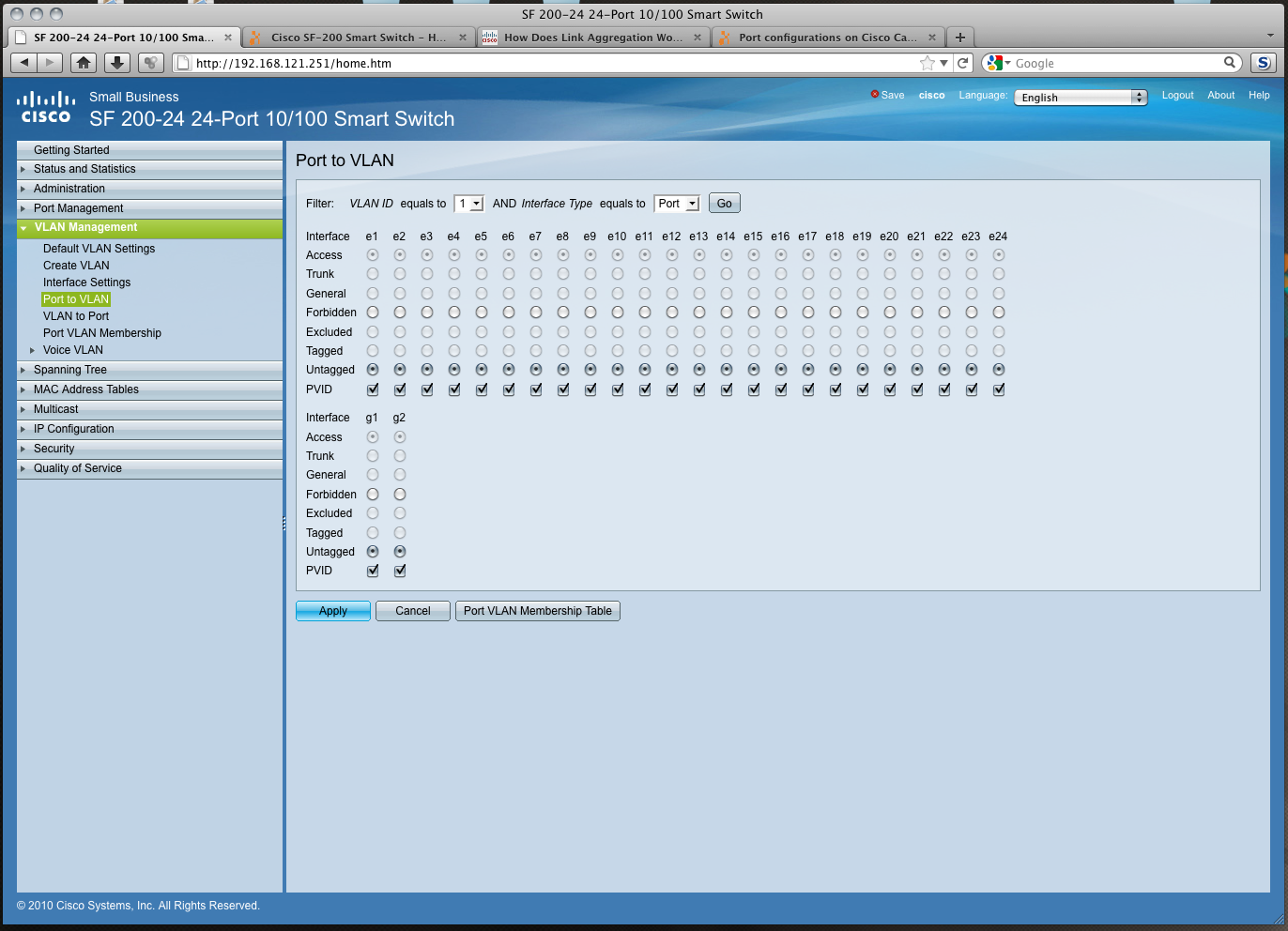
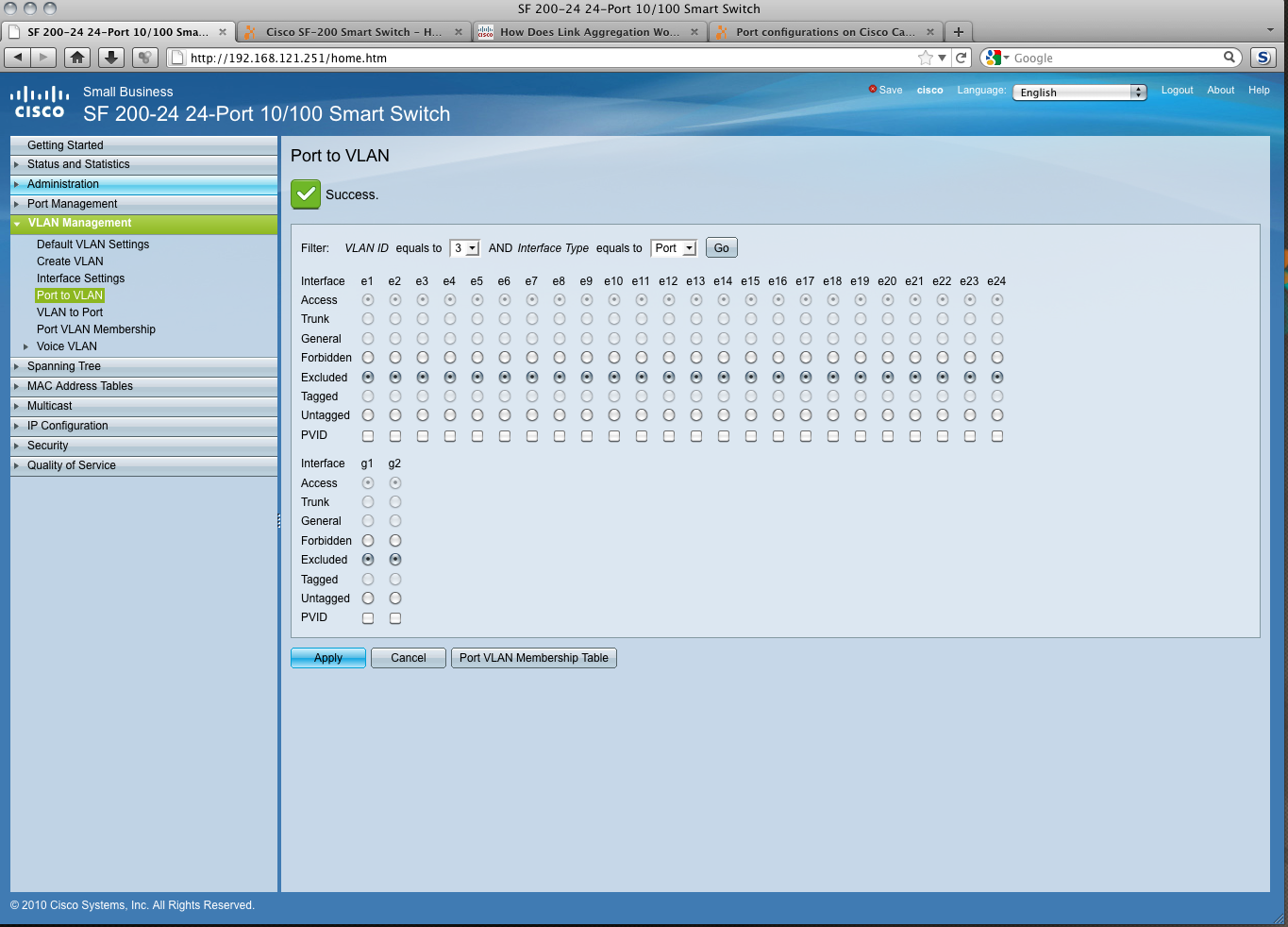
I assume you manage via the vlan 1 interface, however put all ports except the one you are connected to to forbidden.
When you select a vlanid filter set the ports to untagged where you want that vlan to live.
Set the ports where you don't want that vlan to forbidden.
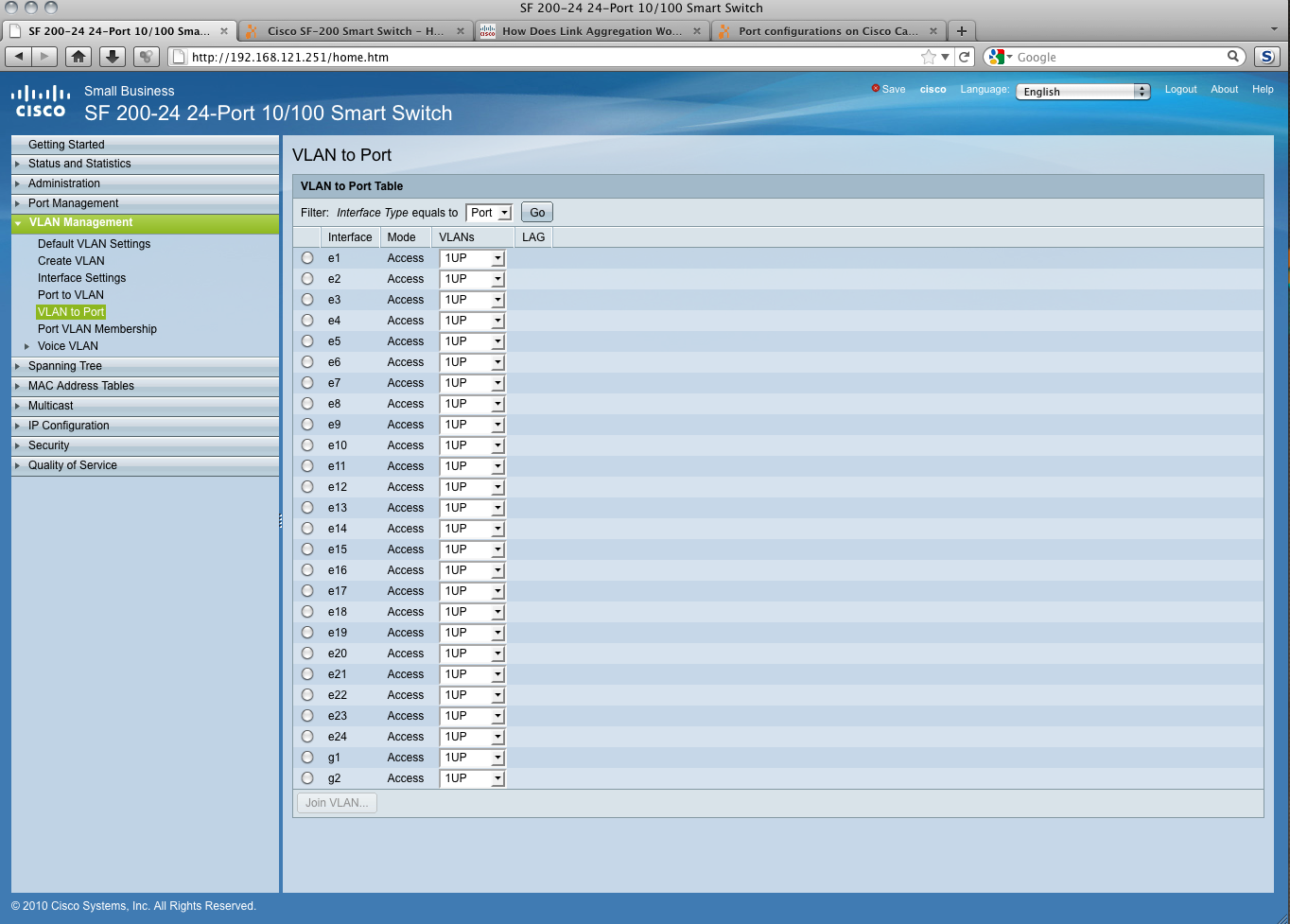
Can you send a screenshot from the vlan to port ui ?
Get a FREE t-shirt when you ask your first question.
We believe in human intelligence. Our moderation policy strictly prohibits the use of LLM content in our Q&A threads.
not a member of any other VLAN, enabling this option on the port makes
the port part of internal VLAN 4095 (a reserved VID).
- Excluded—The interface is currently not a member of the VLAN. This is
the default for all the ports and LAGs when the VLAN is newly created.
- Tagged—Select whether the port is tagged. This is not relevant for
Access ports.
- Untagged—Select whether port is untagged. This is not relevant for
Access ports.
VLAN Management
Defining VLAN Membership
Cisco Small Business 200 1.1 Series Smart Switch Administration Guide 168
12
- PVID—Port PVID is set to this VLAN. If the interface is in access mode or
trunk mode, the switch automatically makes the interface an untagged
member of the VLAN. If the interface is in general mode, you must
manually configure VLAN membership.
In short, if you want a port to be in a vlan set it to untagged, if not set it to excluded. Set ports in access mode.
EARN REWARDS FOR ASKING, ANSWERING, AND MORE.
Earn free swag for participating on the platform.
What options do you get when you click on an interface listbox ?
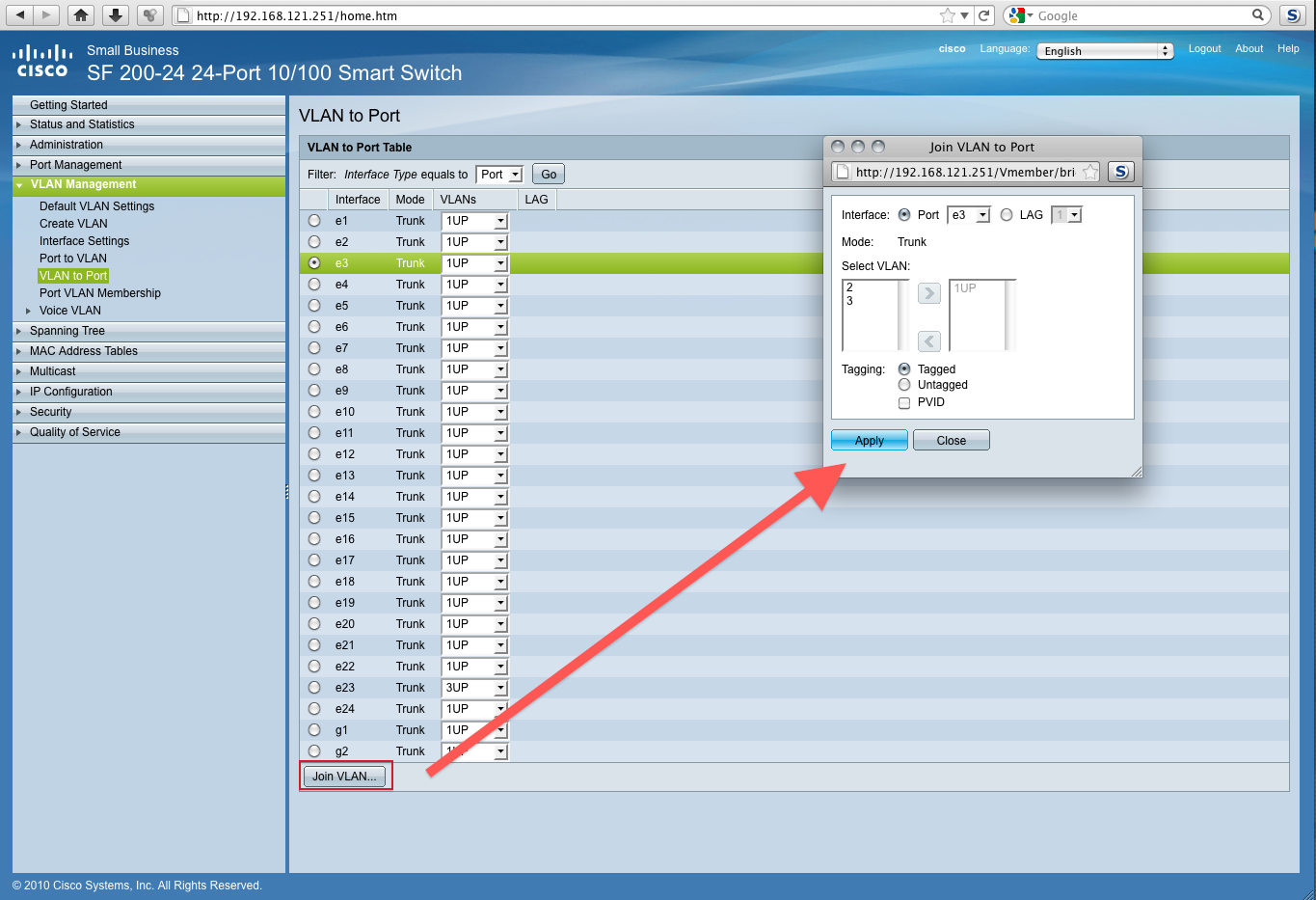
I get no other options aside from 1UP. However, clicking the join VLAN button brings up this window:
Get a FREE t-shirt when you ask your first question.
We believe in human intelligence. Our moderation policy strictly prohibits the use of LLM content in our Q&A threads.
You want to VNC ?
password: experts
login: m
password: spahgetti
Remember the following:
-create vlan's (id 2,3 and 4)
-port to vlan page:
-choose vlan 2
-exclude ports that must not be member
-untag ports and check pvid for the ports that you want as member
-apply changes
-choose vlan 3
-repeat former steps excluding and untagging ports
-choose vlan 4
- again repeat former steps.
EARN REWARDS FOR ASKING, ANSWERING, AND MORE.
Earn free swag for participating on the platform.
I have to leave as well. I will try this tomorrow morning. If it works, You get A+ and all points.
Otherwise, I'll post a follow up. thanks so much! VNC is now off
Will they all use the same IP Schema? Or can I assign different Schemes for each VLAN?
Get a FREE t-shirt when you ask your first question.
We believe in human intelligence. Our moderation policy strictly prohibits the use of LLM content in our Q&A threads.

Networking
--
Questions
--
Followers
Top Experts
Networking is the process of connecting computing devices, peripherals and terminals together through a system that uses wiring, cabling or radio waves that enable their users to communicate, share information and interact over distances. Often associated are issues regarding operating systems, hardware and equipment, cloud and virtual networking, protocols, architecture, storage and management.