
VMware
--
Questions
--
Followers
Top Experts

With Windows 7 64 Bit we need to run a virtual machine we are using VMware Workstation 8. We would like to do a full screen DOS. I have it working but in order to for it to work after the application is started I have to click on the View menu in VMware Workstation Auto Size and Stretch Guest. If it is already on Stretch Guest I have to switch it off and then back on.
Is there anyway around this? Can this be done via a batch file because the application starts with a batch file.
I know I interact with vCenter with Power Shell (I know not the same)
Zero AI Policy
We believe in human intelligence. Our moderation policy strictly prohibits the use of LLM content in our Q&A threads.


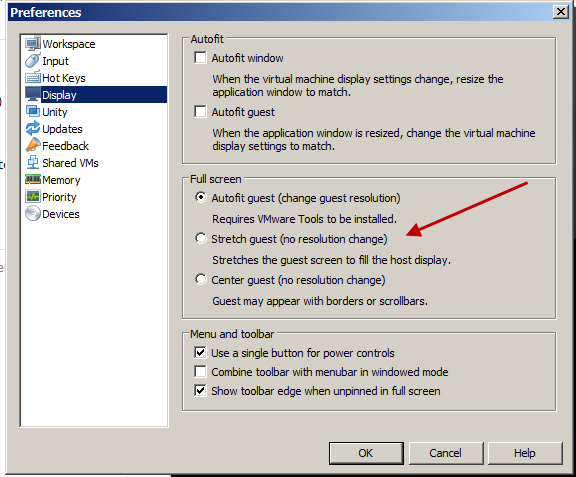
(Note, it is unchecked here because that is the way I want it). ... Thinkpads_User


EARN REWARDS FOR ASKING, ANSWERING, AND MORE.
Earn free swag for participating on the platform.
... Thinkpads_User
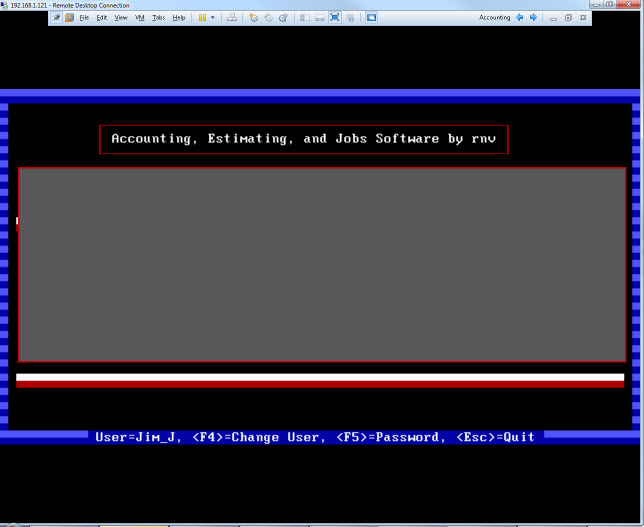
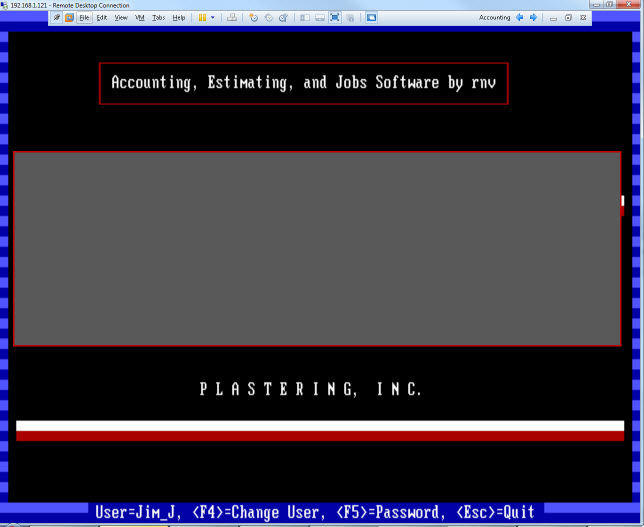
So you actually want it stretched to fill a modern day high resolution screen?
Get a FREE t-shirt when you ask your first question.
We believe in human intelligence. Our moderation policy strictly prohibits the use of LLM content in our Q&A threads.
Start your DOS machine either as I suggested earlier or use CTRL-ALT-ENTER to get to Full Screen.
Then, once full screen, in the Menu bar at the top, click on View -> Autosize - Stretch Guest. It only works in full screen, but it does stretch the guest machine.
... Thinkpads_User
but the ansi.sys driver, can change the resolution of the screen
http://www.computerhope.com/ansisys.htm
http://www.microsoft.com/technet/archive/msdos/comm1.mspx?mfr=true
by setting a resolution code, if you application did not reset the mode, it would be possible to run in a higher mode, but if it resets back tom text, you would lose the mode change.
EARN REWARDS FOR ASKING, ANSWERING, AND MORE.
Earn free swag for participating on the platform.

Because you can do that with the Font properties of teh command window. That is very different from a VMware DOS machine. ..... Thinkpads_User
VMware
--
Questions
--
Followers
Top Experts
VMware, a software company founded in 1998, was one of the first commercially successful companies to offer x86 virtualization. The storage company EMC purchased VMware in 1994. Dell Technologies acquired EMC in 2016. VMware’s parent company is now Dell Technologies. VMware has many software products that run on desktops, Microsoft Windows, Linux, and macOS, which allows the virtualizing of the x86 architecture. Its enterprise software hypervisor for servers, VMware vSphere Hypervisor (ESXi), is a bare-metal hypervisor that runs directly on the server hardware and does not require an additional underlying operating system.