
Microsoft Access
--
Questions
--
Followers
Top Experts

How can I eliminate white space in an access report when viewed in Report View?
I think I've tried all the different properties but can't seem to figure out how to eliminate the extra white space at the bottom of my report when viewed in Report View.
Here is the screenshot of the layout in Design View;
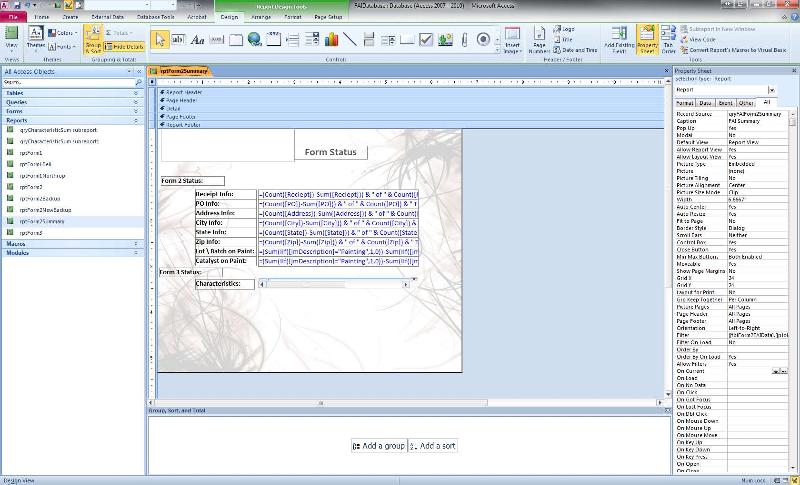
Here is what it looks like in Report View;
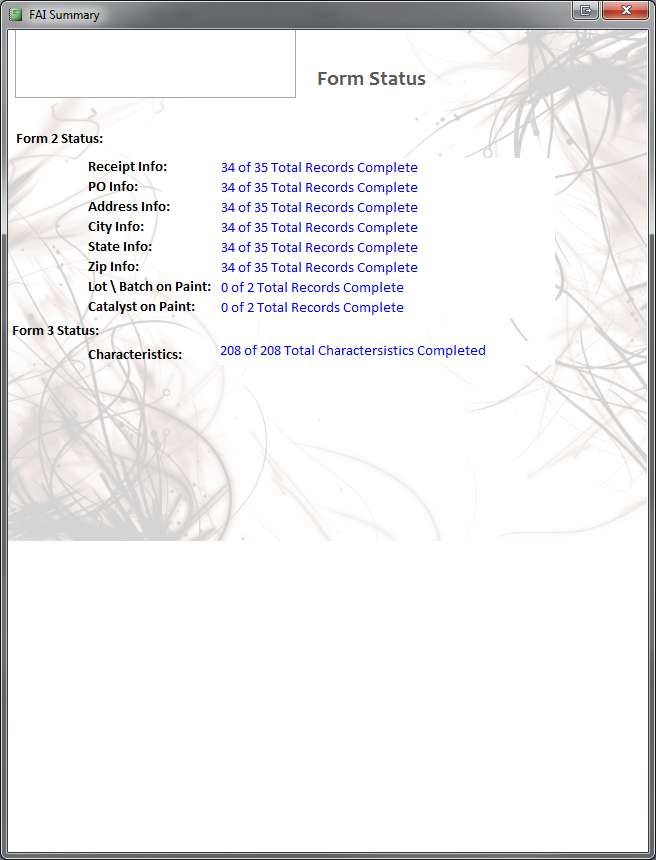
Thank in advance for the help
Here is the screenshot of the layout in Design View;
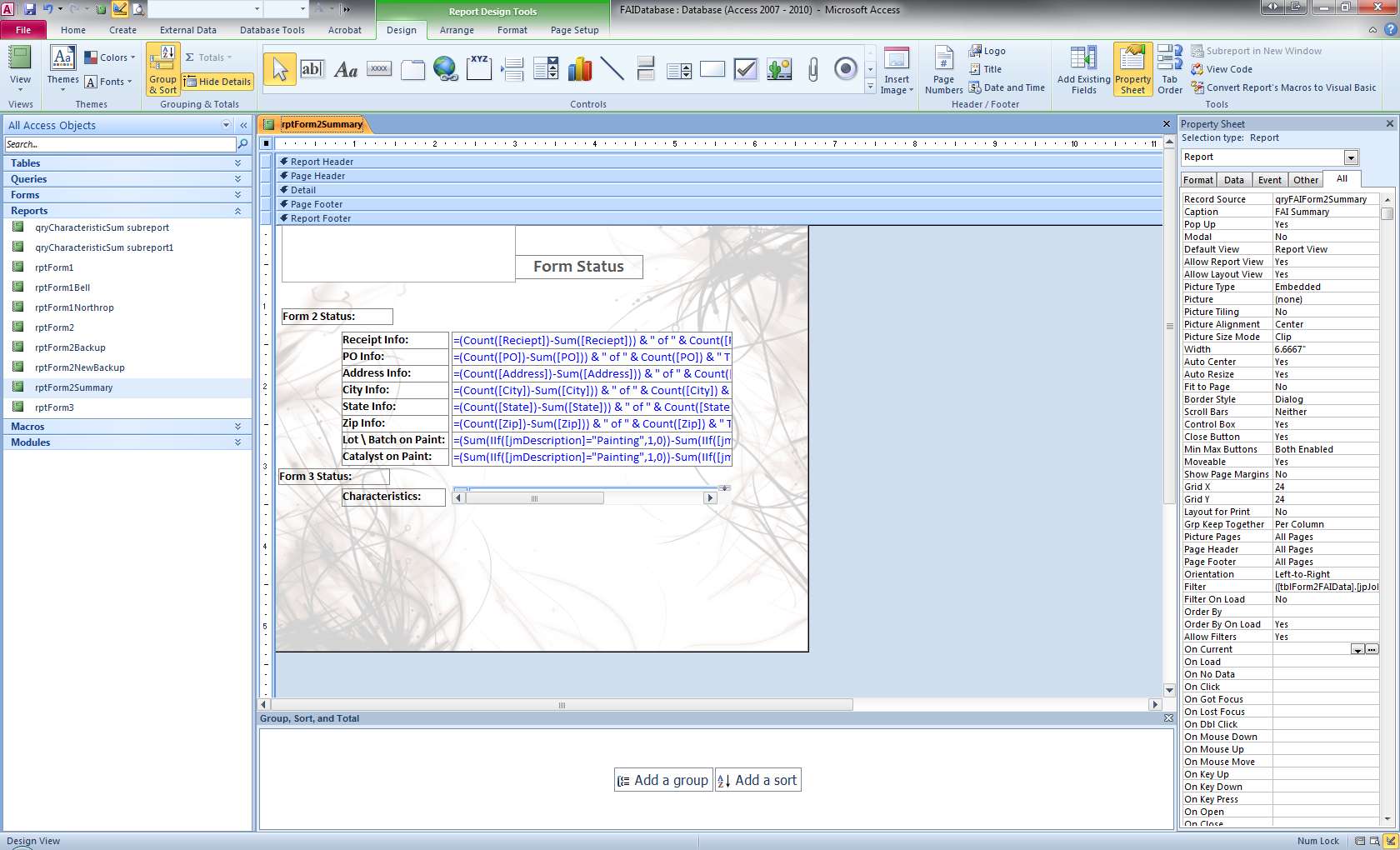
Here is what it looks like in Report View;
Thank in advance for the help
Zero AI Policy
We believe in human intelligence. Our moderation policy strictly prohibits the use of LLM content in our Q&A threads.

see this link
How to eliminate white space in reports with CanShrink and code in Access
http://support.microsoft.com/?kbid=299011
How to eliminate white space in reports with CanShrink and code in Access
http://support.microsoft.com/?kbid=299011

Grab the bottom of the report and drag it up to just under the bottom controls.
It looks to me like a problem with background, not controls.


EARN REWARDS FOR ASKING, ANSWERING, AND MORE.
Earn free swag for participating on the platform.
Helen.. If you check my screenshot from my design view above I believe I have done that.. Double check me and make sure that looks right to you..
Capricorn;
I'm not sure exactly which control to apply your method too on my report.. I don't see that a specific control is causing the issue..
The backround is not causing it and neither is the sub report
I'm not sure exactly which control to apply your method too on my report.. I don't see that a specific control is causing the issue..
The backround is not causing it and neither is the sub report

Let's be clear...
Your "White Space" is at the end of the report.
This is not technically "White space" as it is commonly referred to.
If you have a report that has 100 records, but only 75 will fit on the first page, then the remaining 25 records will be on the second page, the remaining "Paper" will be "Blank".
This is normal
Your issue seems to be that the "Image" ends, ... and the rest of the space is "blank".
So first try Setting the Size mod of the image to "Stretch"
Your "White Space" is at the end of the report.
This is not technically "White space" as it is commonly referred to.
If you have a report that has 100 records, but only 75 will fit on the first page, then the remaining 25 records will be on the second page, the remaining "Paper" will be "Blank".
This is normal
Your issue seems to be that the "Image" ends, ... and the rest of the space is "blank".
So first try Setting the Size mod of the image to "Stretch"
Get a FREE t-shirt when you ask your first question.
We believe in human intelligence. Our moderation policy strictly prohibits the use of LLM content in our Q&A threads.
Also it seems (Not sure though) that there controls have controlsources that may still display the correct values in any report section, so try moving these controls to the detail section.
Also try using an Image Control inside the section, instead of setting an image for the entire report.
Also try using an Image Control inside the section, instead of setting an image for the entire report.
ASKER CERTIFIED SOLUTION

membership
Log in or create a free account to see answer.
Signing up is free and takes 30 seconds. No credit card required.
Microsoft Access
--
Questions
--
Followers
Top Experts
Microsoft Access is a rapid application development (RAD) relational database tool. Access can be used for both desktop and web-based applications, and uses VBA (Visual Basic for Applications) as its coding language.