
Microsoft Server OS
--
Questions
--
Followers
Top Experts

How to create a bootable DVD from ISO file
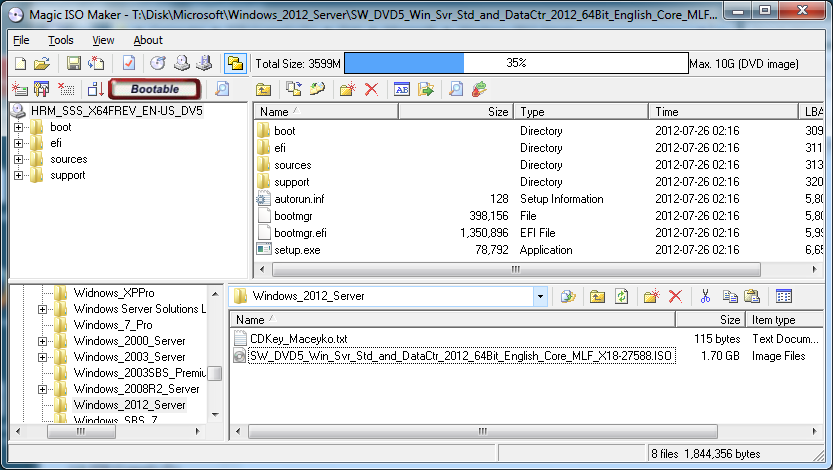 Hi,
Hi,I have downloaded Windows 2012 Server in ISO format. How do I create a bootable DVD so that I can stick the DVD into the server to begin the installation?
As you can see, I have Magic ISO maker.
Thanks.
Zero AI Policy
We believe in human intelligence. Our moderation policy strictly prohibits the use of LLM content in our Q&A threads.

There is nothing special to do. Just burn your iso file, it will boot up.
http://www.magiciso.com/howto/howto.htm#Burn%20CD%20with%20CD%20image%20file
http://www.magiciso.com/howto/howto.htm#Burn%20CD%20with%20CD%20image%20file
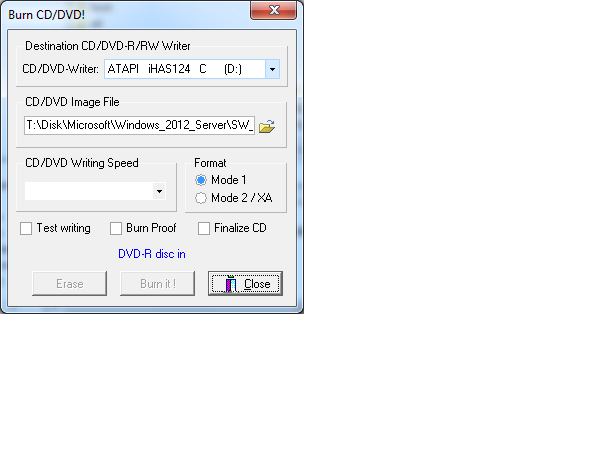
When I try to burn, like seen in above, [Burn it!] button is recessed. I have downloaded a trial version of Magic ISO Maker months ago. Has it expired?
If that is the case, do I have to pay to keep this one or is there a free software that I can dowload?
ASKER CERTIFIED SOLUTION


membership
Log in or create a free account to see answer.
Signing up is free and takes 30 seconds. No credit card required.
SOLUTION
membership
Log in or create a free account to see answer.
Signing up is free and takes 30 seconds. No credit card required.
SOLUTION

membership
Log in or create a free account to see answer.
Signing up is free and takes 30 seconds. No credit card required.
Thank you for your help.


EARN REWARDS FOR ASKING, ANSWERING, AND MORE.
Earn free swag for participating on the platform.
Just for your info, you could also create a USB stick with the installation files on it, that way you don't need to burn a DVD. You could do that manually as explained in the Link below:
http://www.intowindows.com/how-to-install-windows-7vista-from-usb-drive-detailed-100-working-guide/
or use a tool like this:
http://www.softpedia.com/get/PORTABLE-SOFTWARE/System/System-Enhancements/WinSetupFromUSB.shtml
http://www.intowindows.com/how-to-install-windows-7vista-from-usb-drive-detailed-100-working-guide/
or use a tool like this:
http://www.softpedia.com/get/PORTABLE-SOFTWARE/System/System-Enhancements/WinSetupFromUSB.shtml
Microsoft Server OS
--
Questions
--
Followers
Top Experts
The Microsoft Server topic includes all of the legacy versions of the operating system, including the Windows NT 3.1, NT 3.5, NT 4.0 and Windows 2000 and Windows Home Server versions.