
Windows Server 2008
--
Questions
--
Followers
Top Experts

Need to set the policy to only affect a group of people logging on.
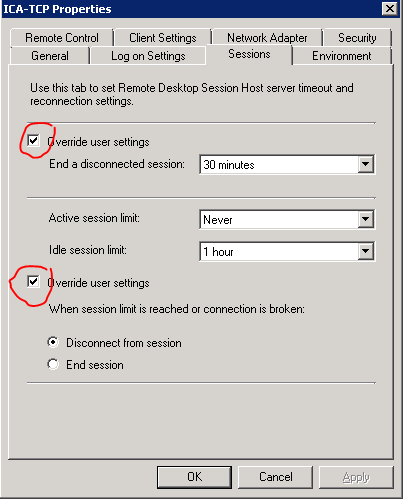
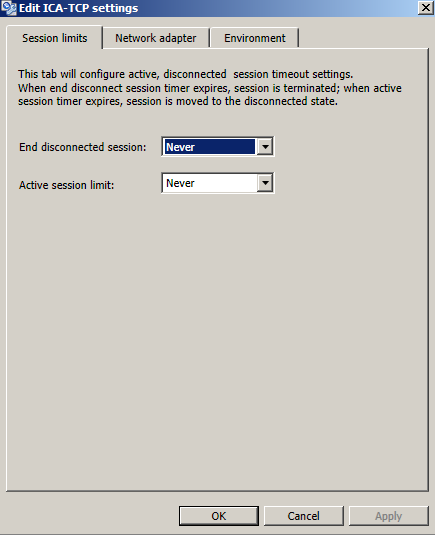
The only way i have managed to set this so far is to change the ICA client settings on the server to disconnect the sessions connected after X minutes.
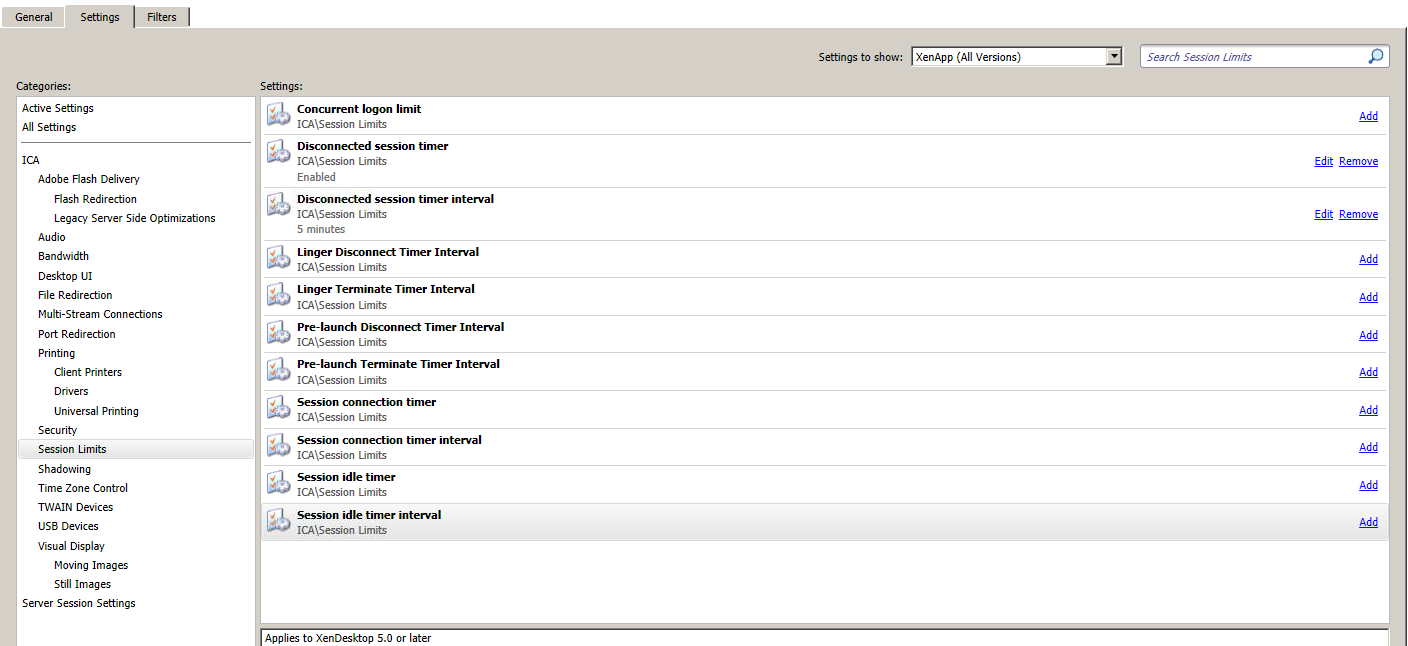
But the policy does not do what i have set - This is the policy.
Disconnected Session Timer - Enabled
Disconnected Session Timer Interval - 5 minutes
Session Idle Timer Interval - 5 minutes
Applied to - "Test" user only
the issue is that this policy is not been applied to the user when it's disconnected for 5 minutes +
Zero AI Policy
We believe in human intelligence. Our moderation policy strictly prohibits the use of LLM content in our Q&A threads.

As for the session not ending, when you look at the session in the management console, is it showing as Disconnected or Active?

I prefer try to set at least for idle time 60 mins and disconnect session 30 min and apply same through policy. So that whenever user try to reconnect the session he able to connect the session.
Difference between session disconnect & idle is
• Idle - User is considered idle after a period time. The user will be considered idle if there is no activity (e.g. keyboard strokes or mouse movement) in the configured time period. The default Terminal Services idle timeout is 1 minute, and the default for the Terminal Services Log is 5 minutes.
• Disconnected - When a user is disconnected from the session but the session is still running. User could have been disconnect due to network or other failure or did not use proper log out procedure and just closed the Remote Desktop session window with the Close button [x]. This session is still running on the server and consuming resources, the users can reconnect and resume their disconnected session.
I have tried to change the timer but it doesn't work.


EARN REWARDS FOR ASKING, ANSWERING, AND MORE.
Earn free swag for participating on the platform.
Get a FREE t-shirt when you ask your first question.
We believe in human intelligence. Our moderation policy strictly prohibits the use of LLM content in our Q&A threads.
See i have set the ICA listener to log off disconnected session after X minutes and that worked but I need to exclude some users from that setting.
Is there a Windows GPO that could be configured to a group of users?
EARN REWARDS FOR ASKING, ANSWERING, AND MORE.
Earn free swag for participating on the platform.
Get a FREE t-shirt when you ask your first question.
We believe in human intelligence. Our moderation policy strictly prohibits the use of LLM content in our Q&A threads.
EARN REWARDS FOR ASKING, ANSWERING, AND MORE.
Earn free swag for participating on the platform.
key is located here: HKLM\System\CurrentControl


Get a FREE t-shirt when you ask your first question.
We believe in human intelligence. Our moderation policy strictly prohibits the use of LLM content in our Q&A threads.
Windows Server 2008
--
Questions
--
Followers
Top Experts
Windows Server 2008 and Windows Server 2008 R2, based on the Microsoft Vista codebase, is the last 32-bit server operating system released by Microsoft. It has a number of versions, including including Foundation, Standard, Enterprise, Datacenter, Web, HPC Server, Itanium and Storage; new features included server core installation and Hyper-V.