
Adobe Creative Suite CS
--
Questions
--
Followers
Top Experts

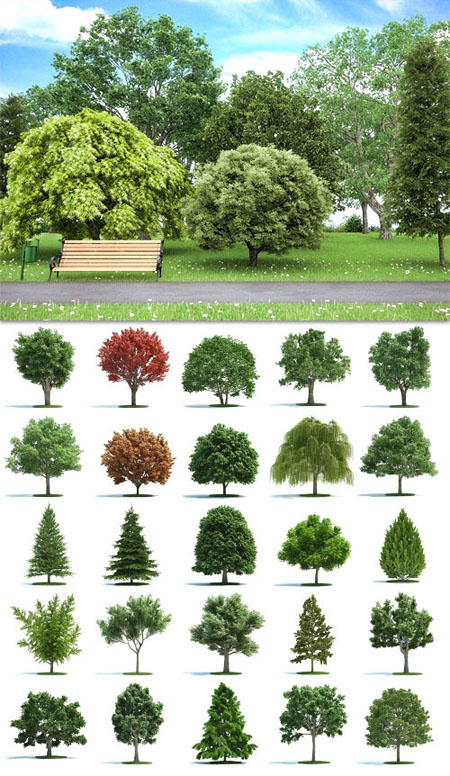
I was wondering if any one here knows a way to combine 3D objects in photoshop cs6.
I've been doing a little research on this subject already, and found few sites with free
3D elements to use and add on videos or other graphics, but the problem I encounter
with these elements from these sites is that they are in 3D format and not an image.
Actually I was wondering if I could import one of my pictures to photoshop and then
add a 3D element to my image and then have the option to scale down, soon in/out.
The whole thing about this is that I am working in a project in which I need to add a
tree to the image or the picture. NOTE: I'M NOT ASKING FOR A TUTORIAL, THANKS.
www.hongkiat.com/blog/60-excellent-free-3d-model-websites
Zero AI Policy
We believe in human intelligence. Our moderation policy strictly prohibits the use of LLM content in our Q&A threads.

Photoshop will handle .OBJ
Does the original file open in Photoshop in layers? Can't you just drop out the background and copy a tree into your file?
If there is a format issue, Blender is a free 3D development software.
http://www.blender.org/
Maybe you can import your 3D objects into Blender, position the object and export as a PNG file with transparency. Then put the PNG on it's own layer in Photoshop to position the object on your image (on a lower layer).
Your last comment sounds okay, but i will have to try it and see,
I never hear about blender, let me give it a try, and thats exactly
What I've been looking for, a way to transfer or comvert 3D elements
to a .png image format so I can edit my images.
from the free site, the 3D element object I have as for example are in .2DS formar, and
when I tried to export or save something from blender, there is no such thing of saving
the open project as a .png image format. I wish there was a software that could convert
these elements to a .png image format.


EARN REWARDS FOR ASKING, ANSWERING, AND MORE.
Earn free swag for participating on the platform.

initially this process won't be easy.
Your the Blender forums they'll have the knowledge to help you, especially as there are massive amount of 3D formats, with only some being widely compatible.
You would be best off looking for DXF files if possible as these are the lowest common denominator in the 3D world.
Thank you for your suggestion, I think that I will forget about this project.
What I was trying to get is a way to interact an image with another, to do
this with a video I use a set of video footage from action essentials from
Video Copilot, which I use with adobe affter effects, and it does work well,
and very real that is hard to tell the diferences, then I thought of doing the
same but with images instead.
Cheers
Get a FREE t-shirt when you ask your first question.
We believe in human intelligence. Our moderation policy strictly prohibits the use of LLM content in our Q&A threads.
The reason I wanted to do with 3D images is to make the project more realistic.
Then search for a free site with such elements.
Using after effects, I created a new composition and added an image to my project,
Then in the timeline I selected the image and added an option called 3D, with that
option in place it gived me a way to turn that image not like a real 3D element, but
I did get a little bit of what I want to do, it does not look professional but is better
than nothing. but I still searching for a better ways to do this.
EARN REWARDS FOR ASKING, ANSWERING, AND MORE.
Earn free swag for participating on the platform.
or other programs that render 3D, but have not been able to save any 3D figure
to .png image format, thats for the only thing that I could be using a 3D program.
Photoshop will handle .OBJ
Does the original file open in Photoshop in layers? Can't you just drop out the background and copy a tree into your file?
If there is a format issue, Blender is a free 3D development software.
http://www.blender.org/
Maybe you can import your 3D objects into Blender, position the object and export as a PNG file with transparency. Then put the PNG on it's own layer in Photoshop to position the object on your image (on a lower layer).
This answer describes what you need to do (without a tutorial) You can't open a 3D file and just save it as a PNG. You need to do some work with it to compose light etc and generally (as I have said previously) export an image file (the type doesn't matter at this stage) and ALPHA mask which will give you the transparency you need to create a 24 bit Alpha PNG in Photoshop or other image editing software.
You may need to use several programs to get what you need. At this point I would like to say Tailoreddigital and I have answered your original question.
what I'm traying to do is to fit an images or picture over other images so
they can look like if these images are part of the main picture. for example,
I took a picture of me and my girlfriend and searching on google I found a 3D
table, then since I could do this on photoshop I luanched after effect and first
set the picture of me and my girlfriend as bg, then I added the 3d table to it,
and set gived the table image a 3d effect, and it did work, but the table 3d pic
that I found was already blended and save it as an image not as a 3d images.
Get a FREE t-shirt when you ask your first question.
We believe in human intelligence. Our moderation policy strictly prohibits the use of LLM content in our Q&A threads.
Just admit that you do not know the answer to what I'm asking, and thats it. to be honest
with you, all the answers you have given me make no sense.

go ahead, you can say what ever you want about me, I am not an expert, and I
don't know how to write either, so I don't care about anything that you just said.
And if 3D experts agree with you on your answer given, well I don't know about that,
I may not be an expert but I know what I'm doing. I already created three examples
very well done with after effects.
Are you an expert here? if you do, you need to learn some manners first.
Thanks for your help anyway.
EARN REWARDS FOR ASKING, ANSWERING, AND MORE.
Earn free swag for participating on the platform.
a solution even if is not, okay? ...advice, take it easy man, life is too short to think
in a negative way, all I did or tried is to get a solution to my problem, take care.
One last thing, you mentioned that I could save rendered images from Blender,
and then save them as a .png file format, I tried, such option is not there.
Thank you for your help
Adobe Creative Suite CS
--
Questions
--
Followers
Top Experts
Adobe Creative Suite (CS) is a software suite of graphic design, video editing, and web development applications developed by Adobe Systems. Each edition consists several Adobe applications, including Photoshop, Acrobat, InDesign, Premiere Pro or After Effects. Photoshop, InDesign, and Illustrator are the industry standard applications for many graphic design positions. CS6 is the last version of the Creative Suite; future versions of their creative software would only be available via their Adobe Creative Cloud subscription service.