
Active Directory
--
Questions
--
Followers
Top Experts

Screensaver group policy not working on windows 7
 Hi there,
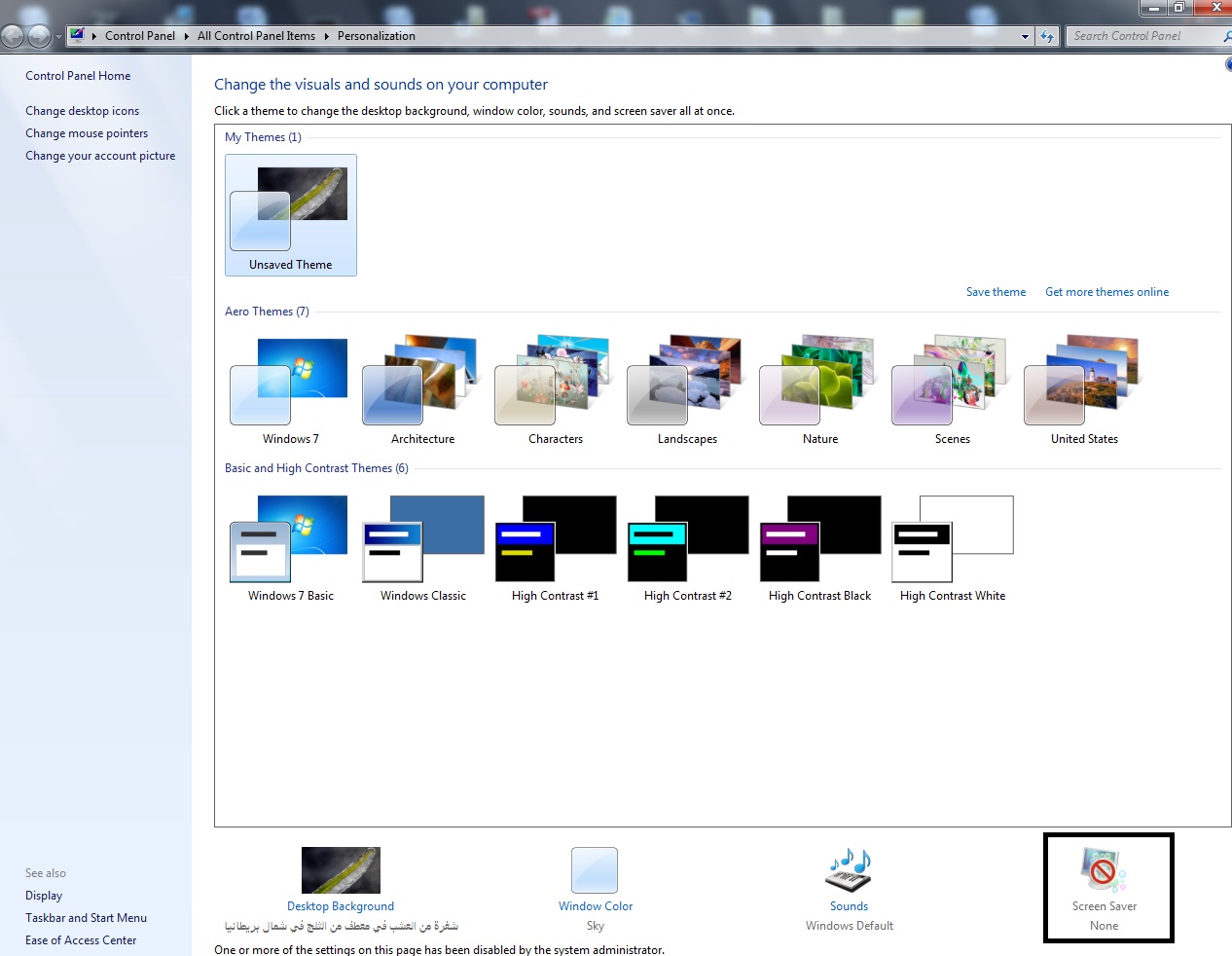
 We have Server 2008 Domain Controllers and XP SP3 clients and everything is fine with applying our Group Policy, we have just introduced Windows 7 Pro PCs in our domain and for some reason they are not behaving.. We can join and log on to the domain fine and they also run our scripts to apply certain settings but they will not apply our 5 minutes Screen Lock and Blank Screensaver Policy.
We have chcked the settings on the below links, but it didn't work
http://blog.montopolis.com/2009/09/17/new-gpo-for-screen-saver-lock-aka-where-did-
logon-scr-go/
http://blog.mpecsinc.ca/2009/05/windows-7-no-logon-screen-saver.html
Has anybody seen anything similar to this before?
Thanks in advance
Zero AI Policy
We believe in human intelligence. Our moderation policy strictly prohibits the use of LLM content in our Q&A threads.

Hi,
I was just wondering if you have tried using gpupdate?
http://technet.microsoft.com/en-us/library/bb490983.aspx
let me know.
Regards,
D
I was just wondering if you have tried using gpupdate?
http://technet.microsoft.com/en-us/library/bb490983.aspx
let me know.
Regards,
D

1-Make sure the .SCR is copied and existed in the path %Systemroot%\System32
2- What is the the RSOP for the same user on both PCs ( windows 7 & XP)?
3-Is this behaviour is on all Windows 7 or some PCs? ( maybe a program doesn't allow the PC to enter in the idle state).
2- What is the the RSOP for the same user on both PCs ( windows 7 & XP)?
3-Is this behaviour is on all Windows 7 or some PCs? ( maybe a program doesn't allow the PC to enter in the idle state).
@Dhec
Yes, I used gpupdate/force , but it didn't work.
@balmasri:
1-Make sure the .SCR is copied and existed in the path %Systemroot%\System32
Yes, scrnsave.scr is exist in the path %Systemroot%\System32 in Windows XP & 7.
2- What is the the RSOP for the same user on both PCs ( windows 7 & XP)?
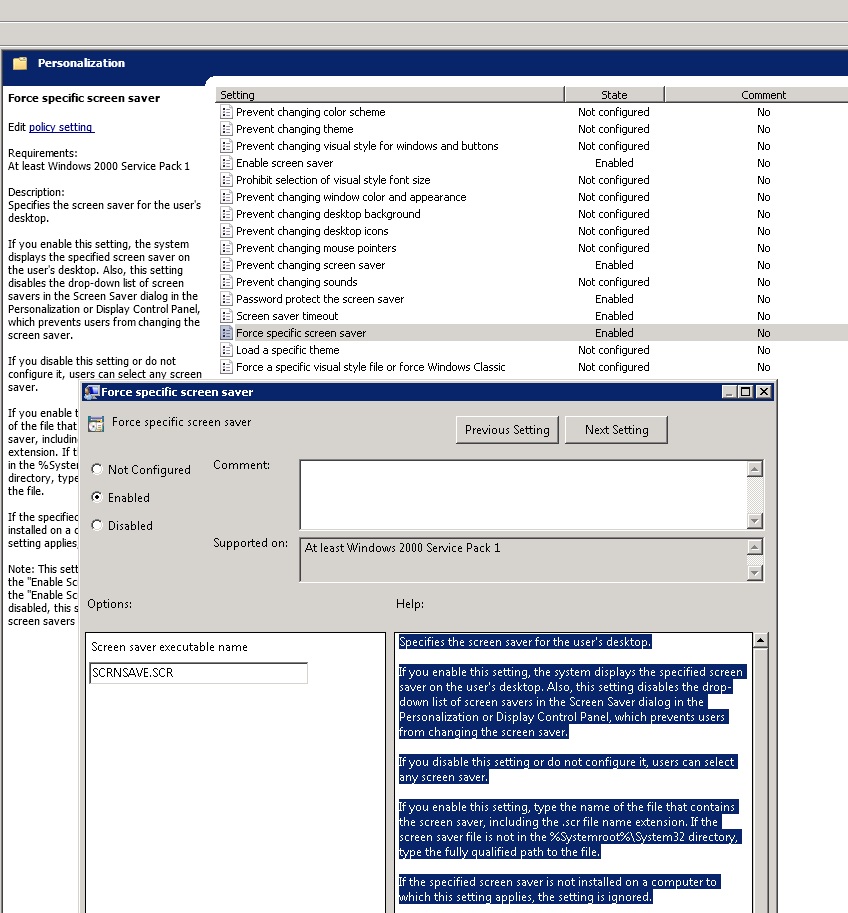
I don't know how to get that, but the attached is the RSOP for a user, and it should be the same on all PCs, as we applied the GPO on the users not on computers.
3- Is this behaviour is on all Windows 7 or some PCs?
No , I found screen saver is working well on one of Windows 7 PCs.
SP32-20130128-035515.bmp
Yes, I used gpupdate/force , but it didn't work.
@balmasri:
1-Make sure the .SCR is copied and existed in the path %Systemroot%\System32
Yes, scrnsave.scr is exist in the path %Systemroot%\System32 in Windows XP & 7.
2- What is the the RSOP for the same user on both PCs ( windows 7 & XP)?
I don't know how to get that, but the attached is the RSOP for a user, and it should be the same on all PCs, as we applied the GPO on the users not on computers.
3- Is this behaviour is on all Windows 7 or some PCs?
No , I found screen saver is working well on one of Windows 7 PCs.
SP32-20130128-035515.bmp


EARN REWARDS FOR ASKING, ANSWERING, AND MORE.
Earn free swag for participating on the platform.
ASKER CERTIFIED SOLUTION

membership
Log in or create a free account to see answer.
Signing up is free and takes 30 seconds. No credit card required.
Active Directory
--
Questions
--
Followers
Top Experts
Active Directory (AD) is a Microsoft brand for identity-related capabilities. In the on-premises world, Windows Server AD provides a set of identity capabilities and services, and is hugely popular (88% of Fortune 1000 and 95% of enterprises use AD). This topic includes all things Active Directory including DNS, Group Policy, DFS, troubleshooting, ADFS, and all other topics under the Microsoft AD and identity umbrella.