
Exchange
--
Questions
--
Followers
Top Experts

I have an environment giving me some trouble. The environment was set up with Win2k8R2 server as a PDC (holding allthe roles) and a Win2k3 additional domain controller that used to be the PDC until I siezed the roles with the new Win2k8 server. The Win2k3 box was also an Exchange server, but not long ago that Win2k3 server had a motherboard failure and died. I extracted the mailboxes from the infostore using a tool and migrated all email to cloud services, which no one liked, so now at their request I'm setting up a new Win2k8R2 server with Exchange 2010.
Built the new Win2k8R2 server and added to the domain. Attempted to add Exchange and it failed due to functional level of AD being 2k3 mixed mode. I went to go raise the functional level and it gave the following error:
-----------------
The following domains include Active Directory Domain Controllers that are running earlier versions of windows:
domain Name AD DC Version of Windows
ForestDnsZones.<domain>.CO
-----------------
I had previously tried to manually extract the former server using ntdsutil metadata cleanup procedure and that seemed to work. I then went in to ADSI editor and cleaned out any records of the old server name that I could find. I also went into DNS and cleaned out any record I could delete... some of the SRV records would not let me delete though.
Where I'm running into a serious snag is that in AD Sites and Services, under <domain> --> Servers, I still see both the old DC and the new DC. When I try to delete the old DC I get the warning:
-----------
"Object <old-server> contains other objects. Are you sure you want to delete object <old-server> and all of the objects it contains?"
------------
- There is a check box labeled "Use delete subtree server control", which I check, and then I get the following error:
------------
Do not delete the <old-server> container object. <old-server> contains objects representing Domain Controller <old-server> and possibly other DCs. To delete these objects, demote the DCs using the Active Directory domain services installation wizard (DCPROMO). If the DCs represented by these objects are permanently offline and can no longer be demoted using Active Directory Domain Services Installation Wizard (DCPROMO), you must delete them one at a time.
--------------
I need to be able to completely remove this former DC and raise the functional level of this domain to get the new Exchange server installed. I also need to make sure there are no other traces of the former Exchange server hiding within AD. Anyone have any advice on how to get this done given these errors?
Thanks!!
Zero AI Policy
We believe in human intelligence. Our moderation policy strictly prohibits the use of LLM content in our Q&A threads.


I checked in the DNS console on the new server and it only shows the new server, not the old one, so I don't think that the old server is still registered in AD as being a DNS server. Is there another way for me to verify beyond looking in the DNS console?
With regards to the suggestion of deleting the NTDS settings, I have been trying that. I expand the old server in AD Sites and Services so that I can see the single object labeled NTDS settings. I can delete the NTDS settings object so that nothing else shows under the server name, but then when I try to delete the server name I am again met with the following error:
---------
Do not delete the <old-server> container object. <Old-server> contains objects representing Domain Controller <old server> and possibly other DCs. To delete these objects, demote the DCs using the Active Directory Services Installation Wizard (DCPROMO). If the DCs represented by these objects are permanently offline and can no longer be demoted using the Active Directory Domain Services Installation Wizard (DCPROMO), you must delete them one at a time.
----------
After I close the error, I refresh the view on AD Sites and Services and that NTDS Settings object shows up again under the old server name, and it shows as automatically generated from the new server.
Any other suggestions would be greatly appreciated! Thanks!


EARN REWARDS FOR ASKING, ANSWERING, AND MORE.
Earn free swag for participating on the platform.
refer this
http://technet.microsoft.com/pt-pt/library/cc816907(v=ws.10).aspx#bkmk_graphical
----------
"This Domain Controller is permanently offline and can no longer be demoted using the Active Directory Domain Services Installation Wizard (DCPROMO). "
----------
I have been putting a check in that box and deleting the NTDS Settings object without a problem. When I then go to delete the server's entry in AD Sites and Services I am presented with an a different check box that says:
---------
"Use Delete Subtree server control"
---------
I have attached a screen shot of this 2nd pop-up with check box. When I then click OK to complete the deletion, that's when I am greeted with the error telling me "Do not delete the server"
screenshot.jpg
That warning is just telling you that the server does have some objects in its directory, but obviously you're not going to delete the objects on that server as it's already offline.
Get a FREE t-shirt when you ask your first question.
We believe in human intelligence. Our moderation policy strictly prohibits the use of LLM content in our Q&A threads.
ntdsutil-metadata-cleanup-attemp.txt
In AD Sites and Services, when I delete the NTDS Settings object from under the old DC, I first get this pop-up:
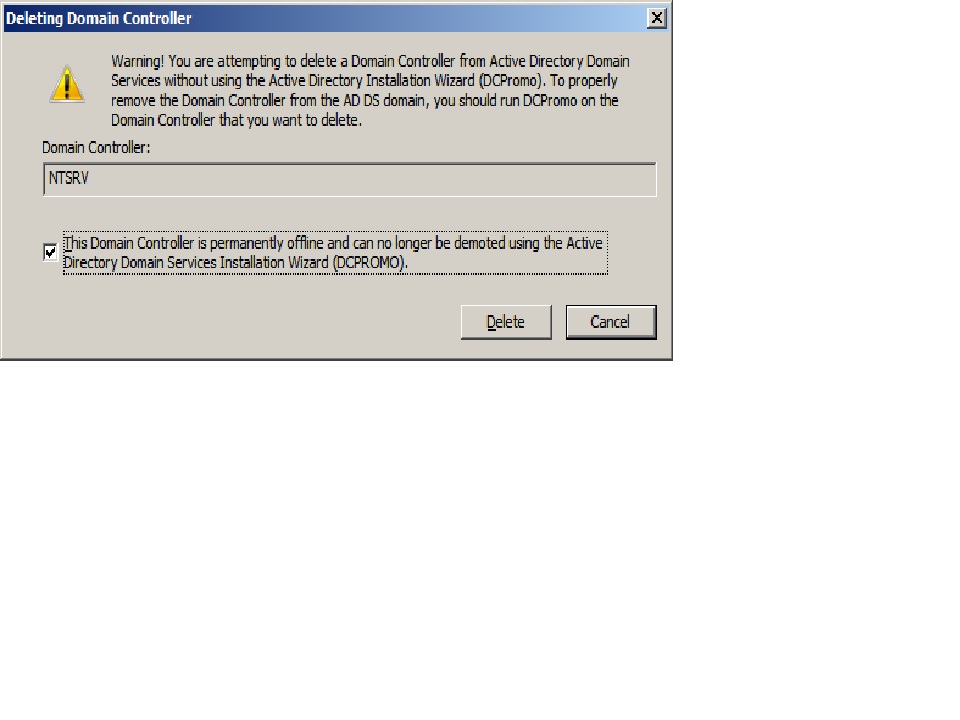 And it deletes the NTDS Settings object with no trouble.
 Then, when I go to delete the old DC's object I get the following pop-up:
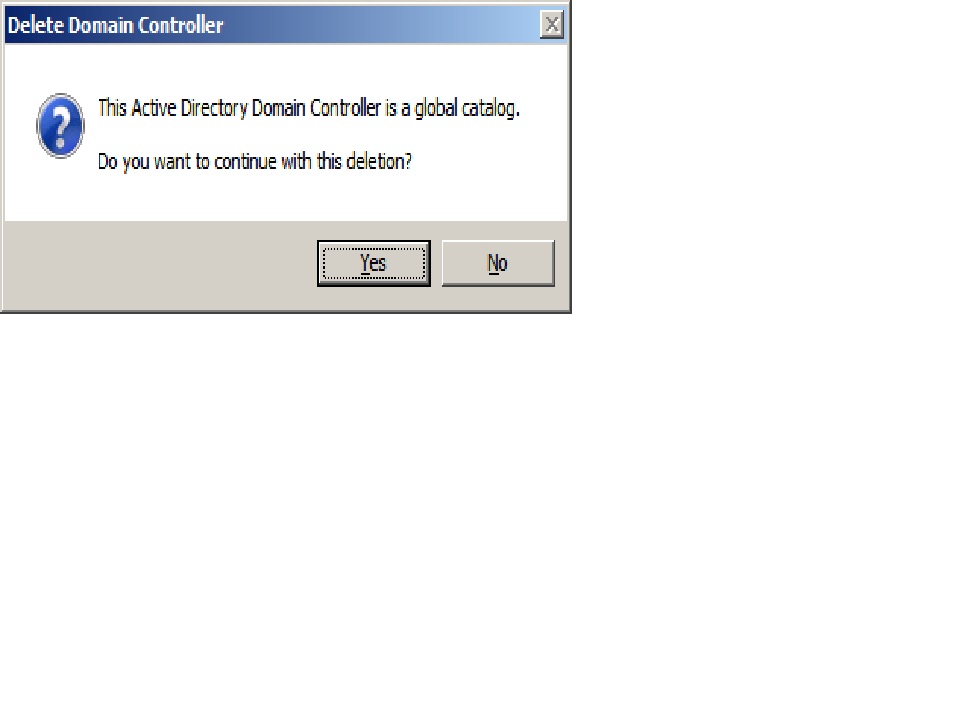 And then when I click Yes on that last window I get the following error, which is where I'm stuck:
 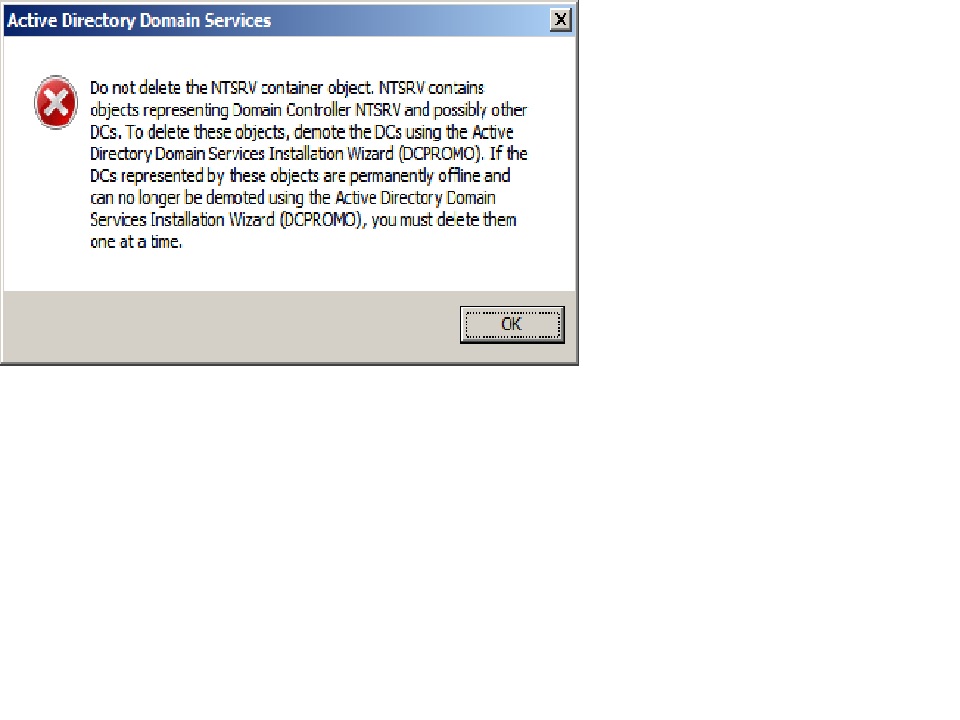 I hope this helps!
EARN REWARDS FOR ASKING, ANSWERING, AND MORE.
Earn free swag for participating on the platform.

Get a FREE t-shirt when you ask your first question.
We believe in human intelligence. Our moderation policy strictly prohibits the use of LLM content in our Q&A threads.
EARN REWARDS FOR ASKING, ANSWERING, AND MORE.
Earn free swag for participating on the platform.
Exchange
--
Questions
--
Followers
Top Experts
Exchange is the server side of a collaborative application product that is part of the Microsoft Server infrastructure. Exchange's major features include email, calendaring, contacts and tasks, support for mobile and web-based access to information, and support for data storage.