
Windows OS
--
Questions
--
Followers
Top Experts

I have a task at work in which I need to get a list of scanners attached to computers. All our PC's are windows 7 enterprise. So I was hoping that maybe there is a windows registry entry for the imaging devices listed in the device manager. Or maybe there is a command you could run in the command line that lists the usb devices?
I have been googleing to look for solutions, and came across something call devcon, but if that needs to be installed at each computer, that wouldn't be practical.
So, any ideas on how I could list the USB scanners that is attached to several computer through out my network?
Zero AI Policy
We believe in human intelligence. Our moderation policy strictly prohibits the use of LLM content in our Q&A threads.


They do allow Chrome and Reader, but it's kind of a pain to try and get software approved, so I was hoping that there is some Microsoft thing.
I did find something called Devcon, I guess it's a part of a developers software kit. I tried this command with it
C:\tools\devcon.exe find * | more
and if I plow though the list, I found the USB scanner I am looking for however, I can't seem to find a way to narrow the search
The scanner is a Fujitsu, and Devcon lists it like this
USB\VID_04C5&PID_11F3\5&45
ACPI\PNP0A08\2&DABA3FF&3 : PCI bus
USB\ROOT_HUB20\4&3324AD84&
I was hoping I could create a search that looks for fi- because we only have Fujitsu's and they all have a model number that starts with fi-


EARN REWARDS FOR ASKING, ANSWERING, AND MORE.
Earn free swag for participating on the platform.
I'm not familiar with DevCon. Are you saying that DevCon is creating an output file with all of the USB devices on all of the computers connected to your network?
C:\tools\devcon.exe find * > C:\test\test.csv
however, that seems cumbersome to me
So, don't tell anyone, but on our guest network I was able to download USBDeview. I ran it on my PC and found the Fujitsu scanner. So it there a nice way to find a specific USB device and find these scanners on remote computers? And maybe output the finds to a file, or excel document?
Get a FREE t-shirt when you ask your first question.
We believe in human intelligence. Our moderation policy strictly prohibits the use of LLM content in our Q&A threads.
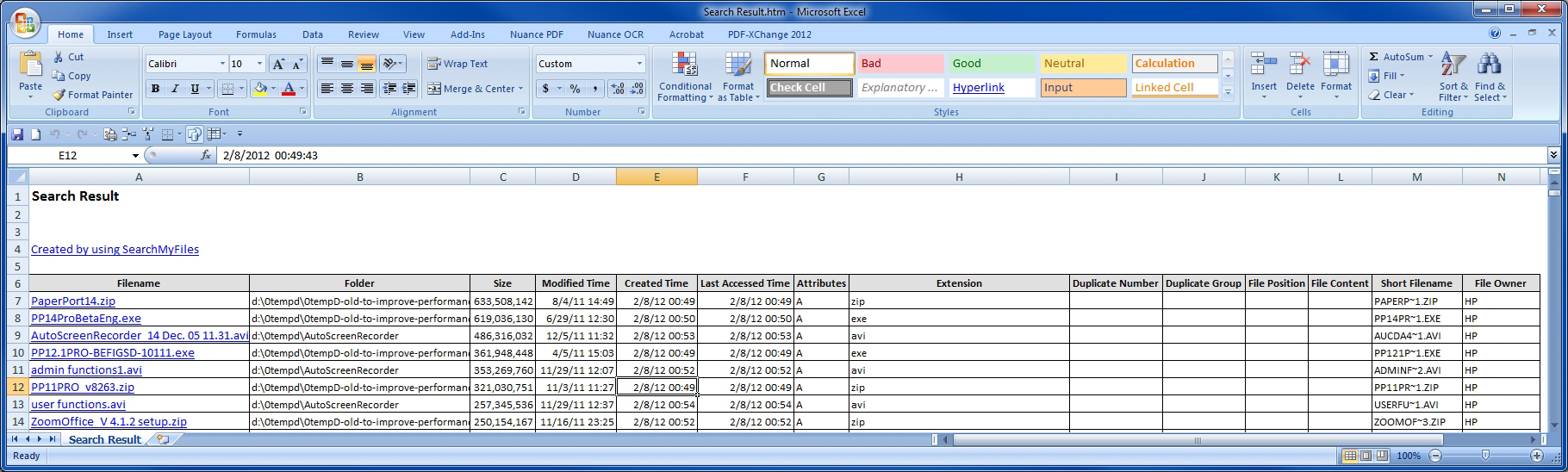
But that said, you still have to access all of the remote computers. One way to do that is to run a command like this:
USBDeview.exe /remotefile "c:\temp\ComputerList.txt"
The ComputerList.txt file is a plain text file with your computer names or addresses separated by a colon, semicolon, space, tab, or CRLF. You'll also need to have the remote machines properly configured to allow remote access (they may already be) and the script will need to have the username and password for connecting to each remote machine. All of this is described here:
http://blog.nirsoft.net/2009/10/22/how-to-connect-a-remote-windows-7vistaxp-computer-with-nirsoft-utilities/
But if DevCon is already generating output with all of the USB devices for all of the machines on your network, I think that writing a script/program to look for all occurrences of fi- in the DevCon output is the way to go. Regards, Joe
You're very welcome — that's great news! I'm glad it works for you. Thanks for the update. Regards, Joe
EARN REWARDS FOR ASKING, ANSWERING, AND MORE.
Earn free swag for participating on the platform.
Windows OS
--
Questions
--
Followers
Top Experts
This topic area includes legacy versions of Windows prior to Windows 2000: Windows 3/3.1, Windows 95 and Windows 98, plus any other Windows-related versions including Windows Mobile.