
Hardware
--
Questions
--
Followers
Top Experts

Ive got a APC 2200XL device whereby the batteries where recently replaced. Since replacing the batteries Ive not been able to get the UPS back online. When I power it up, the battery indicators are around 75% and everything looks normal. After about 10 seconds, the device then goes into a mode where by a single red LED is lit and the UPS cannot hold any load so servers are currenlty connected direct to the wall socket rather than going through the UPS.
See attached.
Any ideas
SycamoreIT
APC.JPG
Zero AI Policy
We believe in human intelligence. Our moderation policy strictly prohibits the use of LLM content in our Q&A threads.
As a footnote... from looking at the picture it is dated. How old is this unit and how many times have you replaced the batteries. It looks old enough that it could indeed be that the unit is shot.
The unit was on site prior to me starting so its at least 4 yrs old.
Thanks


EARN REWARDS FOR ASKING, ANSWERING, AND MORE.
Earn free swag for participating on the platform.

Connect the APC UPS with the serial cable with a computer and run hyperterminal software to connect to the APC UPS to recalibrate the battery.
If you do have the serial cable, I will locate my documentation for the above.
Is there no way to recalibrate the unit via a combination of button pressing on the front panel?
If not then Im going to need the instructions to access via the serial cable Jackie Man.
Get a FREE t-shirt when you ask your first question.
We believe in human intelligence. Our moderation policy strictly prohibits the use of LLM content in our Q&A threads.

You can check the voltage of each battery with a voltmeter.
New battery is installed but ups is not online. Googling result indicated I need a special serial cable (APC 66049). Luckily , I can locate one from the packaging stuff which comes with the UPS in year 2005 and I could try the fix.
EARN REWARDS FOR ASKING, ANSWERING, AND MORE.
Earn free swag for participating on the platform.
" In order to reset the battery constant, we suggest that this is done through a HyperTerminal session.
Please do not enter any other characters via HyperTerminal other than that described in these instructions because this can cause irreparable damage to the UPS.
In order to successfully reset the battery constant, all accompanying devices (SmartSlot Accessories such as Interface Expander, Web/SNMP Management Card) must be removed from the SmartSlot or from the Com port of the UPS.
Please shut off all connected load, switch off the UPS, pull the power plug of the UPS.
Switch off the UPS once again till you hear a click.
Remove all accompanying devices.
Turn on the UPS again and connect a computer with Windows 95/98/ME, Windows NT 4.0 or Win 2000, which runs on Hyperterminal using one of the cables mentioned under the requirements.
Close Powerchute plus-Server. With Windows NT/2000, the UPS service must be stopped. If you are using PowerChute Business Edition, stop the Agent *V service.
Perform a Battery Constants check.
Start a Hyperterminal session with the UPS.
Note: Ensure that there are no accessories plugged into the UPS. (Web Management cards, IO Relay cards etc)
Start Hyperterminal by going to Start, Programs, Accessories, Communications, Hyperterminal.
You will be requested to enter a name and a symbol. Enter a favourite name and click on OK. When a message that a modem must be installed appears, you can ignore this message.
Select the serial port to which black serial cable is connected to.
The correct settings for the COM-connection are 2400 Baud, 8 data bits, 1 Stop bit, no parity, protocol Xon/Xoff. In this window, click on Advanced and make sure that the option FIFO activated is unchecked. Click twice on OK.
Check if there is a connection (Type Shift + Y, should return **SM** )
Do not enter any other characters via Hyperterminal other than that described in these instructions because this can cause irreparable damage to the UPS
Type **1**, wait 2-3 secs and type **1** again (Should return **Prog**)
Enter a **0** and the UPS reports the present value of the battery constant.
If this value does not correspond to the default value that was given to you by RM Support or APC , it must be changed.
If this value is not correct, press **+** or **-** until the correct value is returned.
Press **R** to close the session. (Should return **Bye**)
Enter **<Shift> Y**, the UPS reports again with **SM**.
Enter **0** once again and check if the UPS reports back the standard setting that has been set.
Close Hyperterminal, start the UPS again and check the UPS runtime in the management software."
Source: http://support.rm.com/TechnicalArticle.asp?cref=TEC817072
When i inserted the batteries on the weekend, the APC once powered up was emitting a beep once a minute. I suspected this was because the batteries where not fully charge or the previous fault still existed. Ive since had someone on site check the device for any audio warnings and also to take another picture of the front panel and it seems things have changed for the better. The only led which is red now is the bottom right battery LED which might suggest one of the batteries are not plugged in correctly. All other lights are showing green so I think we might be gettting somewhere?
Check out the attachement.
Ta
SycamoreIT
apc2.JPG
Get a FREE t-shirt when you ask your first question.
We believe in human intelligence. Our moderation policy strictly prohibits the use of LLM content in our Q&A threads.
EARN REWARDS FOR ASKING, ANSWERING, AND MORE.
Earn free swag for participating on the platform.
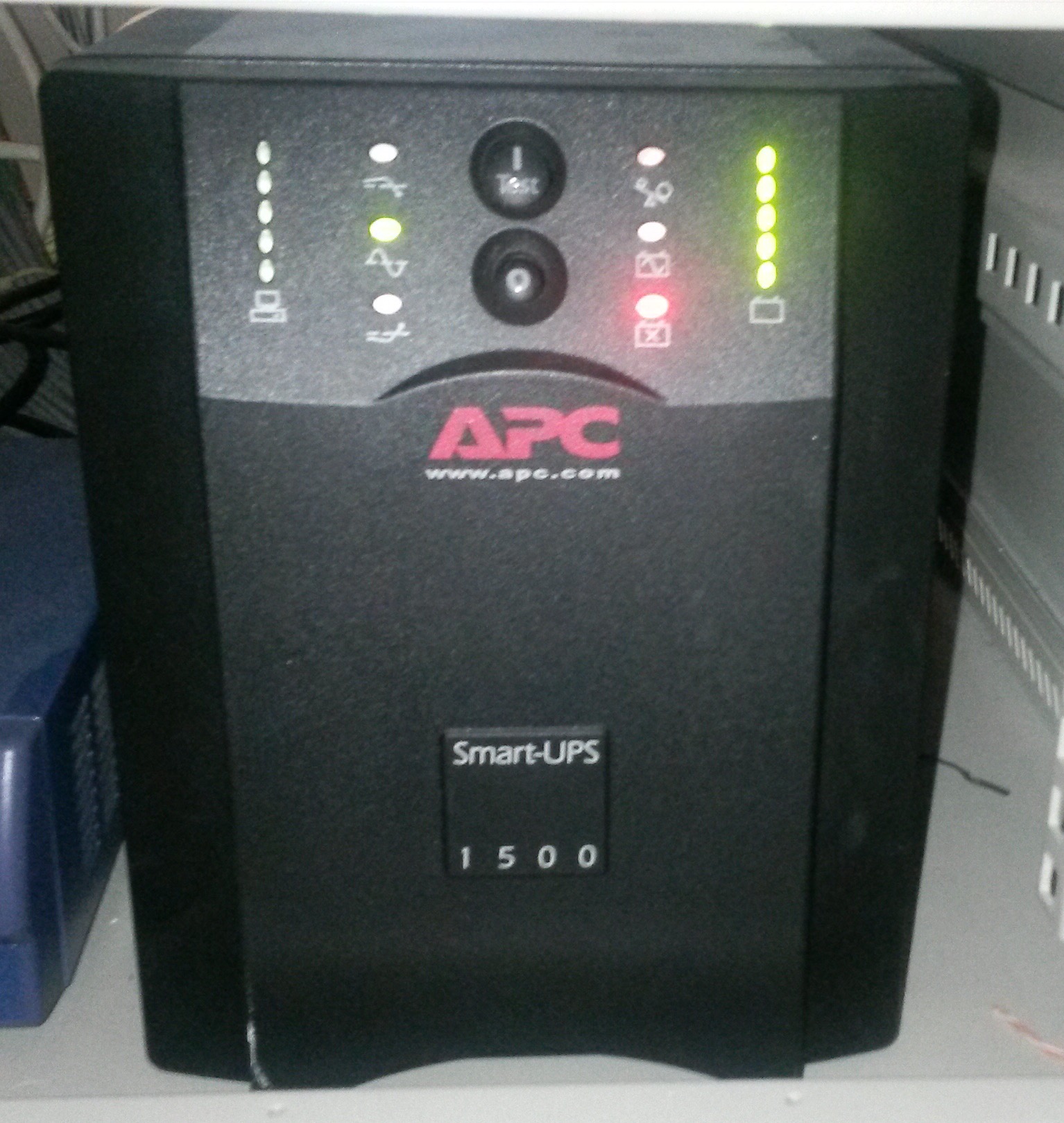
Does yours look like mine?
Have a guess whether it is working or not?
Get a FREE t-shirt when you ask your first question.
We believe in human intelligence. Our moderation policy strictly prohibits the use of LLM content in our Q&A threads.
Of course, you need to connect your UPS to server using a USB cable.
Your guess is wrong.
EARN REWARDS FOR ASKING, ANSWERING, AND MORE.
Earn free swag for participating on the platform.
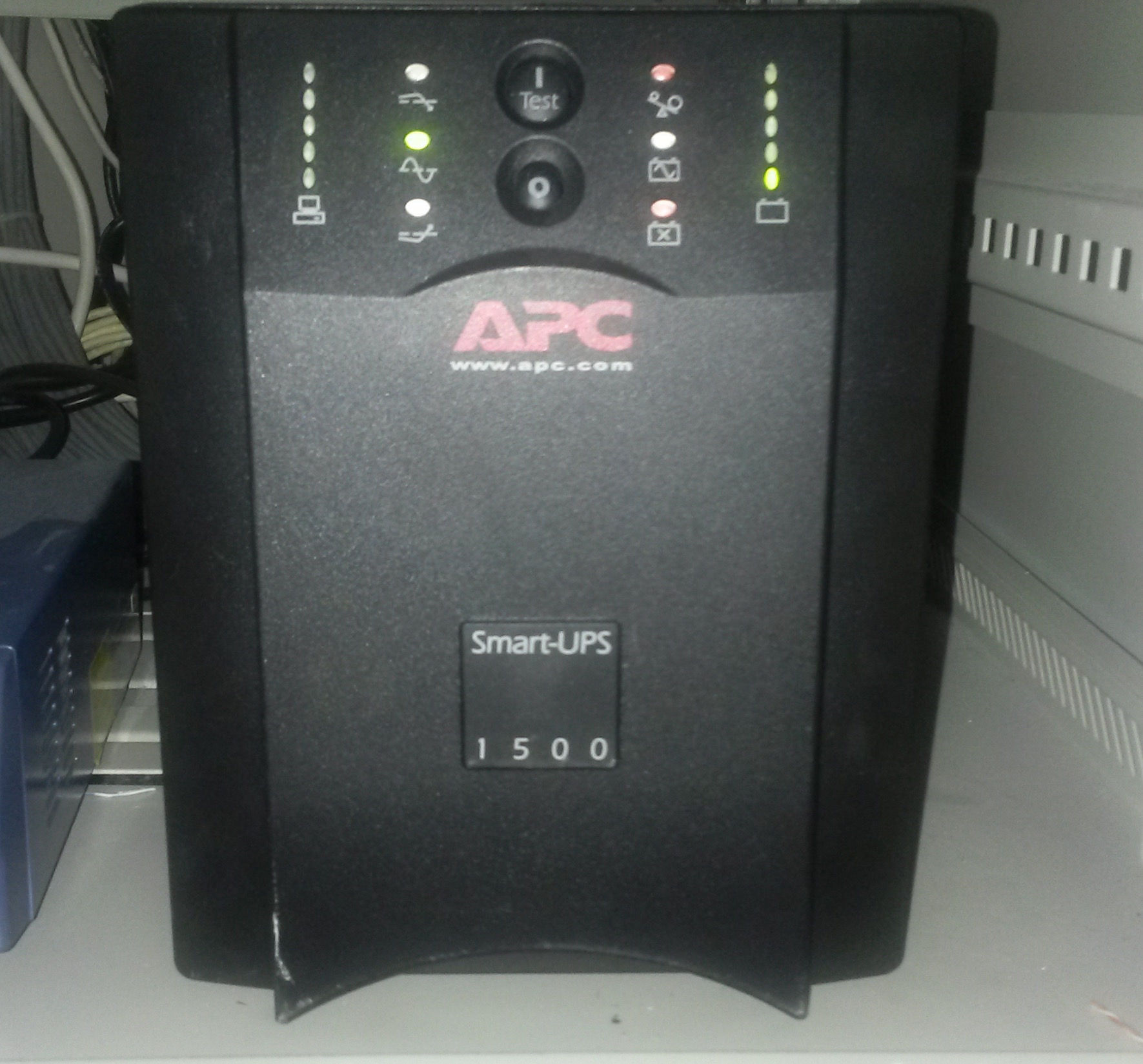
It is the working status.
Darn it!
Get a FREE t-shirt when you ask your first question.
We believe in human intelligence. Our moderation policy strictly prohibits the use of LLM content in our Q&A threads.
EARN REWARDS FOR ASKING, ANSWERING, AND MORE.
Earn free swag for participating on the platform.
You need hyperterminal to fix it.
Get a FREE t-shirt when you ask your first question.
We believe in human intelligence. Our moderation policy strictly prohibits the use of LLM content in our Q&A threads.
Then, Google and try to fix on my own.
Powerchut can only calibrate if the battery constance is correct.
On put back of new battery, the UPS still thinks that it has zero battery constance despite that the battery is fully charged as shown the right power level bar.
So, the UPS will be useless if you do not fix it.
EARN REWARDS FOR ASKING, ANSWERING, AND MORE.
Earn free swag for participating on the platform.
https://youtu.be/coFMmOBL2Ec
Have a look of the above video if you are free.
Get a FREE t-shirt when you ask your first question.
We believe in human intelligence. Our moderation policy strictly prohibits the use of LLM content in our Q&A threads.
apc3.JPG
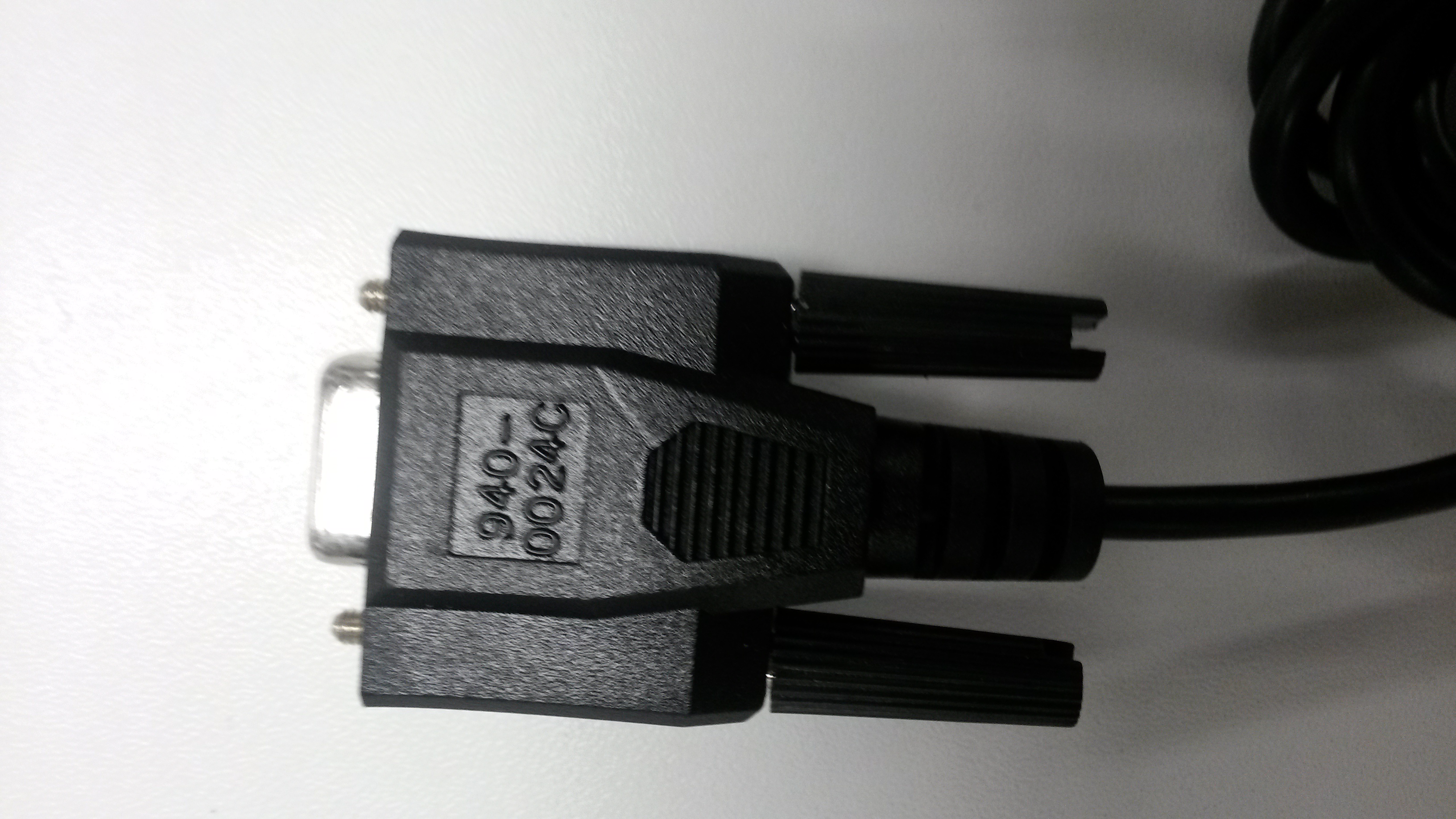
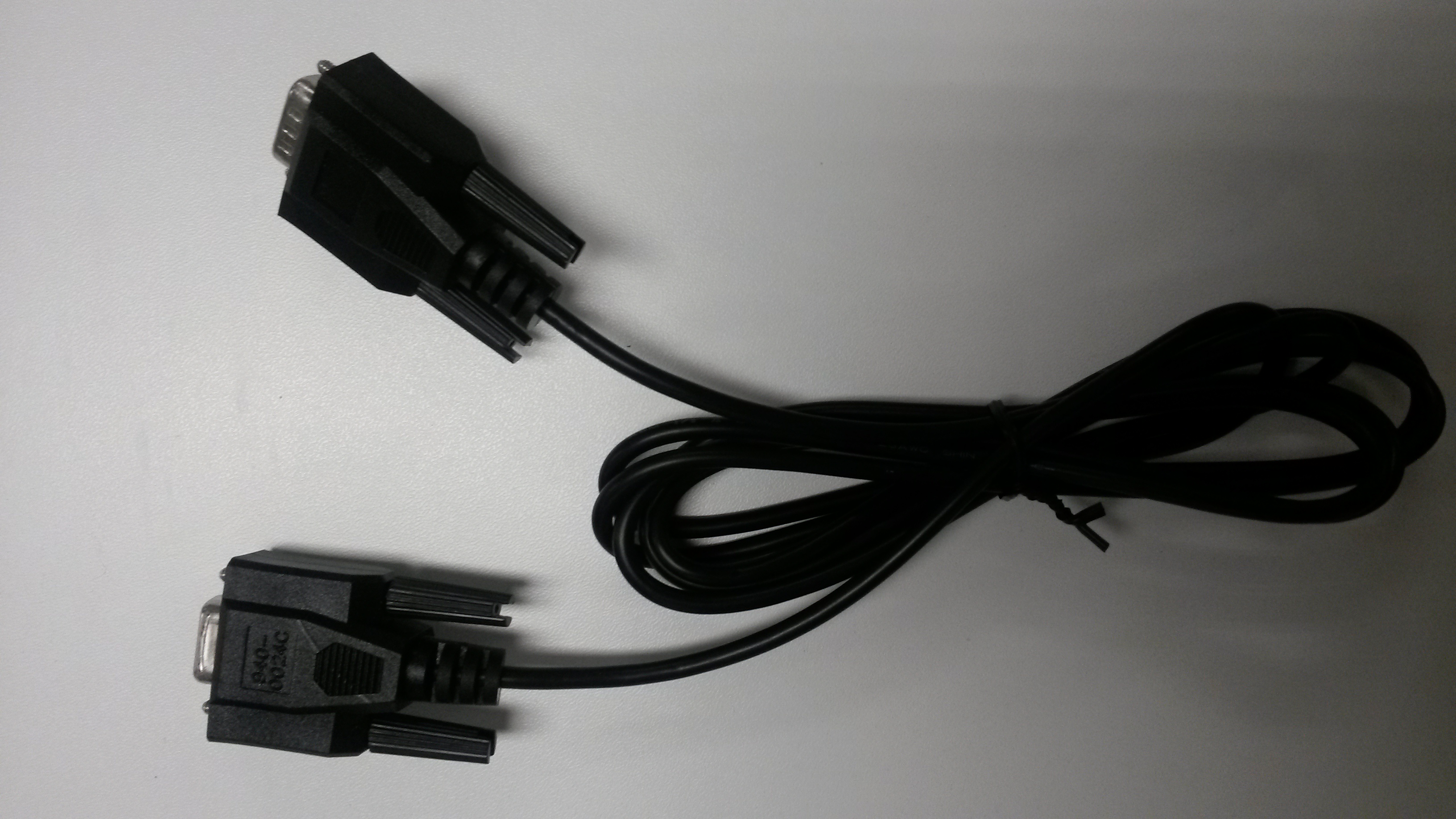
It is the serial cable bundled with your UPS.
You can use it.
EARN REWARDS FOR ASKING, ANSWERING, AND MORE.
Earn free swag for participating on the platform.
Get a FREE t-shirt when you ask your first question.
We believe in human intelligence. Our moderation policy strictly prohibits the use of LLM content in our Q&A threads.
Also, now that Im on site, I can confirm the following.
The device is beeping once a second and the a red led with a battery with an X in the middle is lit (see attached).
Also, if the hyperterminal did return **Prog**, Im none the wiser what my battery constant should be - how do I know what that is, does something already know by chance?
apc4.JPG
Do you put any load on the UPS? No load must be put on UPS.
Have a look of the link below to check whether your procedure is correct.
http://osdir.com/ml/monitoring.nut.user/2007-01/msg00120.html
EARN REWARDS FOR ASKING, ANSWERING, AND MORE.
Earn free swag for participating on the platform.
I retried the hyperterminal session and was able to get into the PROG mode and my battery constant is 31, any idea what it should be?

http://asavage.dyndns.org/ftp/Drivers/APC/
http://apc-fix.com/articles/187
Get a FREE t-shirt when you ask your first question.
We believe in human intelligence. Our moderation policy strictly prohibits the use of LLM content in our Q&A threads.
EARN REWARDS FOR ASKING, ANSWERING, AND MORE.
Earn free swag for participating on the platform.
Select according to the OS of your server.
Besides, a standard usb printer cable will do.
Also post back the photo of the current status of ups front panel.
Get a FREE t-shirt when you ask your first question.
We believe in human intelligence. Our moderation policy strictly prohibits the use of LLM content in our Q&A threads.
Hardware
--
Questions
--
Followers
Top Experts
Hardware includes cell phones and other digital living devices, tablets, computers, servers, peripherals and components, printers and scanners, gaming consoles, networking hardware such as routers, hubs, switches and modems, storage devices and security equipment such as firewalls and other appliances.