Link to home
Create AccountLog in
Storage

Storage

--

Questions

--

Followers

Top Experts

Avatar of Ross Maddox
Ross Maddox🇺🇸

Dell Server RAID Offline Needs Rebuild
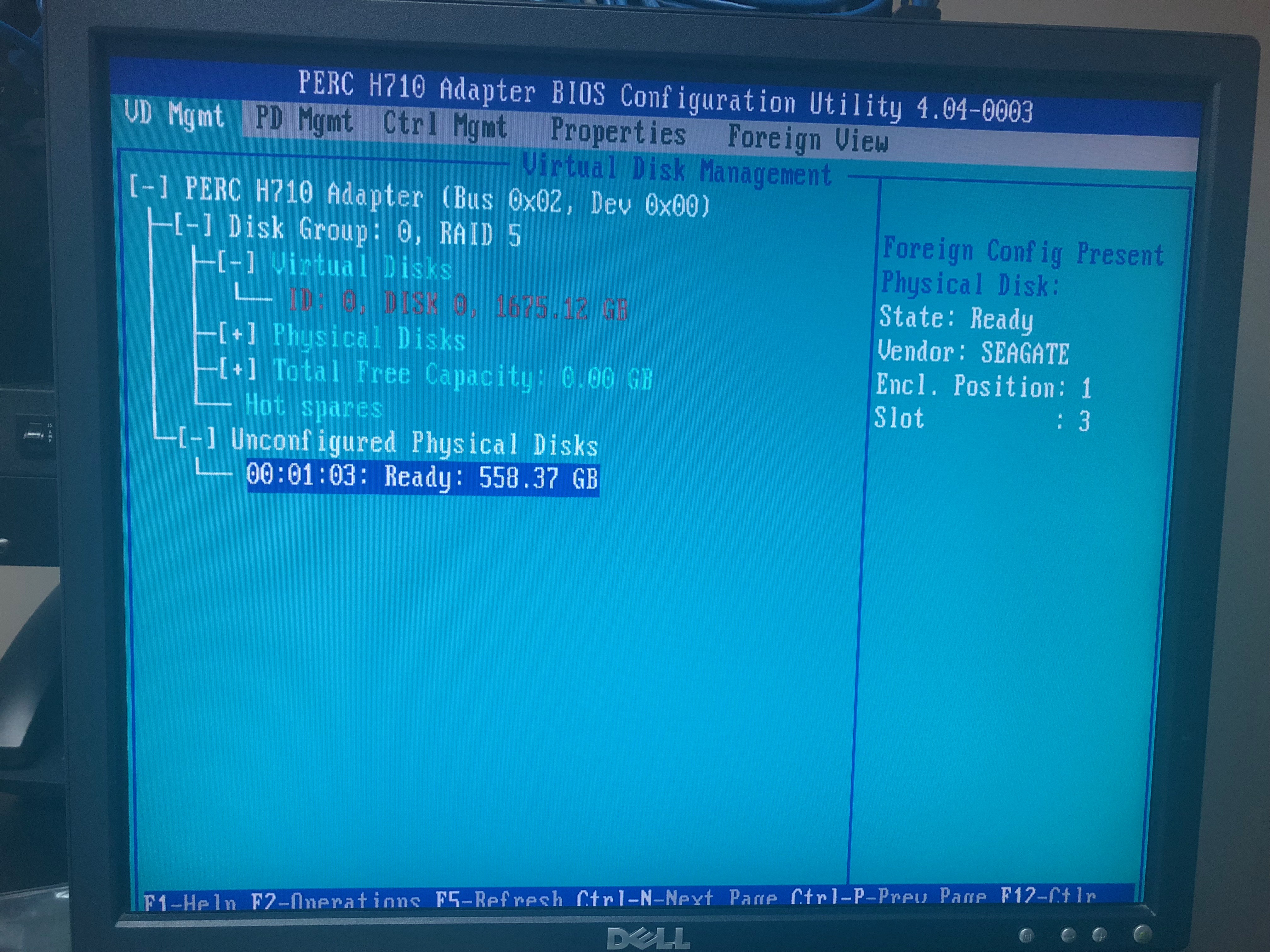
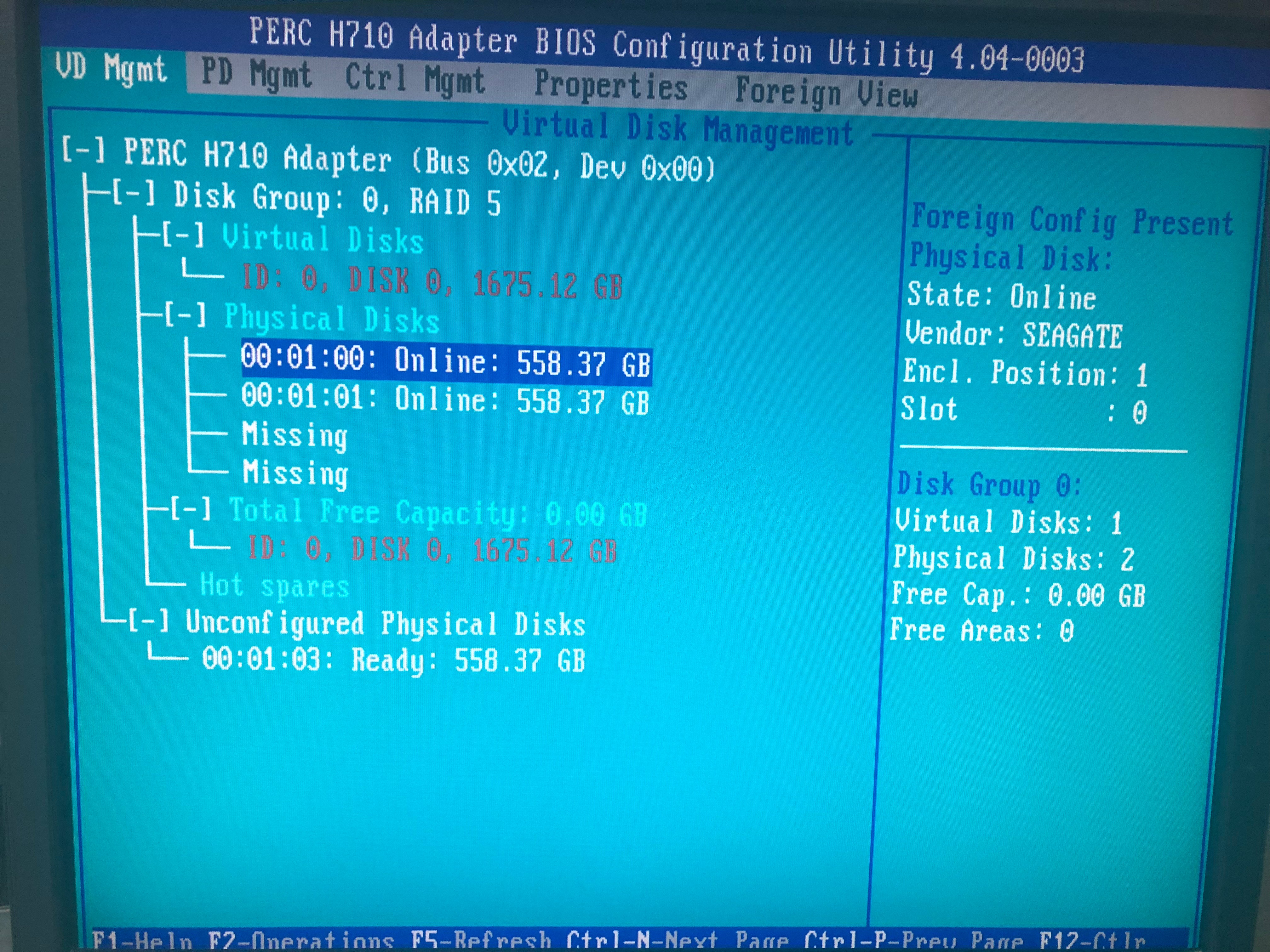
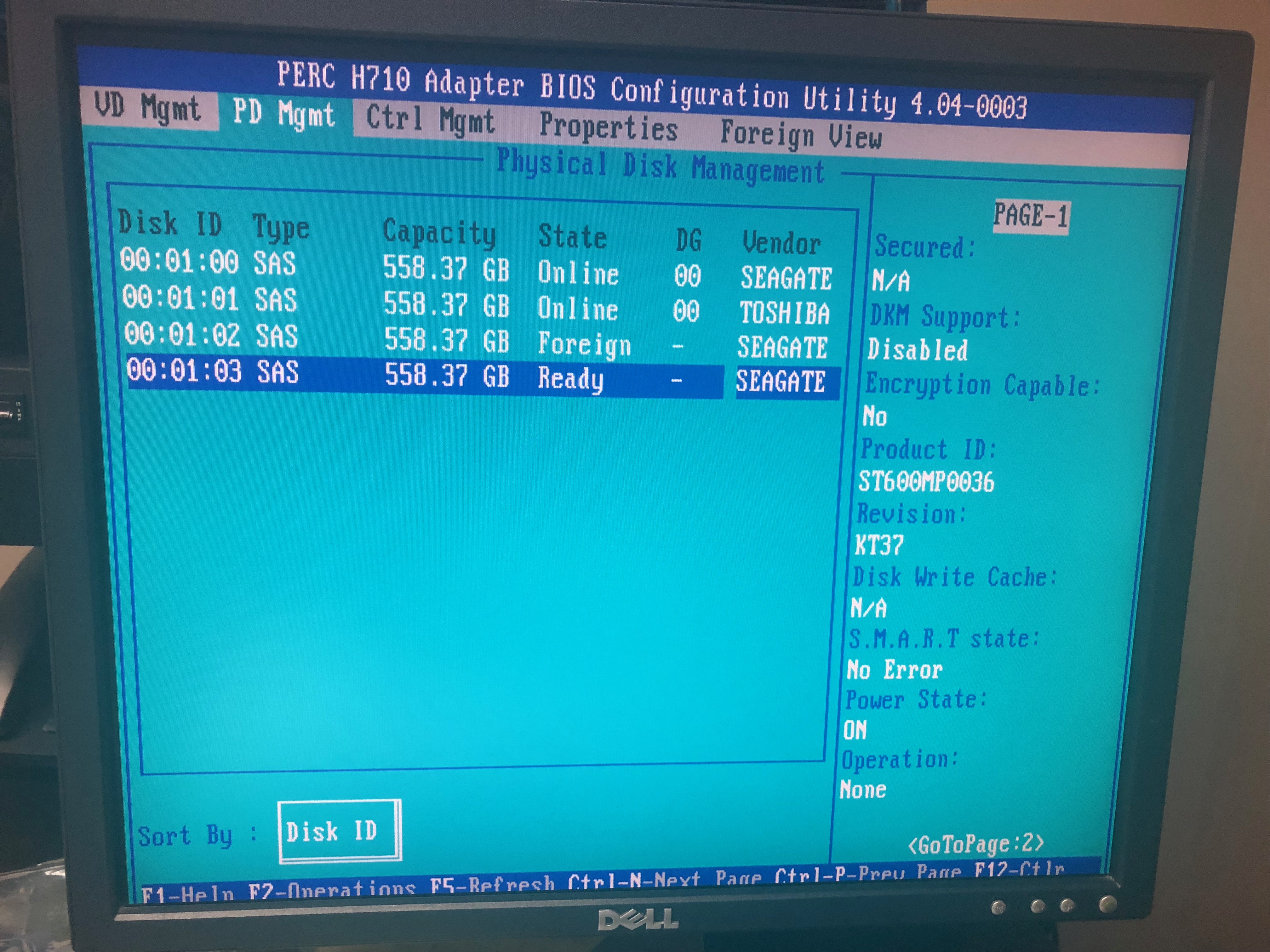
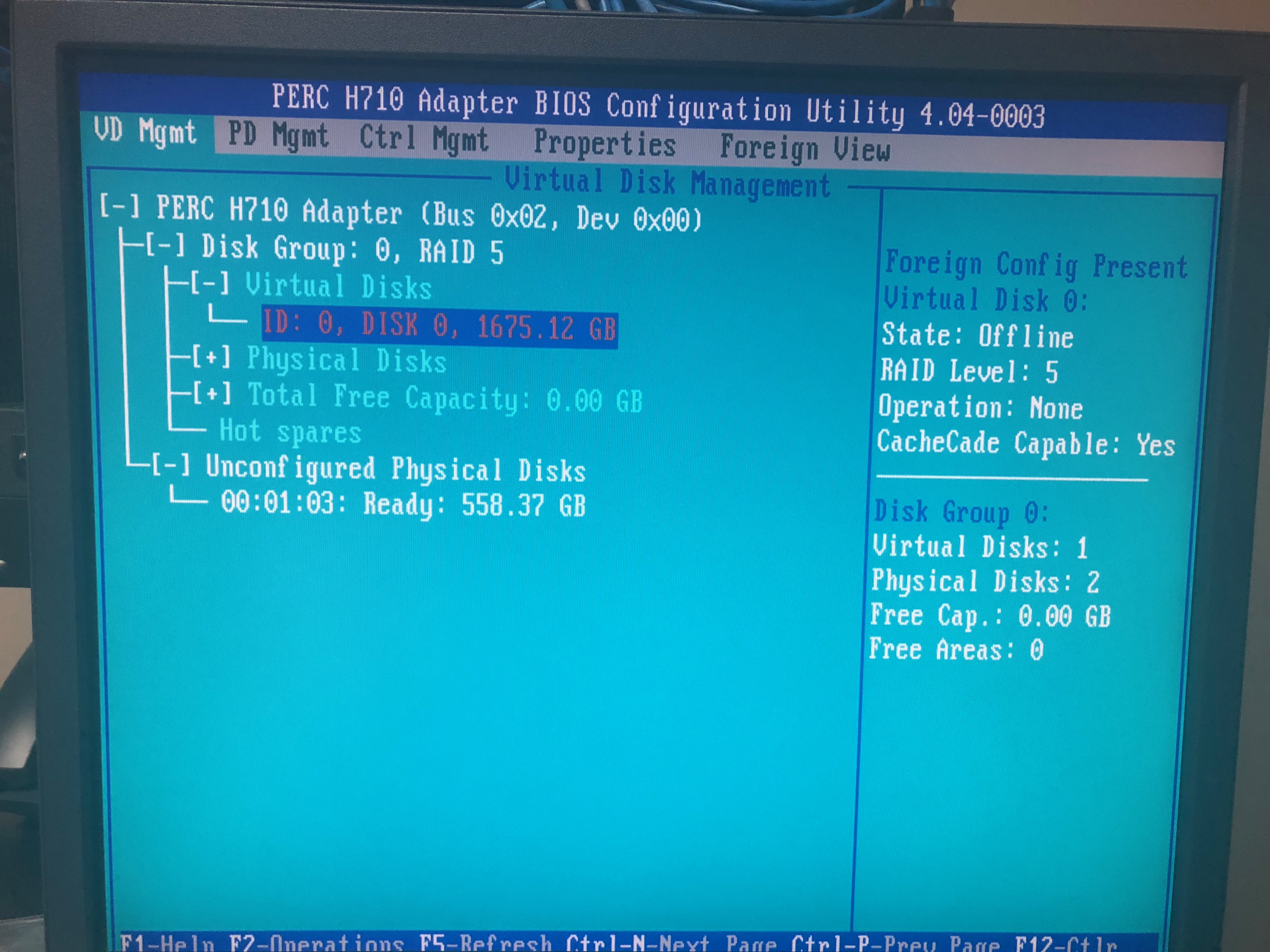
Dell PowerEdge T620 Failed Disk. The server boots up to a foreign configuration. Asking to select "C" or "F". The system will boot up after selecting F to import foreign config. Server 2012r2 boots up then blue screens critical process died. The system config shows that the virtual disk is offline and 1 disk is ready and 1 is foreign. I am attaching pics of the config page. I have a new drive to install for the one that has the amber light  flashing on it. Any help on getting the RAID fixed and server started would be awesome. User generated imageUser generated imageUser generated imageUser generated image

Zero AI Policy

We believe in human intelligence. Our moderation policy strictly prohibits the use of LLM content in our Q&A threads.


Avatar of Tom CieslikTom Cieslik🇺🇸

In most cases if you will remove foreign disk and boot server with missing disk status then put new disk again when server is UP then Raid will start rebuild.

You should not select F drive to boot from. Now you have bcdedit confused.

Try run server from one disk in raid if will not boot, you must run it using installation DVD and try repair boot config. If this will not work, run server from DVD, and run command prompt, then run BCDEDIT and check what your boot loader looks like. If is pointing to F drive, then repair it manually

https://docs.microsoft.com/en-us/windows-hardware/manufacture/desktop/bcdedit-command-line-options

Avatar of David Johnson, CDDavid Johnson, CD🇨🇦

you are missing 2 disks .. RAID5 only will repair/rebuild if 1 disk goes bad.  2 disks means restore from backup after setting up array.

Avatar of Ross MaddoxRoss Maddox🇺🇸

ASKER

I have not pointed it to boot from the F Drive. Selecting F allows the configuration utilityRAID Contoller to import the foreign config and boot up to windows. Thats when it comes the login screen then fails blue screen stating Critical Process Died Windows will restart.

Reward 1Reward 2Reward 3Reward 4Reward 5Reward 6

EARN REWARDS FOR ASKING, ANSWERING, AND MORE.

Earn free swag for participating on the platform.


Avatar of Tom CieslikTom Cieslik🇺🇸

But yes, If you did lost 2 drives,  one is Ready second is Foreign, and you had Raid 5 then your RAID is gone I think.
In Raid 5 you can loose only one drive at the time.

Avatar of Ross MaddoxRoss Maddox🇺🇸

ASKER

It still boots to Windows. So I think the RAID is not gone. RAID 5 only needs 3 disks. Two of the disks are still working and one is foregin. It looks like the server was never set up with the 4th disk. Should I not be able to go into Config utility and manually rebuild the array? How could it still boot to Windows and the RAID be gone. Also no one has addressed why it will boot to login screen then after a minute it blue screens to the Critical Process Died. Anyone have an Idea how to get this not to happen. So we can boot the server to Windows.

ASKER CERTIFIED SOLUTION
Avatar of Sajid Shaik MSajid Shaik M🇸🇦

Link to home
membership
Log in or create a free account to see answer.
Signing up is free and takes 30 seconds. No credit card required.
Create Account

Avatar of Ross MaddoxRoss Maddox🇺🇸

ASKER

we made the disk hot spare and rebooted, per your instructions.  The rebuild process started it booted to windows then we got a critical process died. the server rebooted and now the hot spare shows as offline. How would you suggest to proceed? Do I need to force it online? Thanks in advance.

Free T-shirt

Get a FREE t-shirt when you ask your first question.

We believe in human intelligence. Our moderation policy strictly prohibits the use of LLM content in our Q&A threads.


Avatar of Sajid Shaik MSajid Shaik M🇸🇦

so now the hotspare goes to a part of online disk ..there is no more hotspare... if you bring and attached new HDD... and make it as hotspare... then you'll find the hotspare the new disk as online...

all the best
Storage

Storage

--

Questions

--

Followers

Top Experts
Computer data storage, often called storage or memory, is a technology consisting of computer components and recording media used to retain digital data. In addition to local storage devices like CD and DVD readers, hard drives and flash drives, solid state drives can hold enormous amounts of data in a very small device. Cloud services and other new forms of remote storage also add to the capacity of devices and their ability to access more data without building additional data storage into a device.