
Windows 10
--
Questions
--
Followers
Top Experts

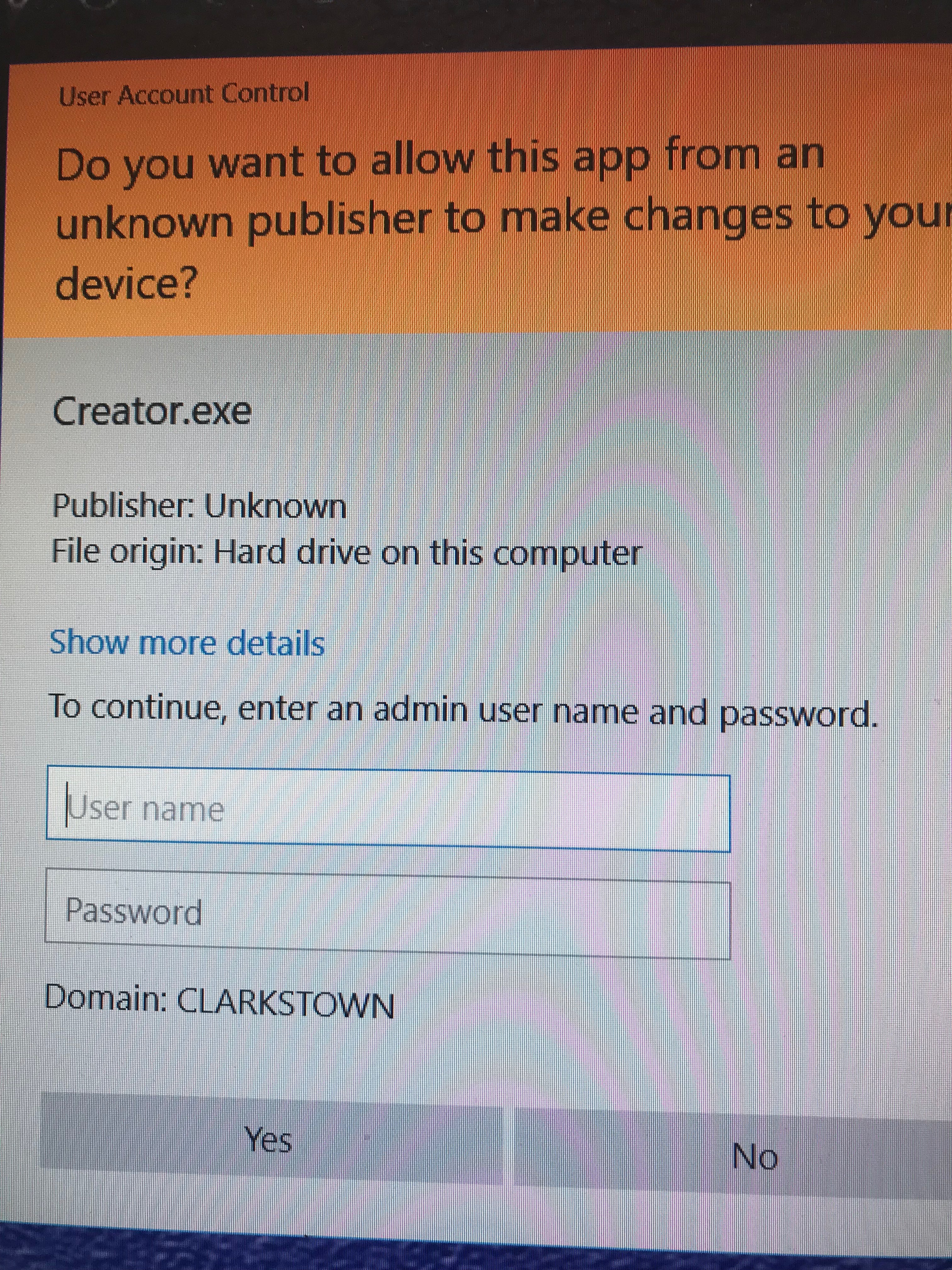 I installed a program under administrator user. The program opens. When the user opens the program, a screen pops up. Attached is the screenshot. For the program to open, I have to put in the administrator credentials every time. The UAC settings is set as never notify. I have given the user permissions full control to the folder of the program. I have tried the option run as administrator in properties advanced setting. Still gives the attached screenshot. Operating system is Windows 10 Pro 64-bit. How can the user open the program without the administrator credentials? A way for the user to open the program without the administrator credentials is to put the user name in the administrator group but I do not want the user to have administrative rights.
Zero AI Policy
We believe in human intelligence. Our moderation policy strictly prohibits the use of LLM content in our Q&A threads.

It doesn't matter which user installs a program it it installs for all users then all users can access it. A well written program doesn't need administrative access to run unless this program modifies computer wide information.
What is the program or what does this program do?
if the program tries to write to c:\program files, c:\windows or c:\programdata then it will need to run as an administrator

Ask the Software Vendor if they have a version that does not require admin credentials.


EARN REWARDS FOR ASKING, ANSWERING, AND MORE.
Earn free swag for participating on the platform.
Ask the software vendor or consider a newer product.
Get a FREE t-shirt when you ask your first question.
We believe in human intelligence. Our moderation policy strictly prohibits the use of LLM content in our Q&A threads.

Windows 10
--
Questions
--
Followers
Top Experts
Windows 10 is a personal computer operating system featuring the "universal application architecture" (UAP); apps can be designed to run across multiple devices with nearly identical code, including PCs, tablets, smartphones, embedded systems, Xbox One, Surface Hub and HoloLens. Windows 10 also includes a virtual desktop system, a window and desktop management feature called Task View, the Microsoft Edge web browser, support for fingerprint and face recognition login, voice-based search (Cortana), new security features for enterprise environments, and DirectX 12 and WDDM 2.0 to improve the operating system's graphics capabilities for games.