
Programming
--
Questions
--
Followers
Top Experts

See the end of this message for details on invoking
just-in-time (JIT) debugging instead of this dialog box.
************** Exception Text **************
System.InvalidOperationException: The 'Microsoft.Jet.OLEDB.4.0' provider is not registered on the local machine.
at System.Data.OleDb.OleDbServicesWrapper.GetDataSource(OleDbConnectionString constr, DataSourceWrapper& datasrcWrapper)
at System.Data.OleDb.OleDbConnectionInternal..ctor(OleDbConnectionString constr, OleDbConnection connection)
at System.Data.OleDb.OleDbConnectionFactory.CreateConnection(DbConnectionOptions options, DbConnectionPoolKey poolKey, Object poolGroupProviderInfo, DbConnectionPool pool, DbConnection owningObject)
at System.Data.ProviderBase.DbConnectionFactory.CreateNonPooledConnection(DbConnection owningConnection, DbConnectionPoolGroup poolGroup, DbConnectionOptions userOptions)
at System.Data.ProviderBase.DbConnectionFactory.TryGetConnection(DbConnection owningConnection, TaskCompletionSource`1 retry, DbConnectionOptions userOptions, DbConnectionInternal oldConnection, DbConnectionInternal& connection)
at System.Data.ProviderBase.DbConnectionInternal.TryOpenConnectionInternal(DbConnection outerConnection, DbConnectionFactory connectionFactory, TaskCompletionSource`1 retry, DbConnectionOptions userOptions)
at System.Data.ProviderBase.DbConnectionInternal.OpenConnection(DbConnection outerConnection, DbConnectionFactory connectionFactory)
at System.Data.OleDb.OleDbConnection.Open()
at VIPER.G.GetVaccines()
at VIPER.Form11.Form11_Load(Object sender, EventArgs e)
at System.EventHandler.Invoke(Object sender, EventArgs e)
at System.Windows.Forms.Form.OnLoad(EventArgs e)
at System.Windows.Forms.Form.OnCreateControl()
at System.Windows.Forms.Control.CreateControl(Boolean fIgnoreVisible)
at System.Windows.Forms.Control.CreateControl()
at System.Windows.Forms.Control.WmShowWindow(Message& m)
at System.Windows.Forms.Control.WndProc(Message& m)
at System.Windows.Forms.Form.WmShowWindow(Message& m)
at System.Windows.Forms.NativeWindow.Callback(IntPtr hWnd, Int32 msg, IntPtr wparam, IntPtr lparam)
************** Loaded Assemblies **************
mscorlib
Assembly Version: 4.0.0.0
Win32 Version: 4.7.3620.0 built by: NET472REL1LAST_B
CodeBase: file:///C:/Windows/Microsoft.NET/Framework64/v4.0.30319/mscorlib.dll
----------------------------------------
System
Assembly Version: 4.0.0.0
Win32 Version: 4.7.3451.0 built by: NET472REL1LAST_C
CodeBase: file:///C:/Windows/Microsoft.Net/assembly/GAC_MSIL/System/v4.0_4.0.0.0__b77a5c561934e089/System.dll
----------------------------------------
VIPER
Assembly Version: 5.0.6.0
Win32 Version: 5.0.6.0
CodeBase: file:///C:/Users/amoreno.RVP.003/AppData/Local/Apps/2.0/3Y5VDBO3.W1G/JXE4LXOO.81A/vipe..tion_0000000000000000_0005.0000_f67d60cddf2a452d/VIPER.exe
----------------------------------------
Microsoft.VisualBasic
Assembly Version: 10.0.0.0
Win32 Version: 14.7.3062.0 built by: NET472REL1
CodeBase: file:///C:/Windows/Microsoft.Net/assembly/GAC_MSIL/Microsoft.VisualBasic/v4.0_10.0.0.0__b03f5f7f11d50a3a/Microsoft.VisualBasic.dll
----------------------------------------
System.Core
Assembly Version: 4.0.0.0
Win32 Version: 4.7.3620.0 built by: NET472REL1LAST_B
CodeBase: file:///C:/Windows/Microsoft.Net/assembly/GAC_MSIL/System.Core/v4.0_4.0.0.0__b77a5c561934e089/System.Core.dll
----------------------------------------
System.Windows.Forms
Assembly Version: 4.0.0.0
Win32 Version: 4.7.3580.0 built by: NET472REL1LAST_C
CodeBase: file:///C:/Windows/Microsoft.Net/assembly/GAC_MSIL/System.Windows.Forms/v4.0_4.0.0.0__b77a5c561934e089/System.Windows.Forms.dll
----------------------------------------
System.Drawing
Assembly Version: 4.0.0.0
Win32 Version: 4.7.3062.0 built by: NET472REL1
CodeBase: file:///C:/Windows/Microsoft.Net/assembly/GAC_MSIL/System.Drawing/v4.0_4.0.0.0__b03f5f7f11d50a3a/System.Drawing.dll
----------------------------------------
System.Configuration
Assembly Version: 4.0.0.0
Win32 Version: 4.7.3630.0 built by: NET472REL1LAST_B
CodeBase: file:///C:/Windows/Microsoft.Net/assembly/GAC_MSIL/System.Configuration/v4.0_4.0.0.0__b03f5f7f11d50a3a/System.Configuration.dll
----------------------------------------
System.Xml
Assembly Version: 4.0.0.0
Win32 Version: 4.7.3062.0 built by: NET472REL1
CodeBase: file:///C:/Windows/Microsoft.Net/assembly/GAC_MSIL/System.Xml/v4.0_4.0.0.0__b77a5c561934e089/System.Xml.dll
----------------------------------------
System.Runtime.Remoting
Assembly Version: 4.0.0.0
Win32 Version: 4.7.3062.0 built by: NET472REL1
CodeBase: file:///C:/Windows/Microsoft.Net/assembly/GAC_MSIL/System.Runtime.Remoting/v4.0_4.0.0.0__b77a5c561934e089/System.Runtime.Remoting.dll
----------------------------------------
System.Data
Assembly Version: 4.0.0.0
Win32 Version: 4.7.3630.0 built by: NET472REL1LAST_B
CodeBase: file:///C:/Windows/Microsoft.Net/assembly/GAC_64/System.Data/v4.0_4.0.0.0__b77a5c561934e089/System.Data.dll
----------------------------------------
System.Transactions
Assembly Version: 4.0.0.0
Win32 Version: 4.7.3221.0 built by: NET472REL1LAST_C
CodeBase: file:///C:/Windows/Microsoft.Net/assembly/GAC_64/System.Transactions/v4.0_4.0.0.0__b77a5c561934e089/System.Transactions.dll
----------------------------------------
System.EnterpriseServices
Assembly Version: 4.0.0.0
Win32 Version: 4.7.3062.0 built by: NET472REL1
CodeBase: file:///C:/Windows/Microsoft.Net/assembly/GAC_64/System.EnterpriseServices/v4.0_4.0.0.0__b03f5f7f11d50a3a/System.EnterpriseServices.dll
----------------------------------------
************** JIT Debugging **************
To enable just-in-time (JIT) debugging, the .config file for this
application or computer (machine.config) must have the
jitDebugging value set in the system.windows.forms section.
The application must also be compiled with debugging
enabled.
For example:
<configuration>
<system.windows.forms jitDebugging="true" />
</configuration>
When JIT debugging is enabled, any unhandled exception
will be sent to the JIT debugger registered on the computer
rather than be handled by this dialog box.
And, I have been all over the Internet trying to find the answer. I open one program, and I get this message. Clicking continue brings up a logon for the program (3rd party program which works on every other computer), but the logon isn't completely there.
I am still wondering whether the key is in "registering" and not necessarily missing. It also runs as an .exe. file but not as an .msi files and there is no run as admin. It has been installed on the server as well. It is just not as simple as she is missing this, and just need to install it.
Thanks.
Zero AI Policy
We believe in human intelligence. Our moderation policy strictly prohibits the use of LLM content in our Q&A threads.

https://www.microsoft.com/en-us/download/details.aspx?id=13255
Please read closely as these are different depending on whether you select 32-bit or 64-bit on the download page.
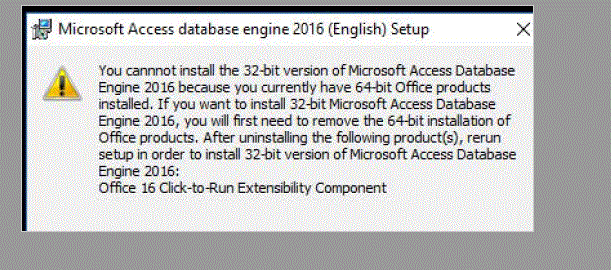
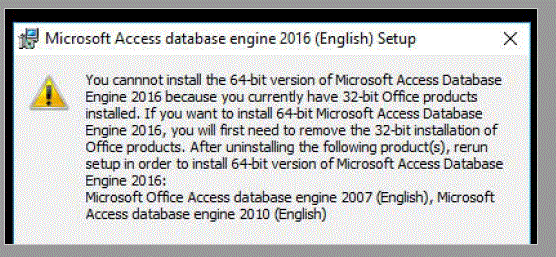
you need to install the Microsoft Access Database Engine 2010 Redistributable NOT the ver 2016.


EARN REWARDS FOR ASKING, ANSWERING, AND MORE.
Earn free swag for participating on the platform.
"you need to install the Microsoft Access Database Engine 2010 Redistributable NOT the ver 2016."
Ryan previously:
"try install the Microsoft Access Database Engine 2010 Redistributable
https://www.microsoft.com/en-us/download/details.aspx?id=13255"
That brings me to here:
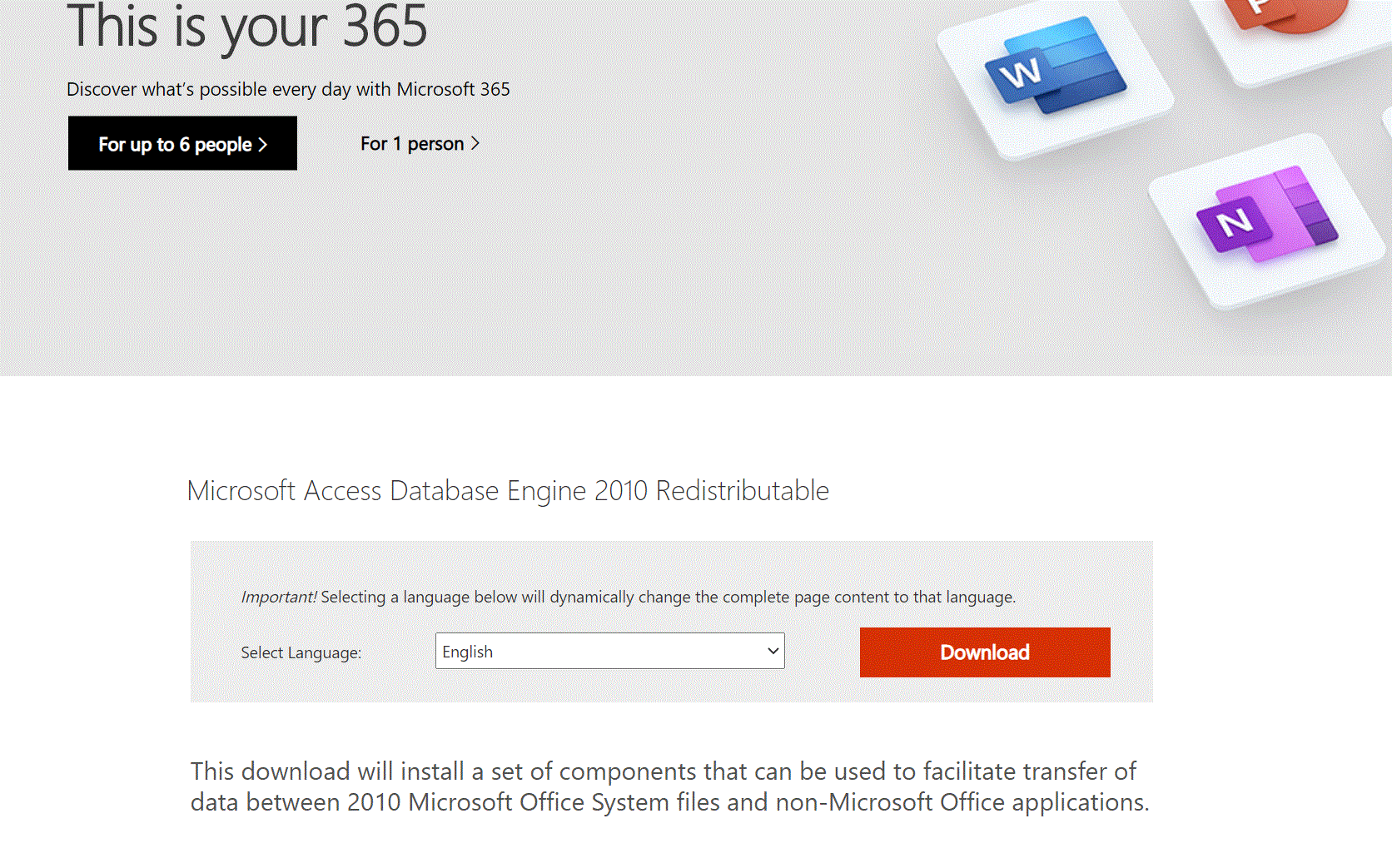
Click on that:
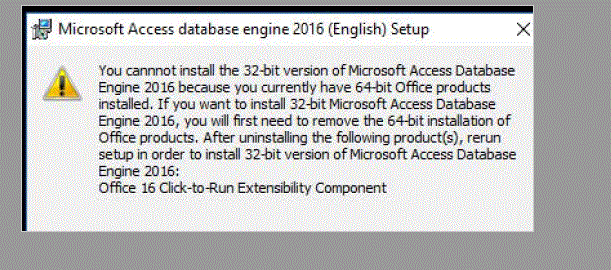
then this:
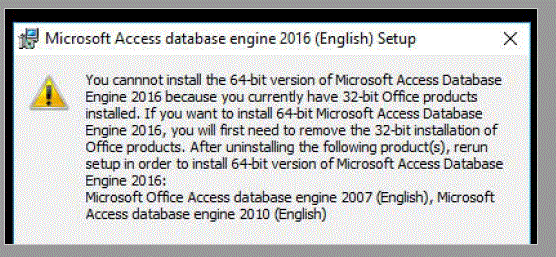
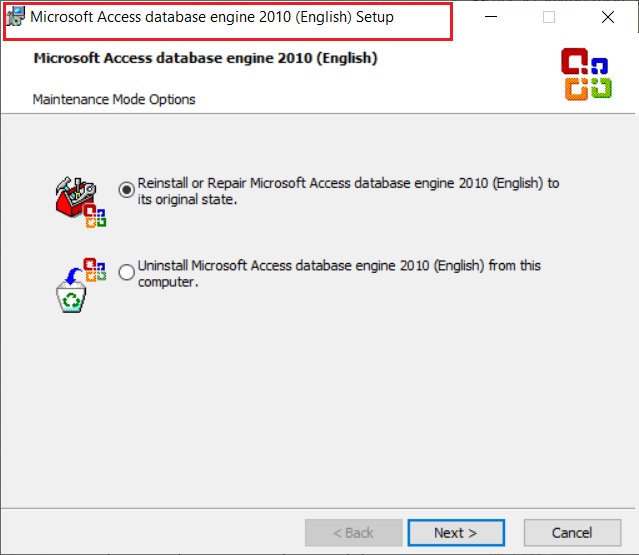
I am trying, but it goes around in circles. If I can get to the redistributable and not the 2016.....
Get a FREE t-shirt when you ask your first question.
We believe in human intelligence. Our moderation policy strictly prohibits the use of LLM content in our Q&A threads.
I click your link as you suggest. I get the 2010 redistributable. I click on download. I don't get your picture. I get the two 32 bit and 64 bit windows above. I am sorry. I am trying. But, I can't make the link below go anywhere else.
 I
I
I don't get your picture. I get the two 32 bit and 64 bit windows above.
yup, and you should able to see these.
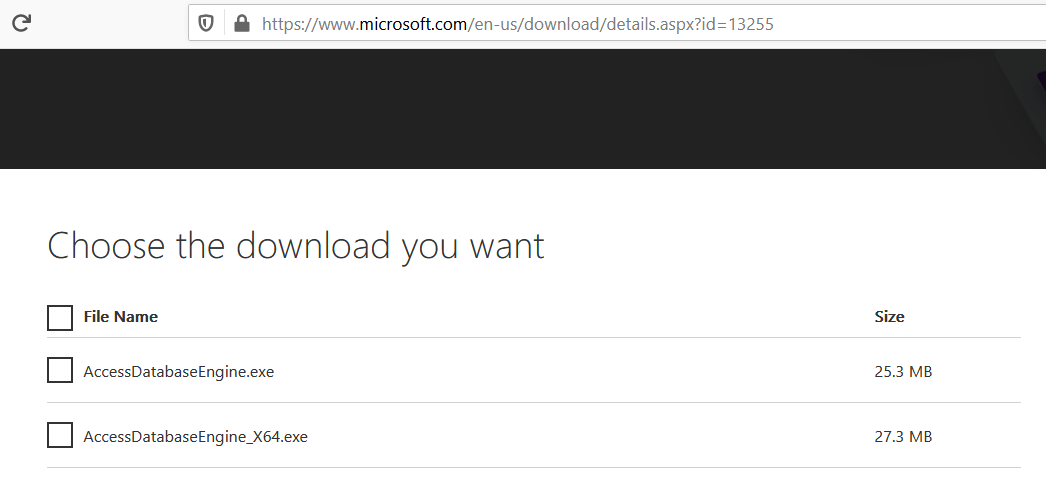
try download and install one of them, depends on whether your office is 32 bit or 64 bit
EARN REWARDS FOR ASKING, ANSWERING, AND MORE.
Earn free swag for participating on the platform.
 Does it help to show that I don't have 2010 on the computer?
Get a FREE t-shirt when you ask your first question.
We believe in human intelligence. Our moderation policy strictly prohibits the use of LLM content in our Q&A threads.
I can't win

I suppose it would be strange to download and install O365 on her desktop and also on her session/account on the RDS server and have them be doing architecture, but it is the only thing that would make sense as far as 32-bit being present along with 64-bit. She doesn't use the office suite on her desktop (although it would be safer), but she does use the suite on RDS constantly, and it has been an issue installing it -- fixed now. So, I hesitate to remove it.
EARN REWARDS FOR ASKING, ANSWERING, AND MORE.
Earn free swag for participating on the platform.
Programming
--
Questions
--
Followers
Top Experts
Programming includes both the specifics of the language you’re using, like Visual Basic, .NET, Java and others, but also the best practices in user experience and interfaces and the management of projects, version control and development. Other programming topics are related to web and cloud development and system and hardware programming.