
.NET Programming
--
Questions
--
Followers
Top Experts

MS Azure: Experimenting with a free account
I am new to Azure and want to learn and play BUT do not want to find out I accidentally started a process that cost me money.
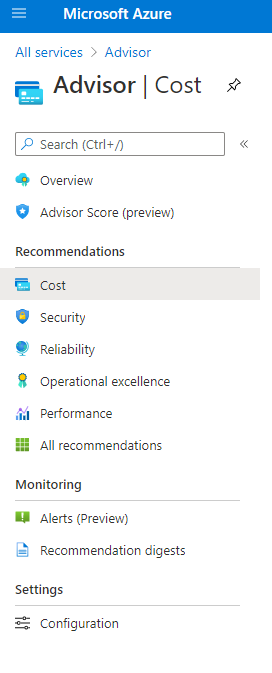
I see I can track expenses on the Azure Advisor > Cost tab. Mine is a free account, but connected to an active MSDN account. So, where can I look to see if the $200 credit they offer may still be available to me.
Thanks
I see I can track expenses on the Azure Advisor > Cost tab. Mine is a free account, but connected to an active MSDN account. So, where can I look to see if the $200 credit they offer may still be available to me.
Thanks
Zero AI Policy
We believe in human intelligence. Our moderation policy strictly prohibits the use of LLM content in our Q&A threads.

hello,
You can subscribe for 1 month free of charge, you have 200$ to spend over this month. In case you've spent the 200$ you cannot create additional resources(VM-DB....), you will receive notification that in order to add more resources you have to buy them. Once the free trial has ended they will not charge you anything.
Go to cost and billing management, you can see every details inside it.
You can subscribe for 1 month free of charge, you have 200$ to spend over this month. In case you've spent the 200$ you cannot create additional resources(VM-DB....), you will receive notification that in order to add more resources you have to buy them. Once the free trial has ended they will not charge you anything.
Go to cost and billing management, you can see every details inside it.
do you mean this Cost option? This seems to display the cost of the resources selected...
ASKER CERTIFIED SOLUTION

membership
Log in or create a free account to see answer.
Signing up is free and takes 30 seconds. No credit card required.
Thanks. I will need a new account once I need some credits...



EARN REWARDS FOR ASKING, ANSWERING, AND MORE.
Earn free swag for participating on the platform.
In order To have another free one month you need another account as well another credit card, or you purchase additional resource in your current account
.NET Programming
--
Questions
--
Followers
Top Experts
The .NET Framework is not specific to any one programming language; rather, it includes a library of functions that allows developers to rapidly build applications. Several supported languages include C#, VB.NET, C++ or ASP.NET.