
Windows OS
--
Questions
--
Followers
Top Experts

I'm using Microsoft Word on a Windows PC.
Say for example I have a document called ThankYouLetter.docx
So sometimes in my document I need to highlight some stuff with different colors.
I add my new shading colors and they show up in Recent Colors as shown in the image below.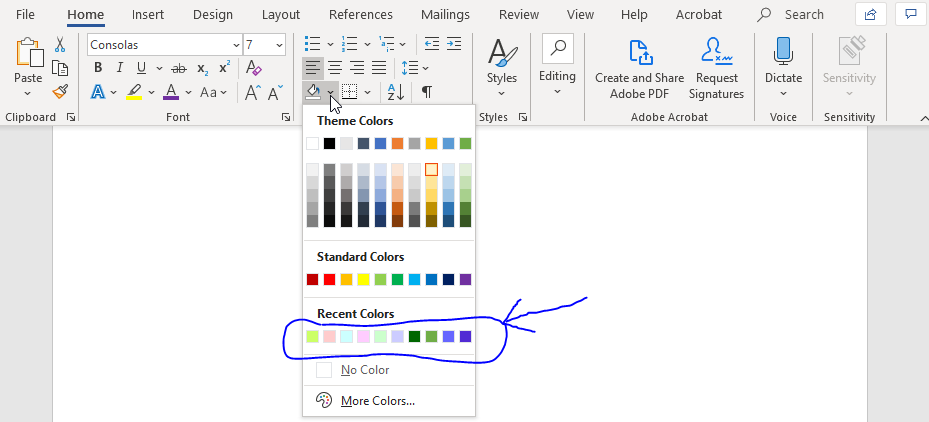 But I noticed that these colors only remain here as long as I keep my current word document remains open.
If I close out all my word documents that I have open.....
Then if I open up ThankYouLetter.docx again all my colors are gone.
Is there a way to save my Shading Colors?
Zero AI Policy
We believe in human intelligence. Our moderation policy strictly prohibits the use of LLM content in our Q&A threads.


EARN REWARDS FOR ASKING, ANSWERING, AND MORE.
Earn free swag for participating on the platform.
Windows OS
--
Questions
--
Followers
Top Experts
This topic area includes legacy versions of Windows prior to Windows 2000: Windows 3/3.1, Windows 95 and Windows 98, plus any other Windows-related versions including Windows Mobile.