

Virtualization
--
Questions
--
Followers
Top Experts

Hi,
I am facing the issue with Veeam tape backup. I am getting the below error.
completed with warning. Details: Tape fatal error. Failed to backup f86db93efb994696a6de745d1d4ca5cb/000e.vblob: Tape fatal error. Incremental backup: Tape fatal error. The request could not be performed because of an I/O device error. Tape write closed.
please find the attachment. Please let me know how to resolve the issues.
Veeam Session Report c8bbbdfd-010c-4e67-bbbb-28ecb9c11e04.html.pdfVeeam Session Report_Issues.pdf
Zero AI Policy
We believe in human intelligence. Our moderation policy strictly prohibits the use of LLM content in our Q&A threads.

Have you cleaned the tape heads? Have you considered replacing the tape? Tapes don't last forever. A further reason could be that it is full. Or maybe the tape has gotten stuck & won't move. What type of tape are you using, & what tape drive?
Hi,
I have after replace the cleaning tape drive also i am getting tape fatal error.
Library Information:
Vendor : BDT Product ID : MULTISTAK
Base FW Revision : 2.0.0-A000
Expansion FW Revision : 0.40
WW Node : 5000E111E192E000
Robotic HW Revision : 6 Robotic FW Revision : 0.22
Robotic Assembly S/N : 564N75EC033780 Robotic Restriction : 40/32 Slots
Barcode Reader HW R. : SE-625 Barcode Reader FW Rev. : PAAAMC00-002-N09
Spooling Cable Type : Type 2 (48U) Library Config : 48U
OCP Serial Number : SFLN2327200053 OCP Firmware Revision : V5.63 r0 / V2.1
Mag. Buttons Mode : Short/Long
Customization Package : MSR_OVERLAND_16_03_2018_004
Please find the attached logs. Please provide the KB article.
Thanks,
First clean the complete machine. I have often seen dust or paper rests getting stuck & blocking sensors. Then, as I mentioned, try new tapes. Also check if any f the tapes got stuck somewhere in the changer, or maybe parts of a tape got entangled. Also clean the barcode reader if you are using it.
Or if you have a service contract with the manufacturer get him to service it. These tape changers are pretty sensitive equipment, so only authorized people should service them. They are also rather expensive, so that is another reason for that.
When using tapes, make sure to use a “GFS” (Grandfather, Father, Son) type of rotation. The Grandfather tapes should be archived & not used any longer. So those should also be the tapes you used the longest. Such a rotation policy keeps old tapes alive, if you use a tape too often it wears them down. Normally you can still read data from old tapes. Just retire them early enough.


EARN REWARDS FOR ASKING, ANSWERING, AND MORE.
Earn free swag for participating on the platform.

Possible tape fault or tape drive fault, refer to vendor and hardware support for replacement
Hi,
I had clean the complete machine and replaced the new clean tape. initiated the new backup job.
taken the 100GB backup file . it written 64GB data tape drive . after that i got same error tape fatal error.
Please help me on this.
Thanks,
how old is the tape drive and how many hours has it had in use?
do you have any warranty or service cover on the unit?
Get a FREE t-shirt when you ask your first question.
We believe in human intelligence. Our moderation policy strictly prohibits the use of LLM content in our Q&A threads.

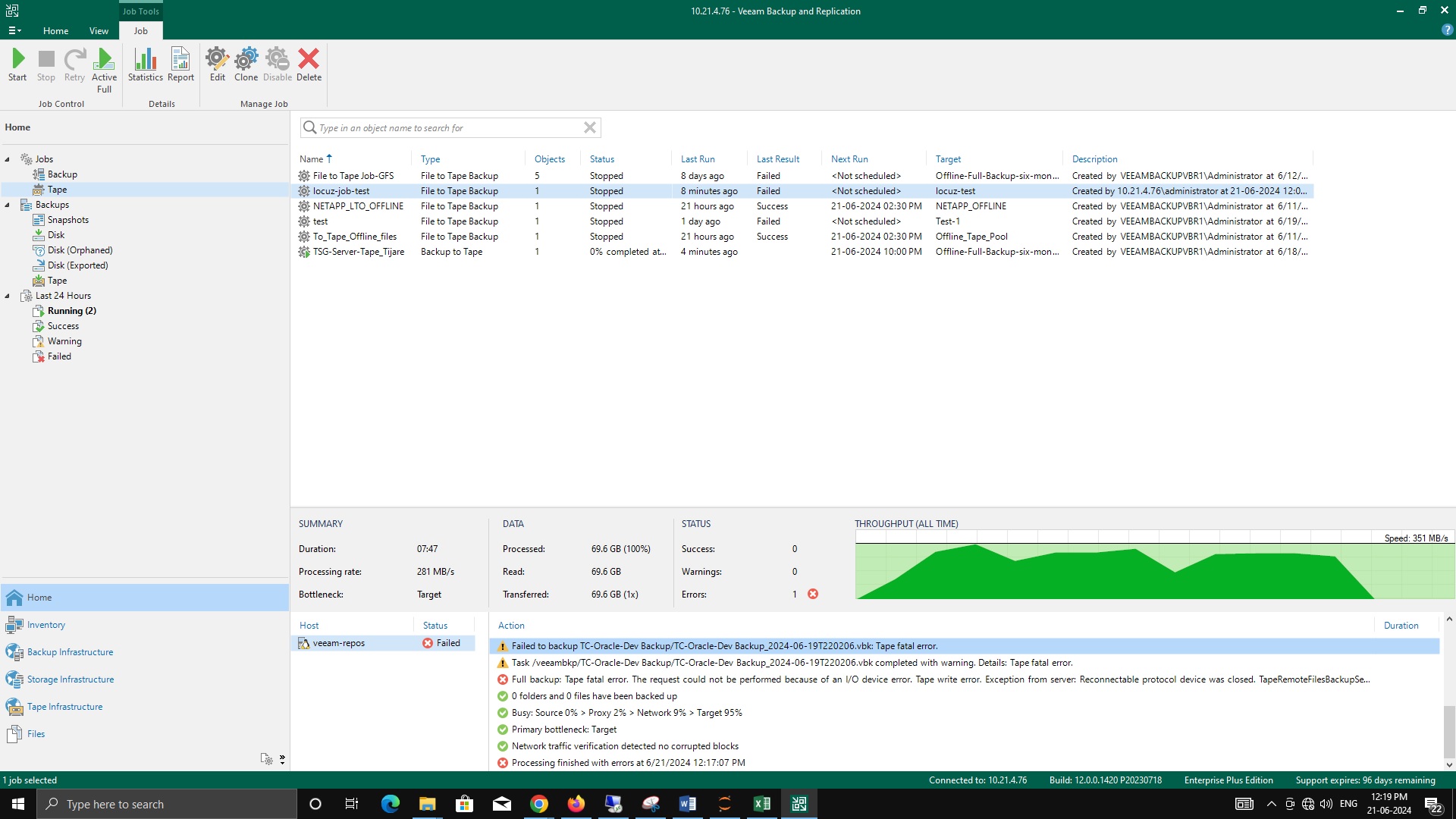
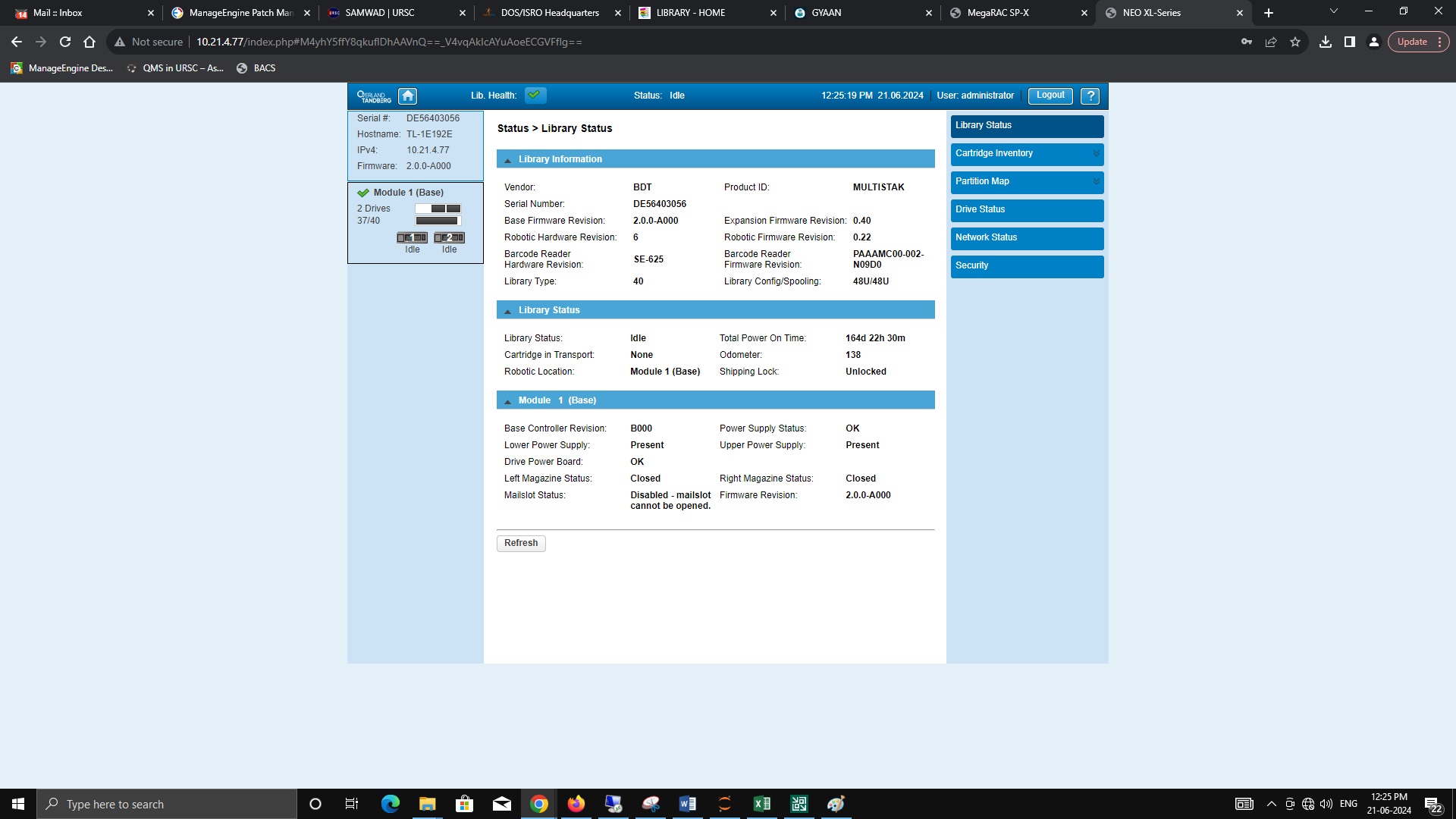
I found this in the info log. Sounds like here is your problem:
CMD_NAME: MOVE_TO_SLOT CMD_INITIATOR: MOVER DST_ELEM_ADDR: 337 ERRORCODE: Unexpected slider block, cartridge is not pushed far enough into the slot (ROB_SLIDER_UNEXPECTED_BLOCK_DURING_INSERT) ROB_AXIS: Slider ROB_POSITION: 225 CYCLE_COUNT: 21
If there is any sort of access to see the actual tape drive, check for any blockages in the drive and make sure the loader can move freely. Otherwise run diagnostics from the manufacturer of the tape drive.
I saw that too, but that was several Months Ago (seems like February), so this message is probably obsolete.
Maybe you should check whether you can delete the old logs, so it is easier to find the relevant & current issues.
Hi,
I have issues with Netvault backup. i am unable to see the drive 2 . it is going offline
we have replaced the new tape drive 2. again i am facing the same issues.
What need to be check
EARN REWARDS FOR ASKING, ANSWERING, AND MORE.
Earn free swag for participating on the platform.
Did replacing the drive fix the problem and then it came back?
The error I pointed out is older, but still an indication of an ongoing problem. If you swap the tape drives, does the error move with the drive, or are the problems still with drive 2?
Was the drive replaced under warranty? Using Vendor warranty because we had this issue for years with tape drive replacement under warranty and we found the same tape drives were coming backup under replacement they were refurbs that were not fixed - in the end we started recording serial numbers returned and marked the tape drives with a U/V pen to confirm!
In the end we purchased stock of new drives!
Virtualization
--
Questions
--
Followers
Top Experts
Virtualization is the act of creating a virtual (rather than actual) version of something, including (but not limited to) a virtual computer hardware platform, operating system (OS), storage device, or computer network resources. Virtualization is usually the creation of a system that executes separate from the underlying hardware resources, or the creation of an entire desktop for systems located elsewhere, similar to thin clients.
Create your account and start contributing!