
Windows XP
--
Questions
--
Followers
Top Experts

I have more than 5 computers and I am updating all of them, but I do not want to use "Windows Update"
I am collecting all the hotfix in a CD
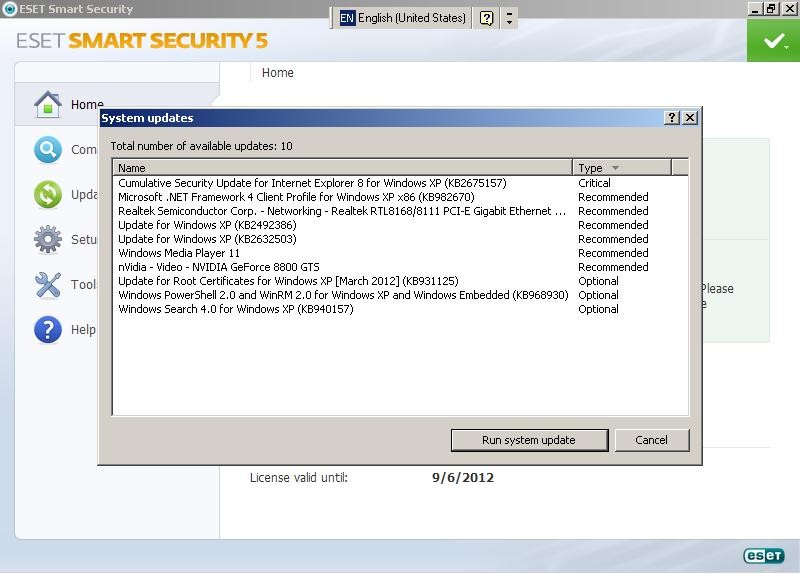
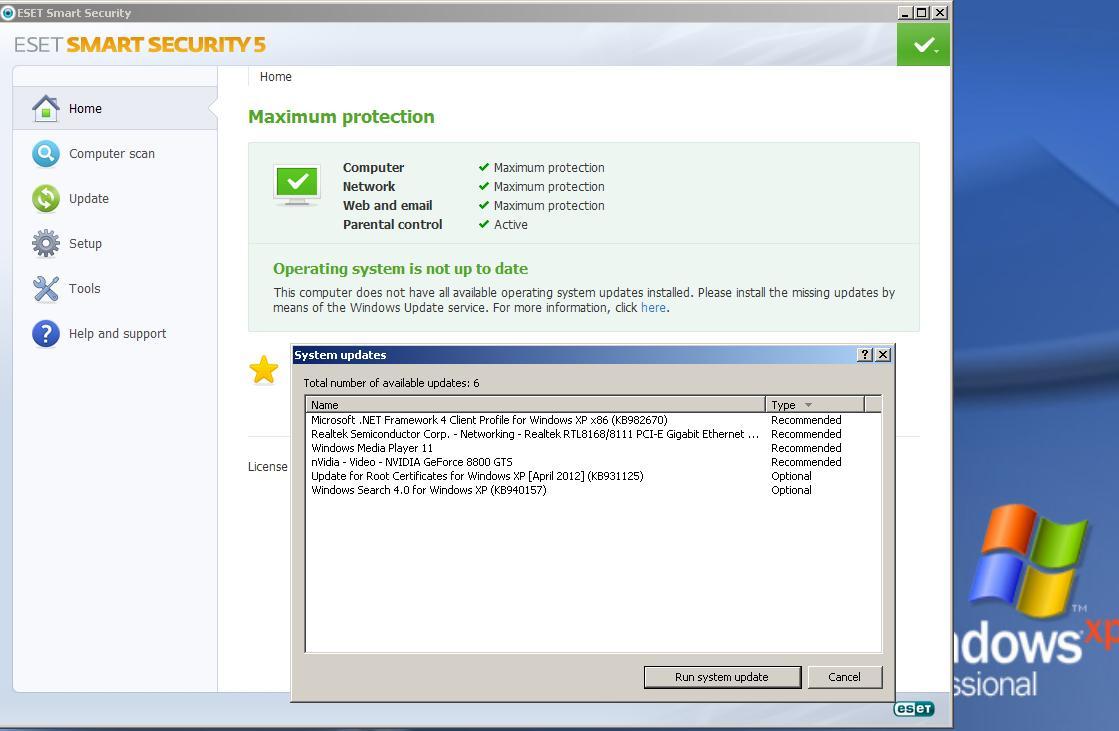
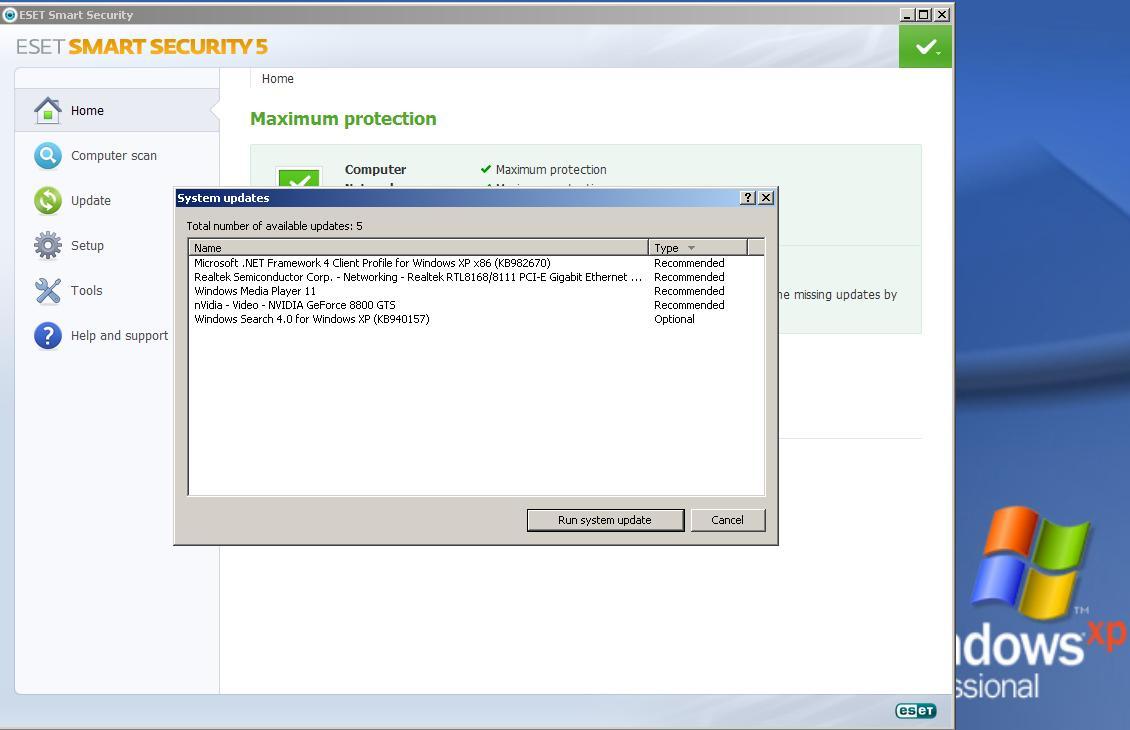
But KB931125 for XP is drive me crazy, I do know if I installed or not in all computers, because when I click on rootsupd.exe. NOTHING happens, no msg installation... , no license agreement... nothing... but Eset Internet Security 5 is now not showing that I need to install the missing update "Update for Root Certificates For Windows XP [April 2012] (KB931125)"
All the Windows XP copies are legitime and registered.
All the systems are sandboxed (not for instalation) only to browse the web
If the systems are sandboxed to browse the web, This does not mean I am browsing the web in the systems since I am still updating.
Call me paranoid about malware, That is why I still do not want to browse the web
There is still available operating system updates that I MUST install.
I started here:
Next I started to download the hotfixs until the KB931125
Once I installed hotfix KB931125, the AV ESS, stops reporting the missing update
I download the KB931125 from:
Microsoft Support
http://support.microsoft.com/kb/931125
Update for Root Certificates For Windows XP [April 2012] (KB931125)
http://www.microsoft.com/en-us/download/details.aspx?id=29434
rootsupd.exe
GetRight Download Log For rootsupd.exe
--------------------------
URL:	http://download.microsoft.com/download/3/A/4/3A423151-FEAB-43FB-902D-679023BF159F/rootsupd.exe
To:	C:\FreeAgentE5\Prog
--------------------------
Start:	2012/04/30 13:54:19 at byte 0
Finish:	2012/04/30 13:54:21
--------------------------
Size:	386,712
Time:	0:00:03
Speed:	125.9 K/Sec
--------------------------
So the question is still How do I know if if I installed KB931125 Windows XP Pro SP3 NO WU and nor revised my WU history?
I do not trust my AV when check for missing updates
Please do no redirect to another website, I need the information here at EE
iF the experts think this question is illegal breaking the EE rules
I can prove it is not
just please ask and please read this question I open severals months ago
https://www.experts-exchange.com/questions/27375445/IF-I-deleted-all-the-Eula-txt-will-I-have-any-problem-when-Microsoft-releases-Patch-Tuesday.html
Or this one a few day ago
https://www.experts-exchange.com/questions/27675993/How-to-create-a-Windows-Media-Player-11-installation-CD.html
Thank you in advance for any help you can provide me
Regards
Rebel
Zero AI Policy
We believe in human intelligence. Our moderation policy strictly prohibits the use of LLM content in our Q&A threads.

Open Add/Remove Programs and verify that "Display Updates" is selected. You can scroll down the list and see if it's there.
In Windows XP you can open the C:\Windows folder, show all files and folders and you should find a $NtUninstallKB931125$ folder. You can also see this in C:\Windows\$hf_mig$\KB9311
In Windows 7 you can check the C:\Windows\SoftwareDistrib
You can browse the registry under HKLM\Software\Microsoft\Wi
Finally, you can check the MS KB details or release notes and compare file versions of the files modified with the ones from the KB. This might not be entirely accurate since these files may be update by other hotfixes...use this as a last resort.
Good luck!
>Open Add/Remove Programs and verify that "Display Updates" is selected. You can scroll >down the list and see if it's there
You know that Hotfix change the name in Add/Remove Programs in particular how do I search for this specific hotfix, open Add/Remove Programs?
If I try regedit
HKLM\Software\Microsoft\Up
Thank you
Rebel
I search at the location C:\Windows folder, nothing found
And I browse under the registry and search for KB931125, nothing found
Under Add/Remove Programs nothing new has been installed
Now what? OK, such as said I do not trust what is reporting my AV, but since I click on rootsupd.exe, ESS is not showing this missing update... I do not get it, I am lost and still KB931125 for XP is drive me crazy
Thank you
Rebel


EARN REWARDS FOR ASKING, ANSWERING, AND MORE.
Earn free swag for participating on the platform.


Thank you very much for all the information you provide me and to understand the question I asked
Kind Regards
Rebel
Get a FREE t-shirt when you ask your first question.
We believe in human intelligence. Our moderation policy strictly prohibits the use of LLM content in our Q&A threads.
Windows XP
--
Questions
--
Followers
Top Experts
Microsoft Windows XP is the sixth release of the NT series of operating systems, and was the first to be marketed in a variety of editions: XP Home and XP Professional, designed for business and power users. The advanced features in XP Professional are generally disabled in Home Edition, but are there and can be activated. There were two 64-bit editions, an embedded edition and a tablet edition.