
Operating Systems
--
Questions
--
Followers
Top Experts

Macbook Pro
15-inch, Mid 2012
macOS Sierra 10.12.4
Processor 2.3GHz Intel Core i7
Memory 16GB
Graphics Intel HD Graphics 4000 1024 MB
240GB SSD
Turns out, there are still sleep awake failures.
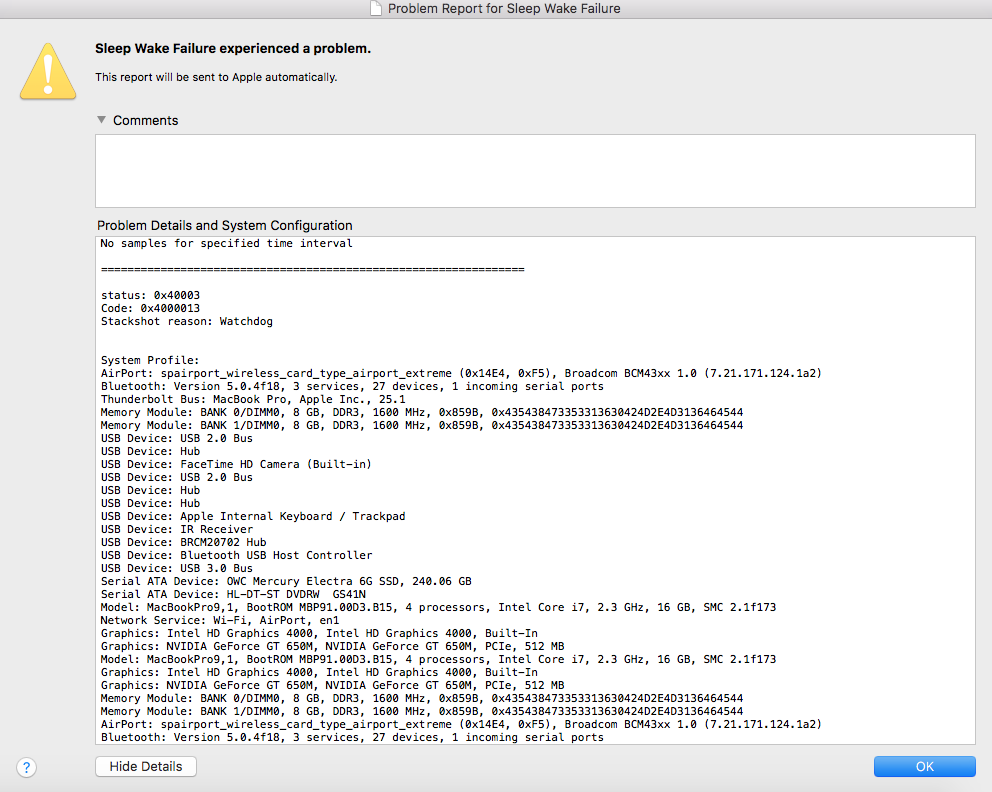
What should I try next?
Zero AI Policy
We believe in human intelligence. Our moderation policy strictly prohibits the use of LLM content in our Q&A threads.


With the recent Apple news about them acknowledging battery failures and how they are purposefully slowing down hardware performance, I have a feeling that the solution to this problem would be to replace the battery of the laptop. I realize that discussion is not about laptops, but battery life is not everlasting, so its an avenue I would eventually like to try. Its just that I haven't had the time or money to take on that task yet. If I ever do, I will post back here on the results.


EARN REWARDS FOR ASKING, ANSWERING, AND MORE.
Earn free swag for participating on the platform.
Operating Systems
--
Questions
--
Followers
Top Experts
Operating systems perform basic tasks, such as recognizing input from the keyboard, sending output to the display screen, keeping track of files and directories on the disk, and controlling peripheral devices such as disk drives and printers. For large systems, the operating system makes sure that different programs and users running at the same time do not interfere with each other. The operating system is also responsible for security, ensuring that unauthorized users do not access the system. Operating systems provide a software platform on top of which other programs, called application programs, can run.