Intro to Microsoft Sentinel


Published:
Browse All Articles > Intro to Microsoft Sentinel
In this post I will walk you through Microsoft Sentinel, showing you how it can be used in your day-to-day life and how it can help you.
Microsoft Sentinel by George Grammatikos
Microsoft Sentinel is an intelligent security service incorporating cloud security and artificial intelligence. It combines SIEM (Security Information Event Management) and SOAR (Security Orchestration Automation Response).
SIEM : A SIEM captures and handles security data in real-time from cloud and on-premises systems and alerts you of any attacks.
SOAR : SOAR takes the generated security alerts from the SIEM solution and, using AI, understands the security issue and suggests actions to resolve it.
Microsoft Sentinel has the following capabilities:
Azure AD, Microsoft Defender for Cloud, Microsoft 365 Defender, Windows security events, Amazon Web Services logs, G Suite, etc., are just a few of the OOB connectors that Microsoft Sentinel offers.
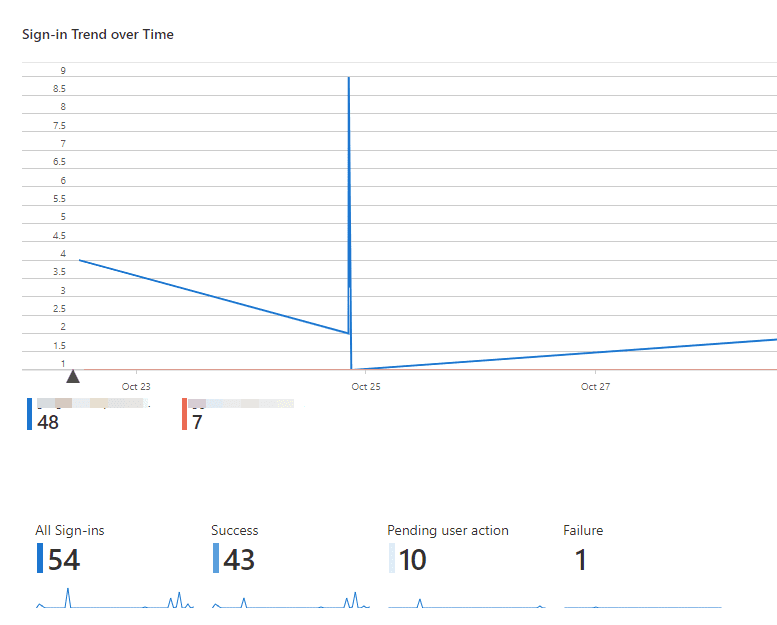
Microsoft Sentinel starts data collection after establishing a connection between the data connectors and the data sources. 131 Workbooks templates are available for you to choose from to display your data and find any potential threats.
Investigate threats with AI/ML
With Microsoft Sentinel, you can investigate suspicious activity on a large scale using the ML Fusion correlation engine. Operational efficiency is enhanced when enrichment and containment are automated.
Respond to findings fast
Microsoft Sentinel's identifying facts function is the automatic response to recurring security events. This process is intended to cope with increasing security alerts.
SIEM : A SIEM captures and handles security data in real-time from cloud and on-premises systems and alerts you of any attacks.
SOAR : SOAR takes the generated security alerts from the SIEM solution and, using AI, understands the security issue and suggests actions to resolve it.
Microsoft Sentinel has the following capabilities:
- Collect Data : Collects data from cloud or on-premise apps and devices.
- Detect threats : Microsoft's exceptional threat intelligence and analytics can detect threats and minimize false positives.
- Investigate threats with AI : Use AI services to look for suspicious activities and identify possible dangers.
- Respond to findings fast : You can respond quickly to events thanks to the orchestration and automation of common operations built in.
Azure AD, Microsoft Defender for Cloud, Microsoft 365 Defender, Windows security events, Amazon Web Services logs, G Suite, etc., are just a few of the OOB connectors that Microsoft Sentinel offers.
The list includes about 124 data connectors, and it keeps growing. For a detailed list of support data connectors, please visit: Find your Microsoft Sentinel data connectorDetect threats
Microsoft Sentinel starts data collection after establishing a connection between the data connectors and the data sources. 131 Workbooks templates are available for you to choose from to display your data and find any potential threats.
Investigate threats with AI/ML
With Microsoft Sentinel, you can investigate suspicious activity on a large scale using the ML Fusion correlation engine. Operational efficiency is enhanced when enrichment and containment are automated.
Respond to findings fast
Microsoft Sentinel's identifying facts function is the automatic response to recurring security events. This process is intended to cope with increasing security alerts.
Microsoft Sentinel components
Microsoft Sentinel features enable data consumption, monitoring, alerting, hunting, researching, reacting, and interfacing with many products, platforms, and services.- Data Connectors : Microsoft Sentinel data connectors
- Parsers : Using the Advanced Security Information Model (ASIM) (Public preview)
- Workbooks : Visualize collected data
- Analytics rules : Detect threats out-of-the-box
- Hunting queries : Hunt for threats with Microsoft Sentinel
- Notebooks : Use Jupyter notebooks to hunt for security threats
- Watchlists : Use watchlists in Microsoft Sentinel
- Playbooks and Azure Logic Apps custom connectors : Automate threat response with playbooks in Microsoft Sentinel
Estimate Microsoft Sentinel costs
Before starting a cloud service, it is usually a good idea to estimate monthly or yearly rates. So, using Microsoft Sentinel, we can use the Microsoft Sentinel calculator to calculate and estimate expenditures. Check out this link for additional information about Microsoft Sentinel costs: Microsoft Sentinel pricing.Summary
In essence, Microsoft Sentinel delivers enterprise-wide threat intelligence and security analytics. The solution offers several characteristics, including proactive threat detection, hunting, and reaction. Combining the aforementioned with other Azure services, such as Logic Apps, improves the capacity to identify, investigate, report, and respond to threats. This boosts the security of your cloud or on-premises systems.Related links
- Best practices for Microsoft Sentinel
- Plan costs and understand Microsoft Sentinel pricing and billing
- Service limits for Microsoft Sentinel
- Microsoft Sentinel REST
Have a question about something in this article? You can receive help directly from the article author. Sign up for a free trial to get started.
Comments (0)